Our Location
304 North Cardinal St.
Dorchester Center, MA 02124

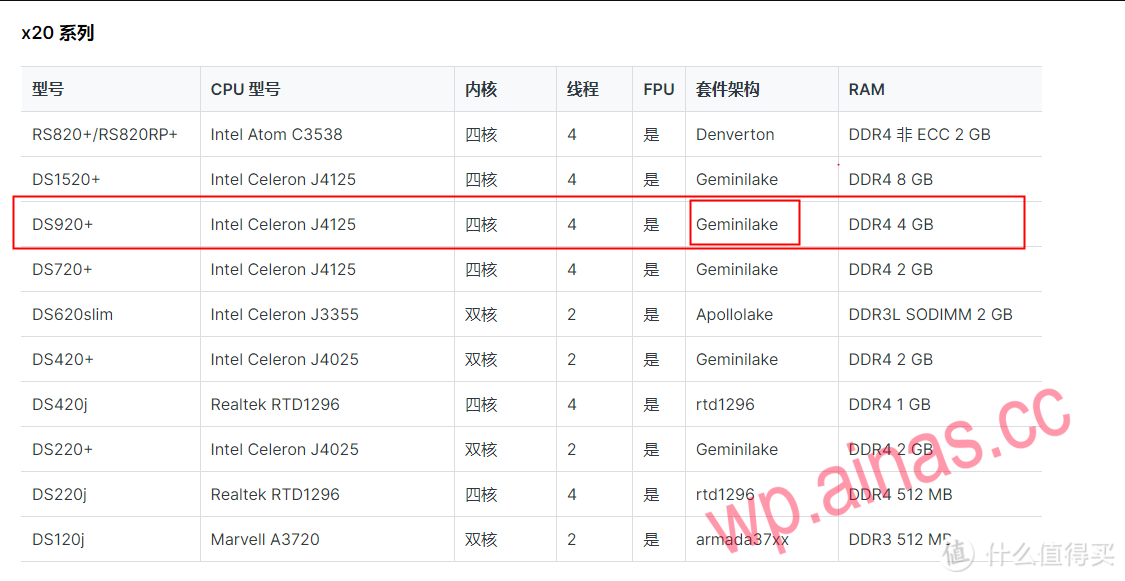
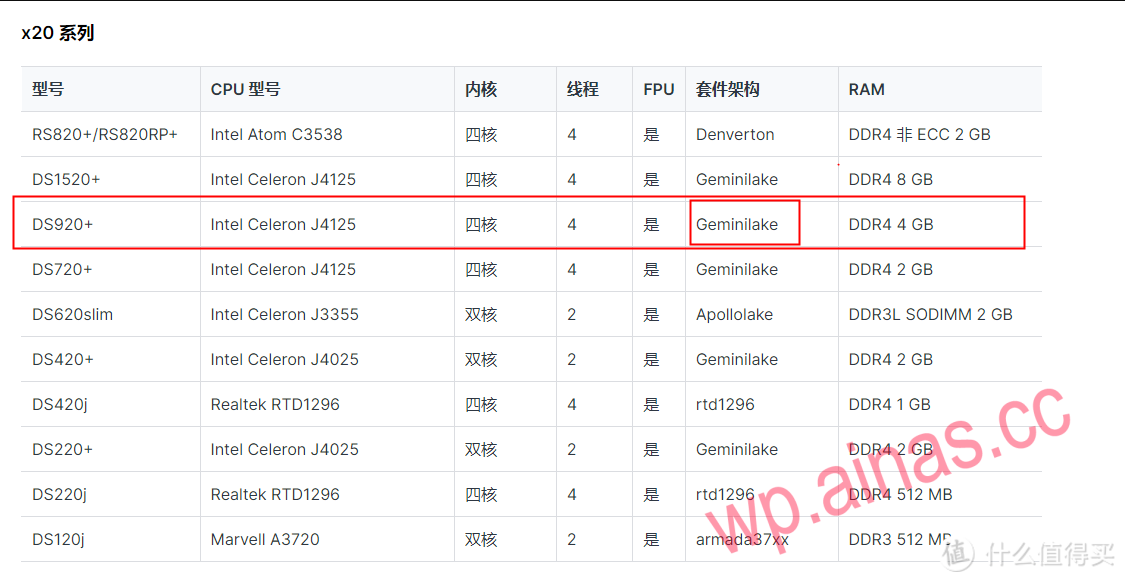
1. First, you need to go to Synology’s official website to query the package architecture based on the machine model and corresponding CPU model.https://kb.synology.cn/zh-cn/DSM/tutorial/What_kind_of_CPU_does_my_NAS_have
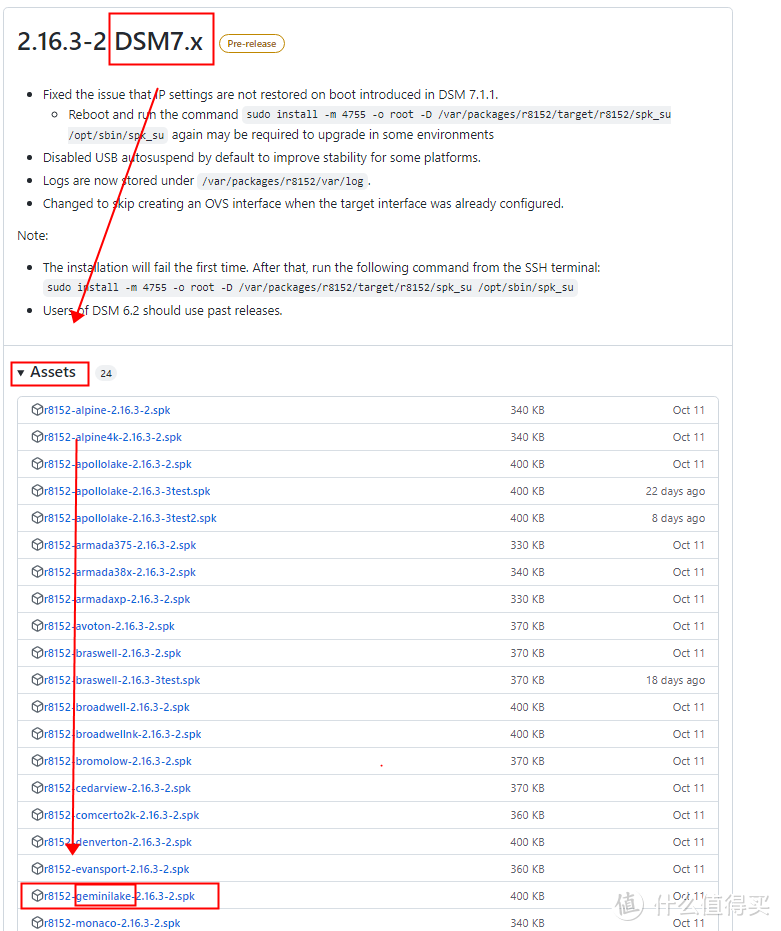
2. After finding it, go to the github website to download the corresponding driver based on the system version of nas and the package architecture you just found. Be careful not to download the wrong driver. If it is a system before 6.2, go to the front to find the previous driver download that did not write DSM7.Releases · bb-qq/r8152 (github.com)
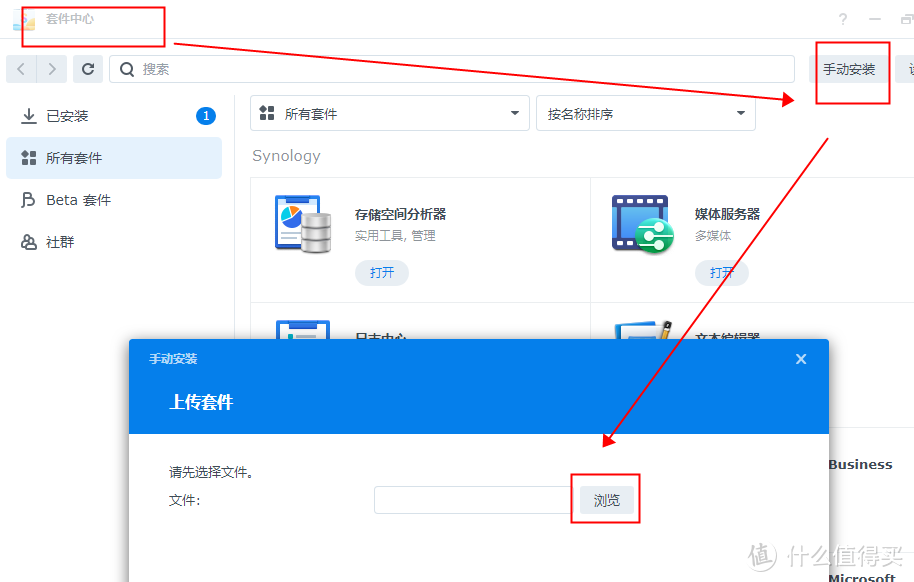
3. After the download is complete, go to Synology Package Center and select Manual Install to add the driver you just downloaded. Note: Generally, the first installation will prompt that this package cannot be installed correctly! ! !
If this package cannot be installed correctly, you need to run the command line in an SSH terminal. Click below.
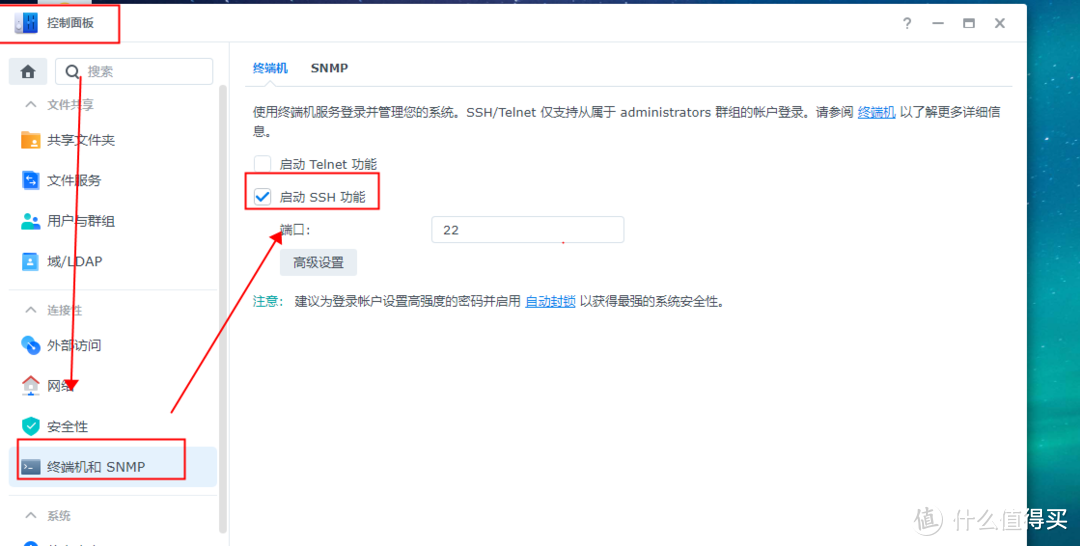
1. Open the Synology NAS control panel and enable the SSH function.
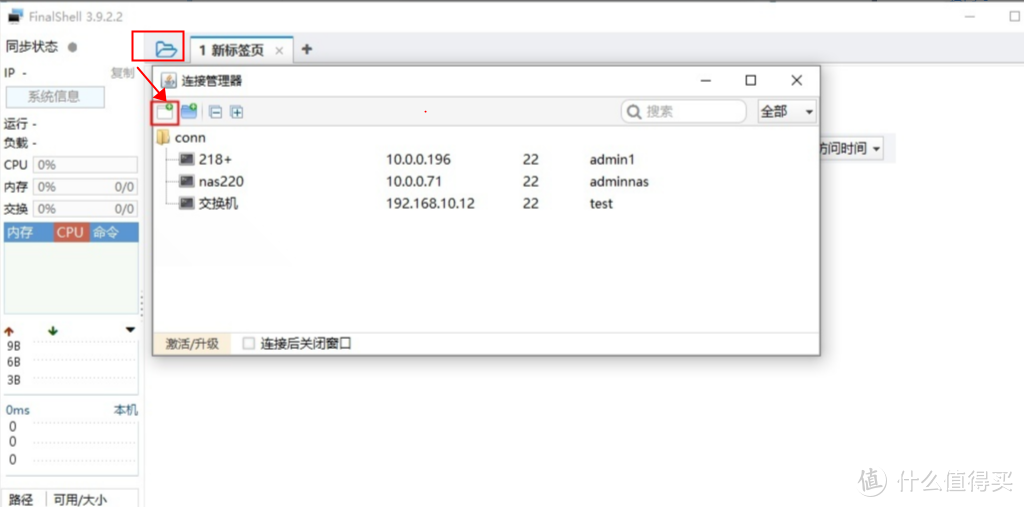
2. Install finalshell on your computer (of course others are also available), click the folder icon in the upper left corner, click the new icon on the pop-up interface, and select “SSH connection (linux)”.
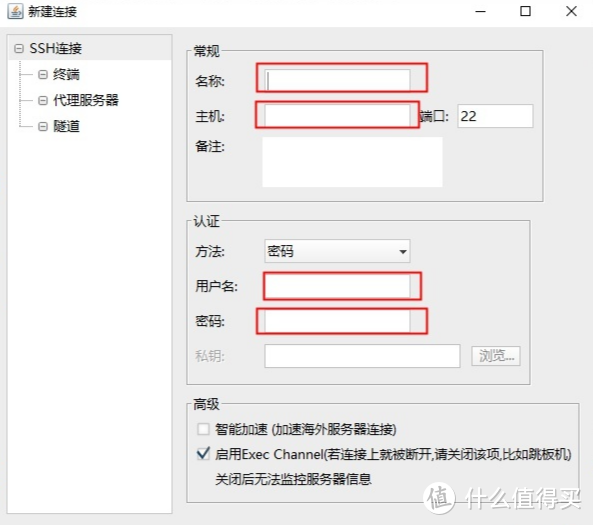
3. In the pop-up interface, enter the name (any choice), host (IP address of the NAS), username (administrator account to log in to the NAS), password (password of the corresponding account), and click Confirm.
4. After completion, double-click the link just created on the interface. If the link is successful, enter at the cursor.
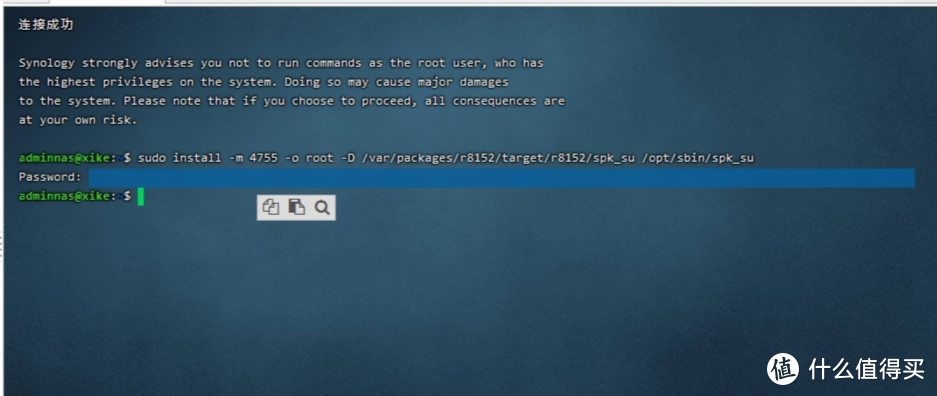
sudo install -m 4755 -o root -D /var/packages/r8152/target/r8152/spk_su /opt/sbin/spk_suClick the Enter key, and password will appear. Enter the administrator password directly at the cursor (note that nothing is displayed when entering the password, so don’t worry). Just click the Enter key after completing the input.
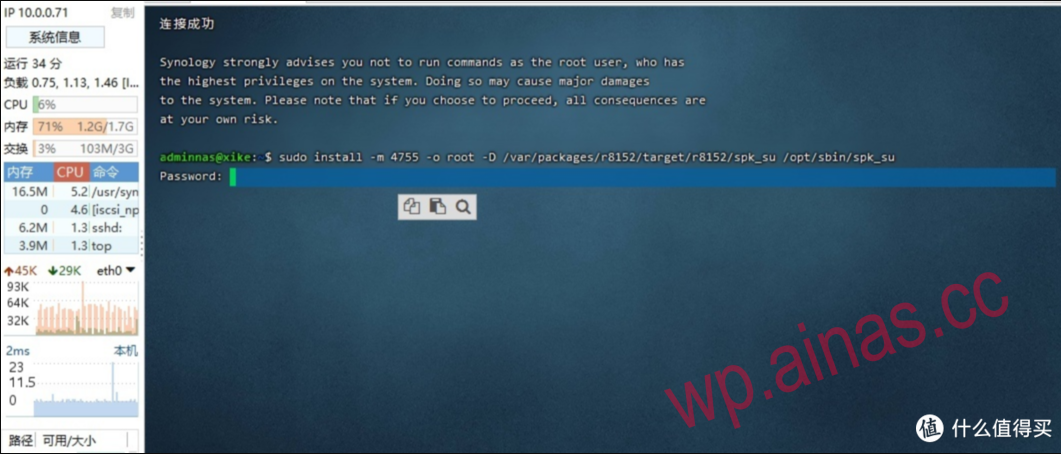
5. The following screen appears to indicate that the setting is completed (if it is not successful, the password or asynchronous operation may be wrong, try again). After success, go back to the package center to manually install the driver again.
If you cannot connect to the Internet after the installation is complete, you can try closing the driver and then reopening it, or restarting the NAS.
