Warning: Trying to access array offset on value of type bool in /www/wwwroot/cloud.ainas.cc/wp-content/plugins/blocksy-companion/framework/features/svg.php on line 78
Our Location
304 North Cardinal St. Dorchester Center, MA 02124

1. Before installing videostation, it is recommended to clean up and activate Advanced Media Extensions according to the tutorial on this site.
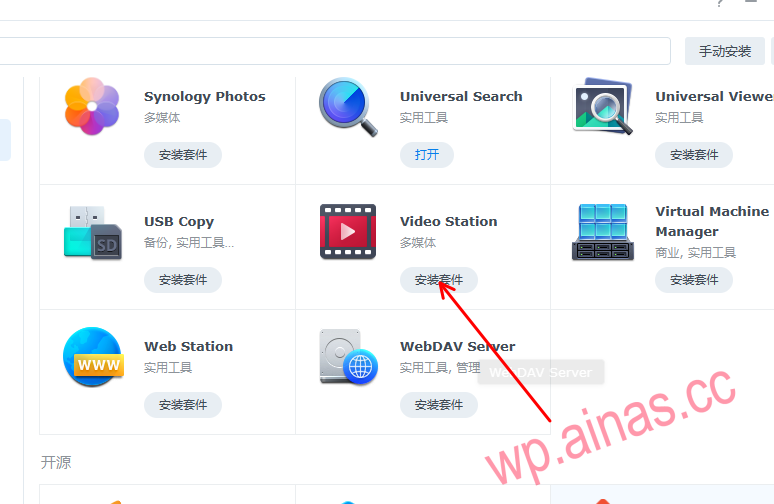
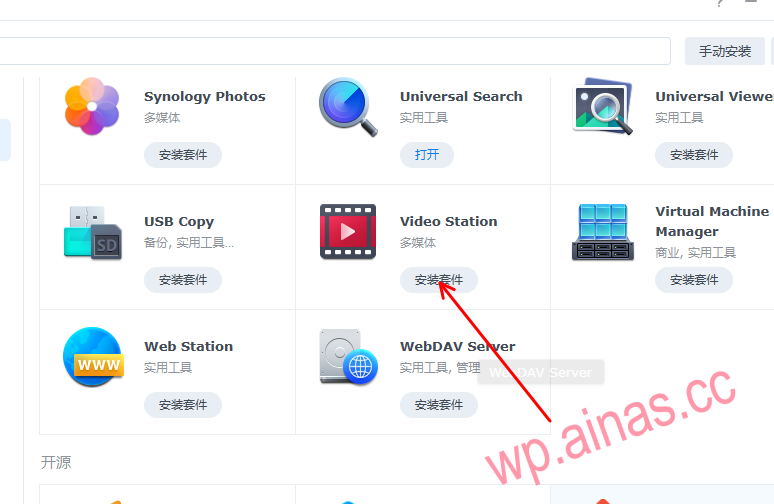
2. Install videoStation suite
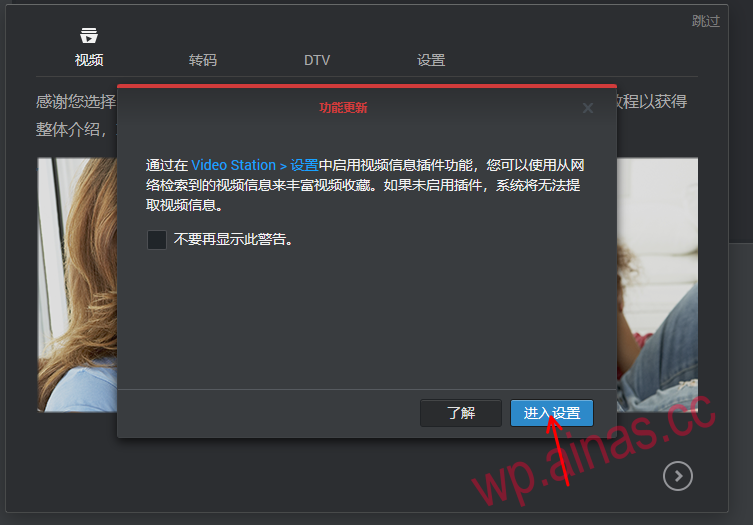
3. Open the videostation suite and enter settings
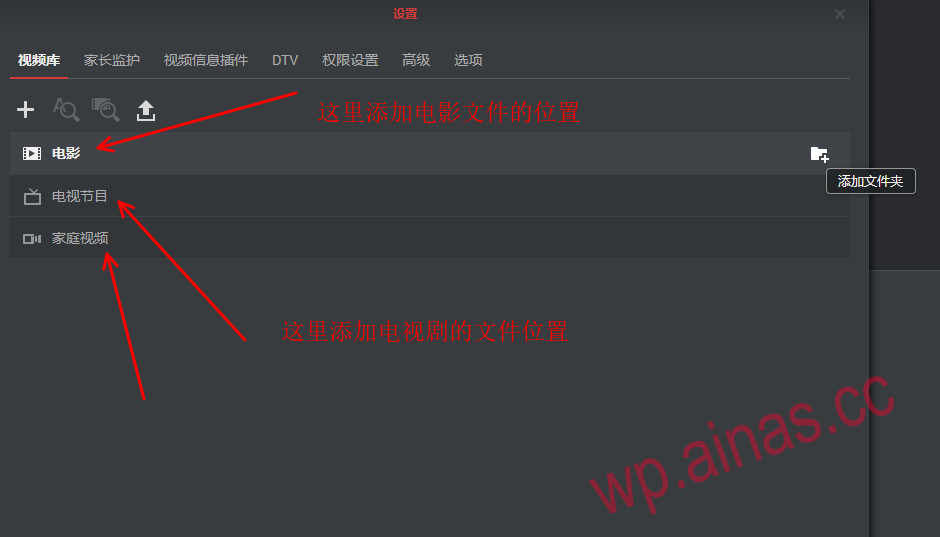
4. Configure video file location
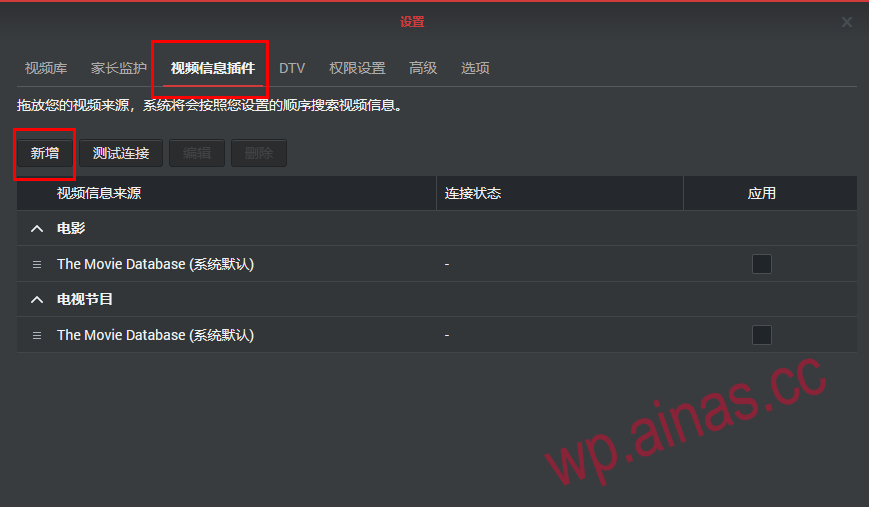
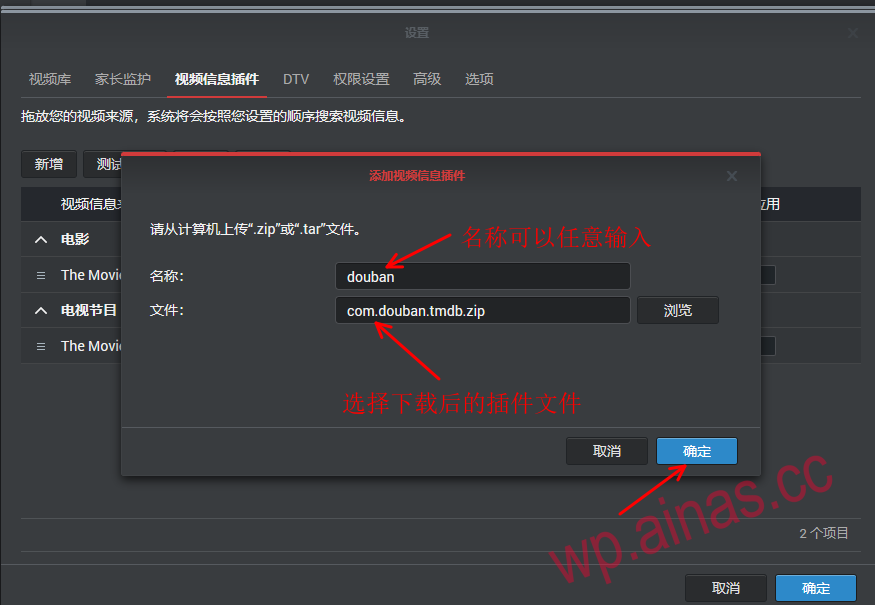
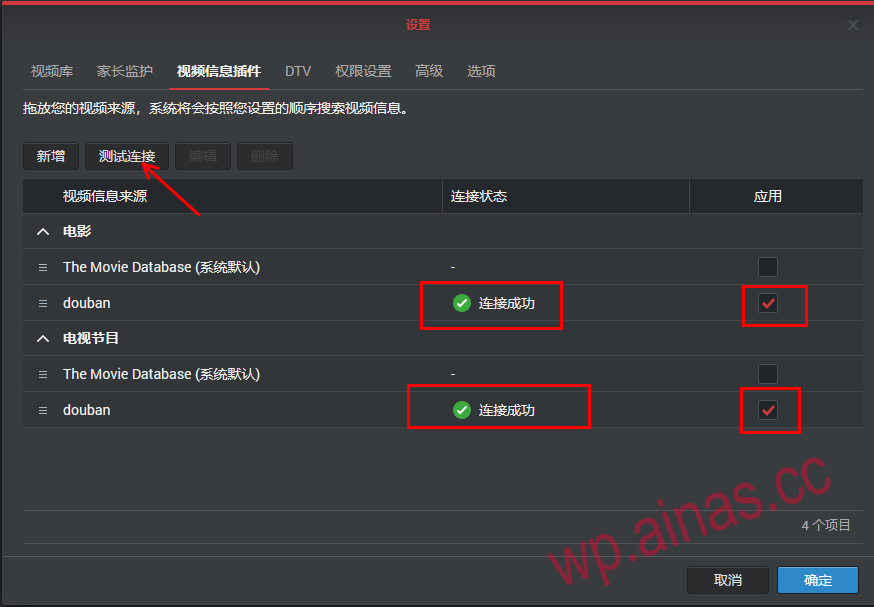
5. Add a video information plug-in to enable videos to download corresponding video posters and film and television information through the domestic Douban website
After installation, check the plug-in and click Connection Test. If the connection is successful, it means the installation is complete.
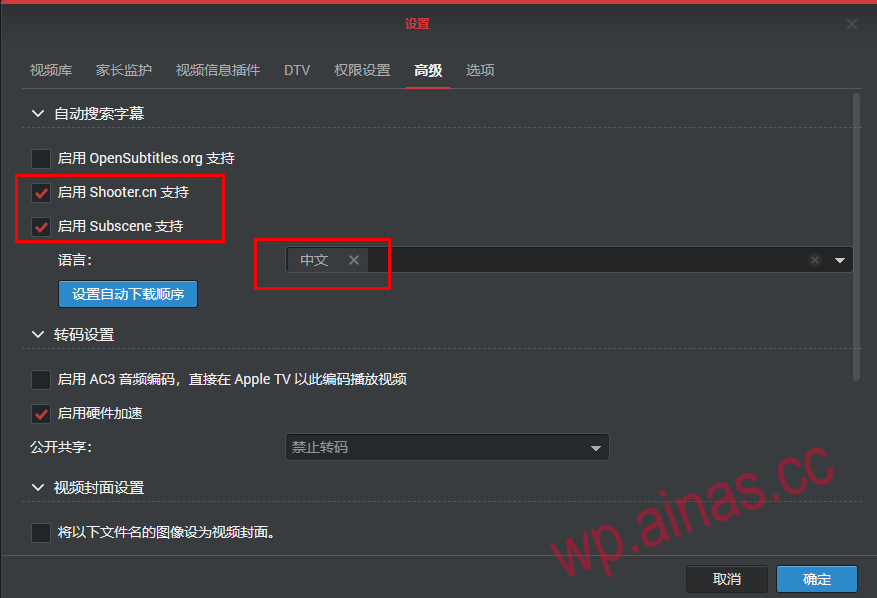
6. Subtitle download settings. If you do not have an OpenSubtitles.org account, you can cancel it. Check the two below and select Chinese as the language, or your own corresponding text.
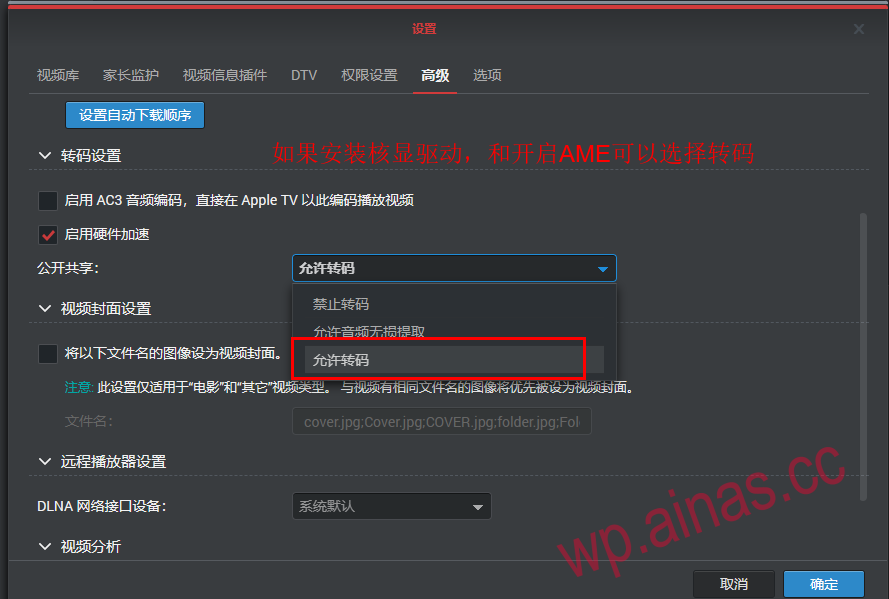
7. Transcoding settings. If you install the core display driver and unlock the AME, you can choose to transcode, which is usually called hard decoding.
8. After confirmation, the settings are basically completed and copy the video files to the corresponding video folder.
Newsletter Updates
Enter your email address below and subscribe to our newsletter