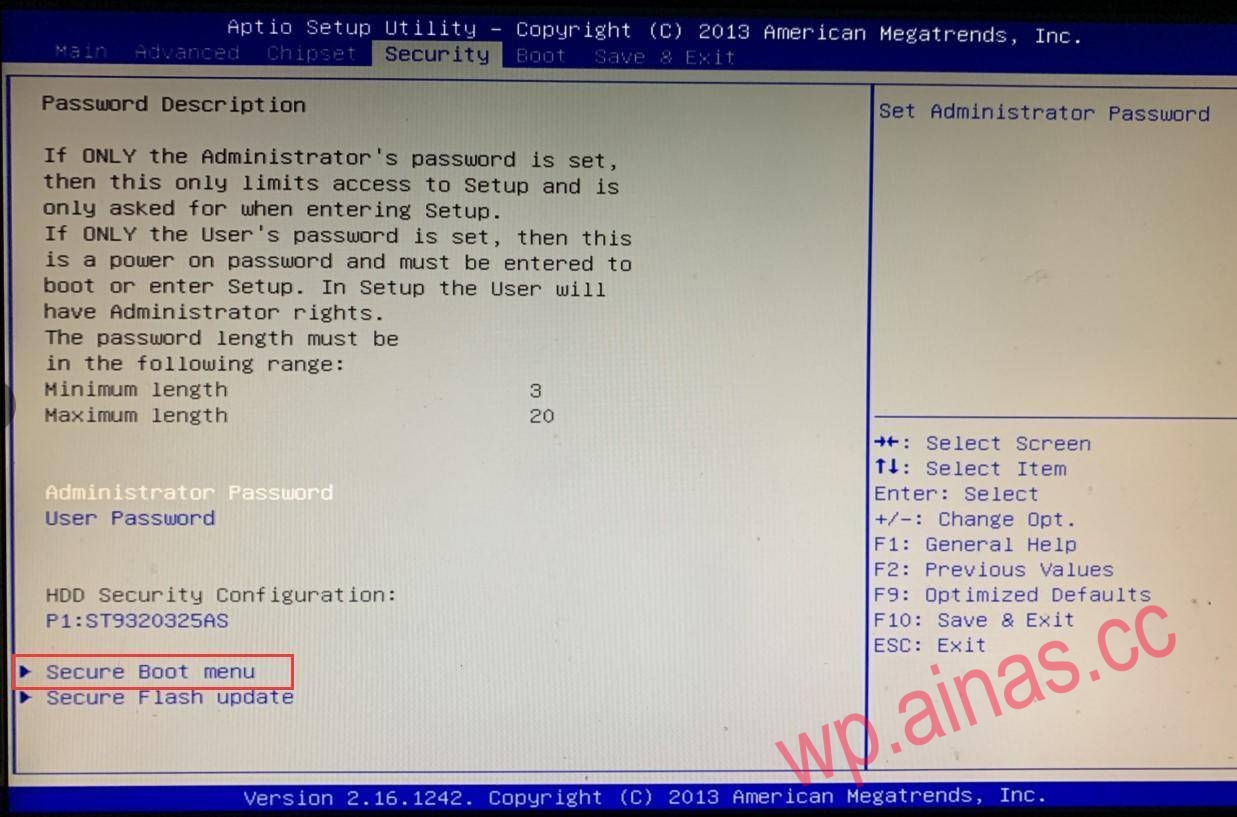
The tutorial applies to the reference settings of Snail Star and most public low-power motherboards. Note: Most motherboards should be different but roughly the same. Because the boot program of Synology 3617 3615 has BUG 6.2/6.22/6.23 (1.04b) and cannot boot normally, only the traditional BIOS boot (Legacy) can be used to search the machine normally.
Therefore, this article mainly talks about how to enable the traditional BIOS boot function.
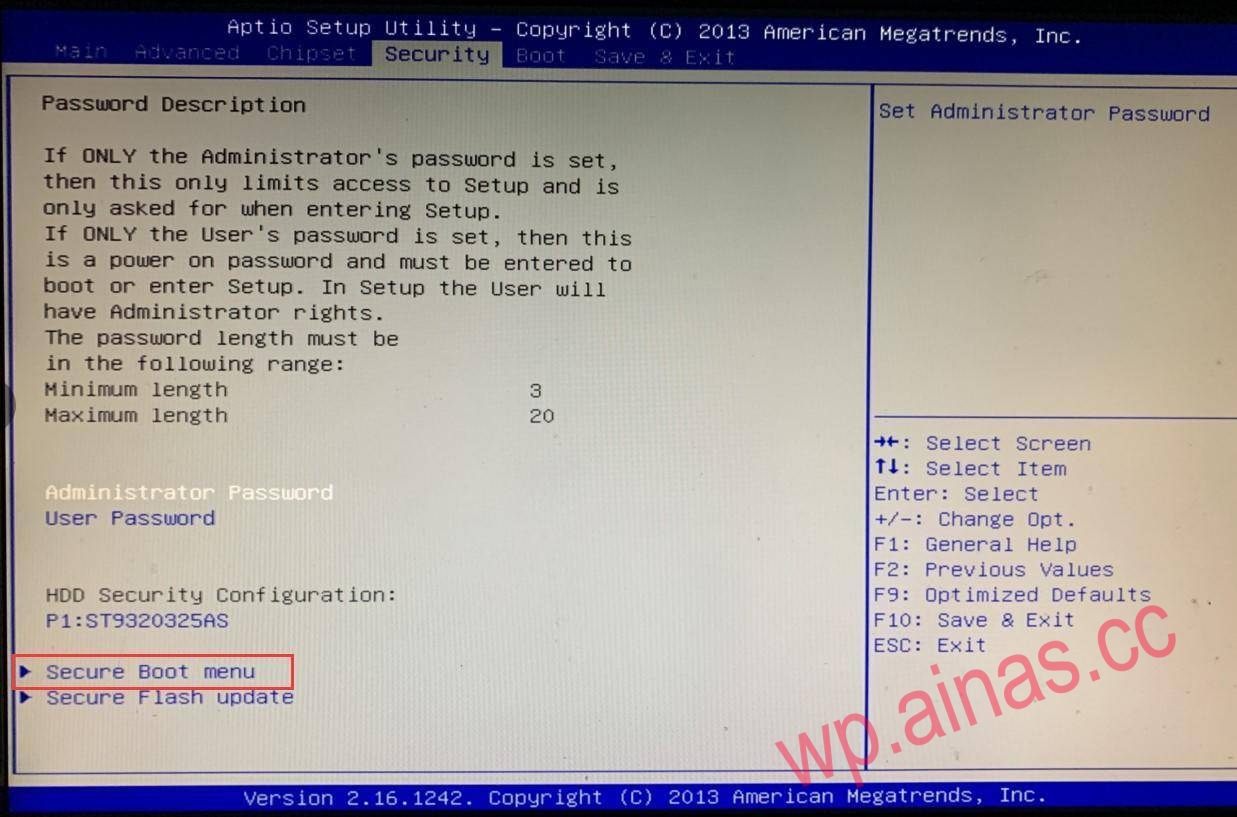
You don’t need to do this step. You can do it again after setting it and it doesn’t take effect. After booting, press Delete to enter Bios, find the Security tab, and then look down to the Secure Boot menu to enter.
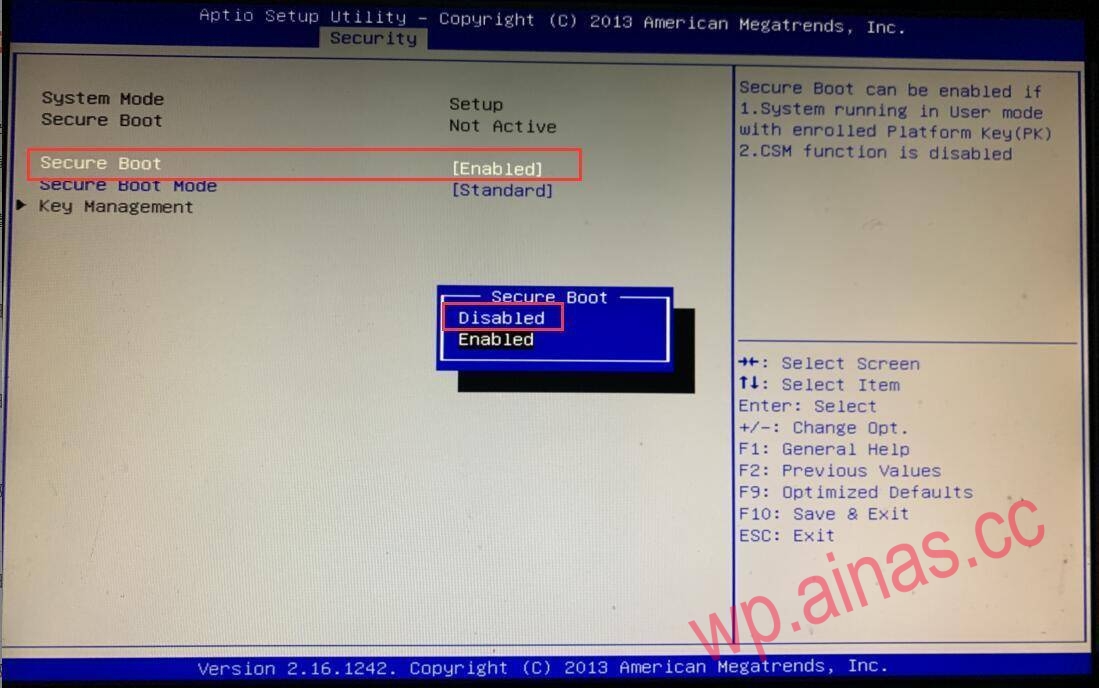
You don’t need to do this step. You can do it again after setting it and it doesn’t take effect. Disable Secure Boot as shown above
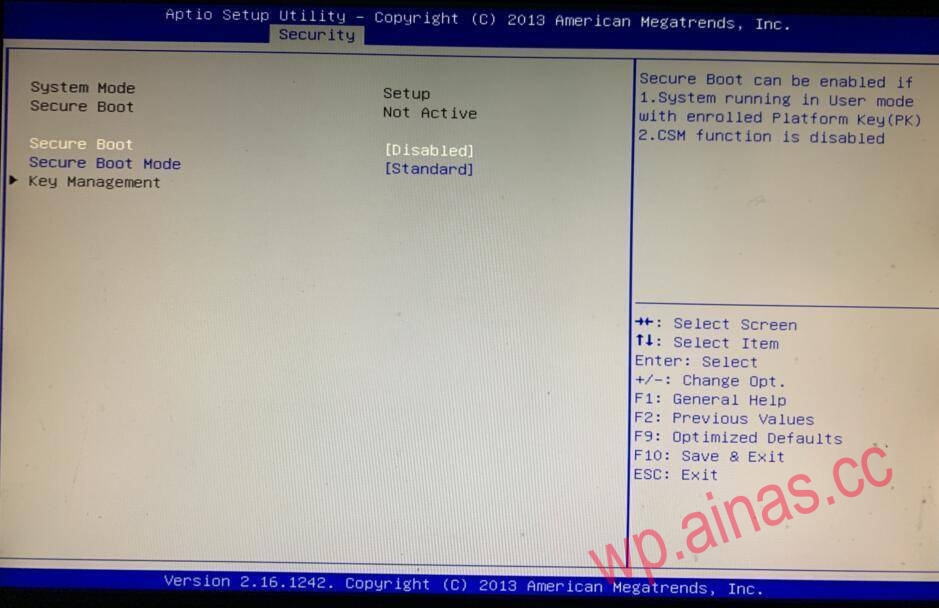
As shown in the figure after setting
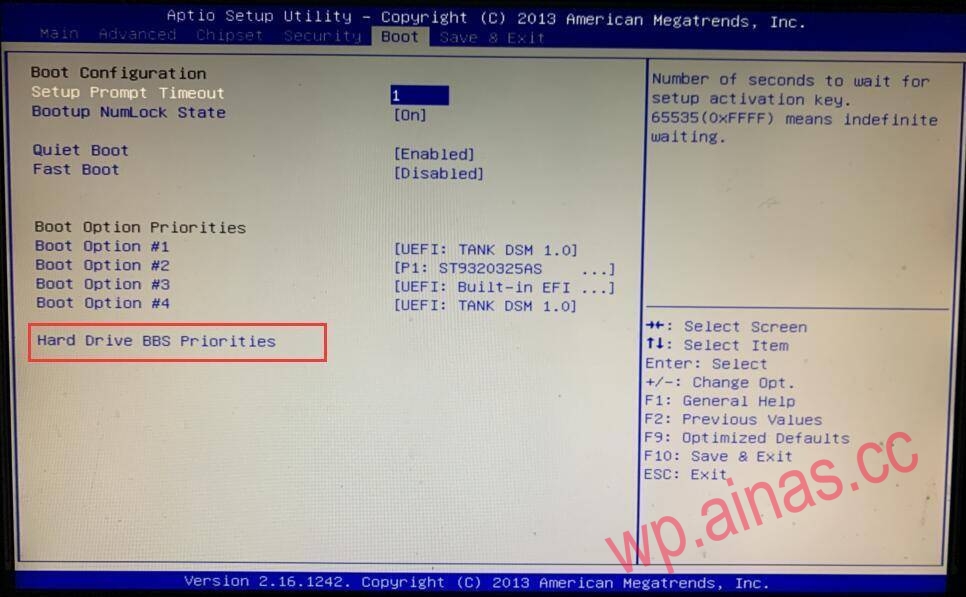
Return to the main page, enter Boot and find Hard Drive BBS Priorities
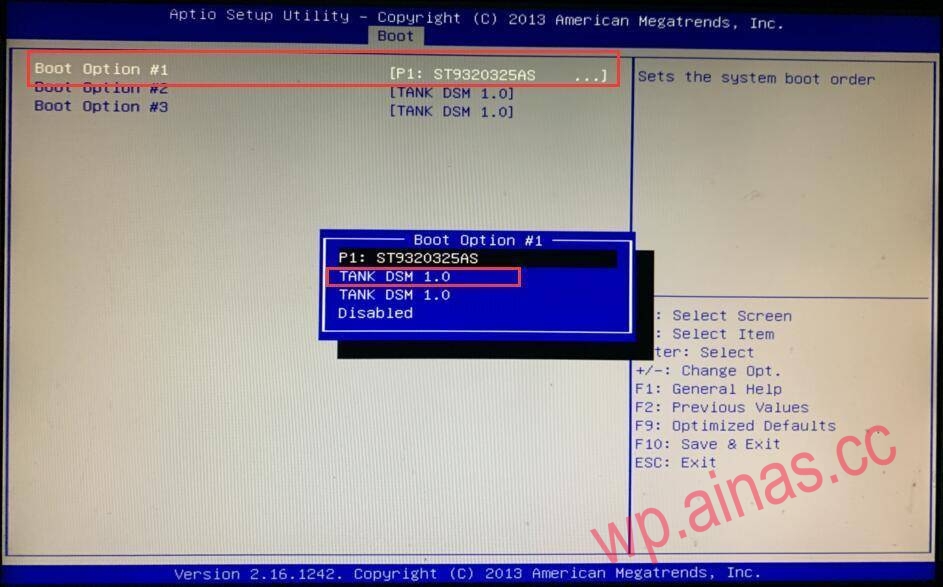
Boot Option #1 first hits the logo starting with TANK. Note that because the order of each motherboard is different, sometimes there will be problems. By default, we choose the first one. If there are still problems after startup, you can try to change to the second one. Some boot disks that cannot support dual disks may need to remove the DOS disk to boot normally. Related tutorials.
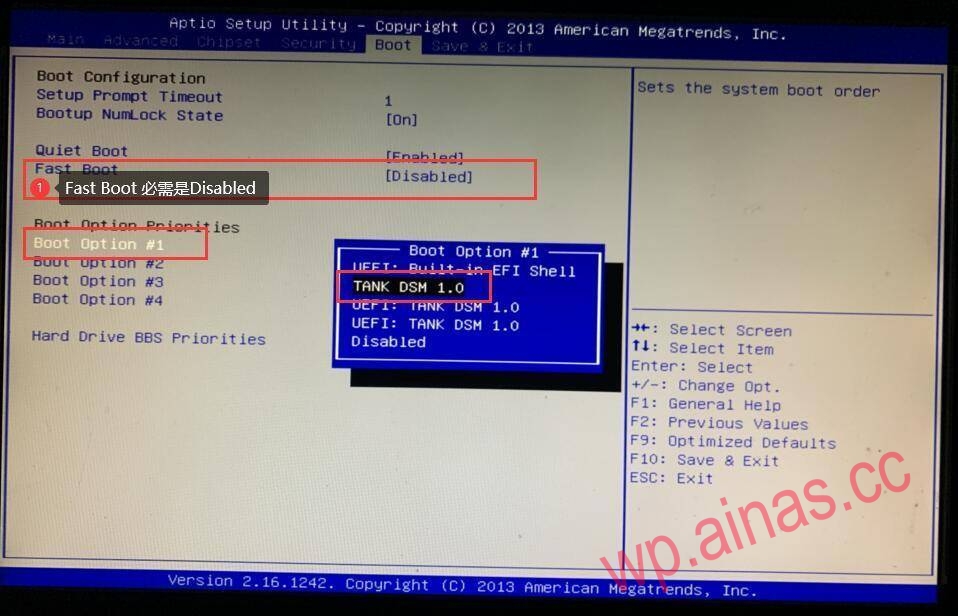
Go back to Boot Option #1 of the Boot tab and you will see devices without UEFI.