This document takes R740 H740P as an example to introduce the latest PERC card for mixed RAID and NONRAID configuration.
1. The array card firmware needs to be updated to 50.5.0.1750 or above.
2. RAID mode does not support hard disk conversion to NON-RAID state. eHBA mode supports the mixing of NON-RAID and RAID (only RAID0, RAID1, and RAID10 are supported)
3. Converting RAID mode and eHBA mode can currently only be set under F2. There is an option in the iDRAC web interface, but the operation is unsuccessful.
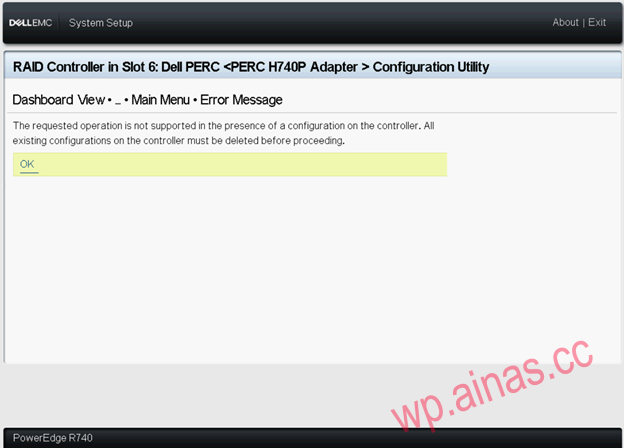
4. All RAID configurations must be deleted before the controller mode can be changed.
Operation steps:
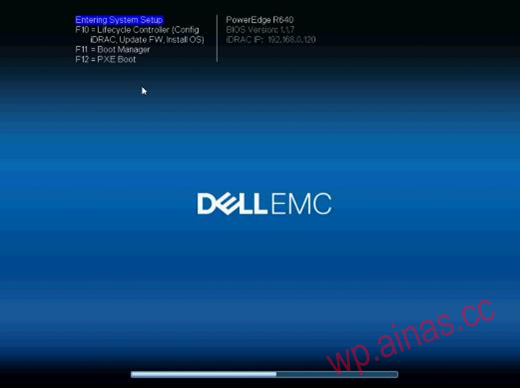
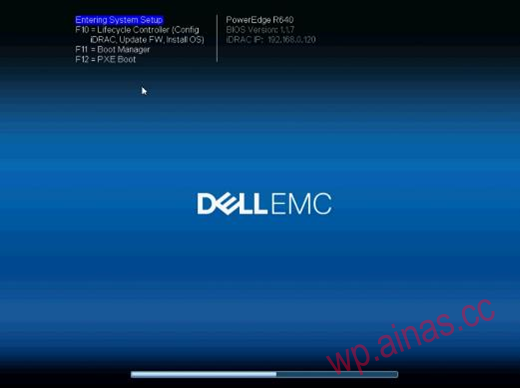
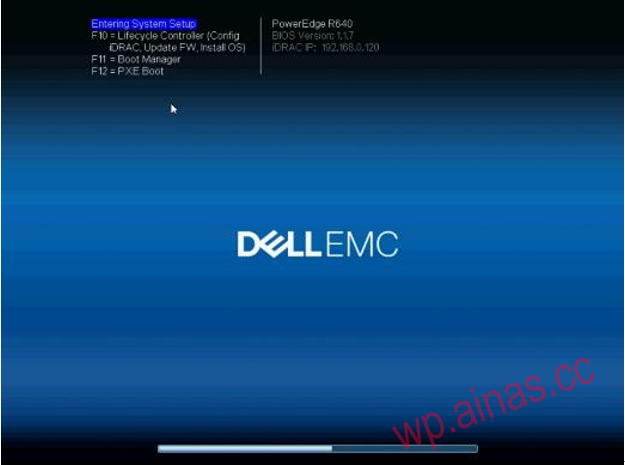
1. Press “F2” when booting:
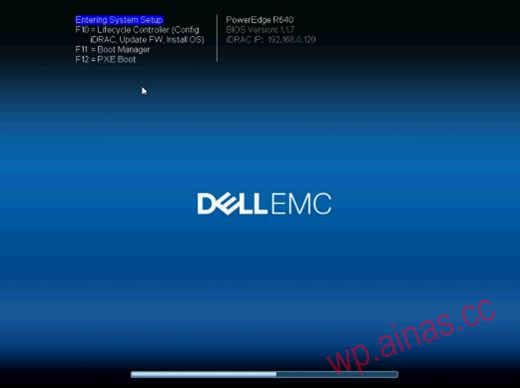
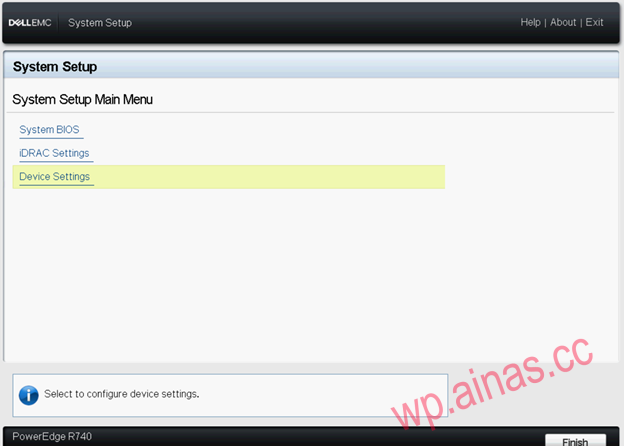
2. Select “Device Settings”:
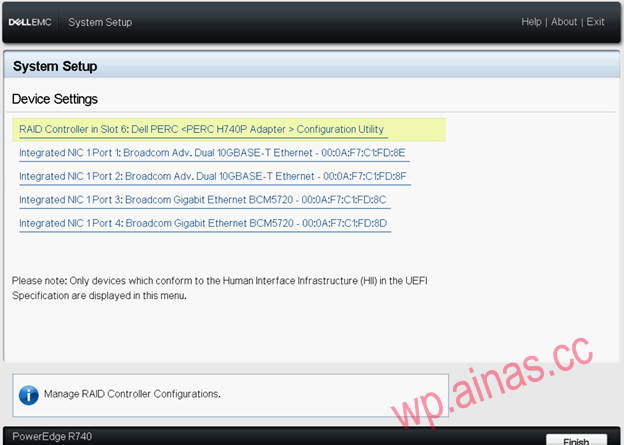
3. Select the Raid Card that needs to perform the operation: “RAID Controller in Slot…”:
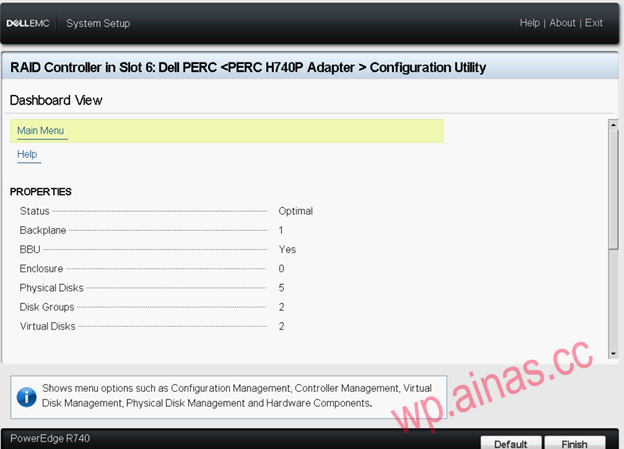
4. On the main interface of the array card as follows, select “Main Menu”:
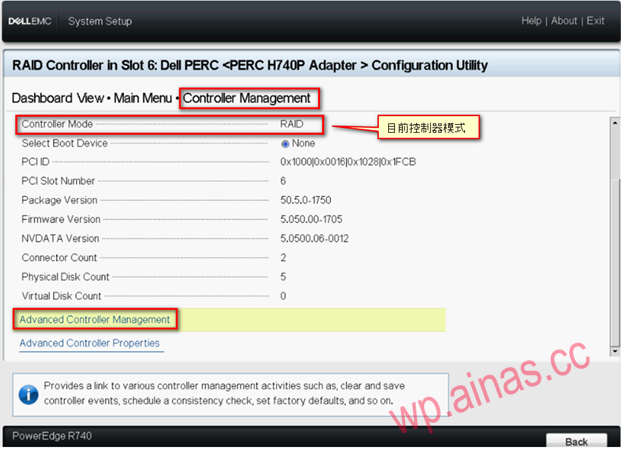
5. In the main menu, select “Advanced Controller Management” under “Controller Management”
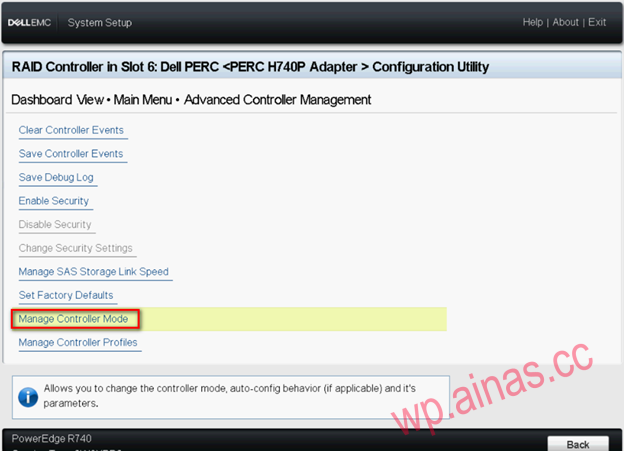
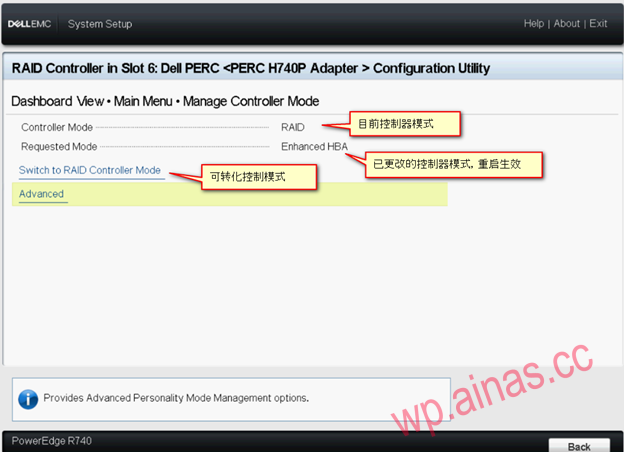
6. Click “Manage Controller Mode”
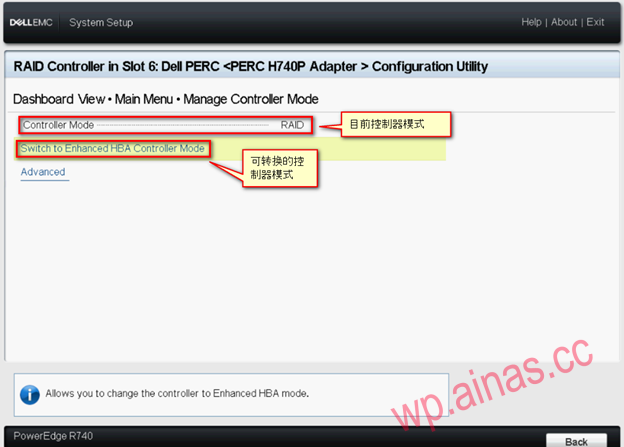
7. On this page “Controller Mode” you can also see the current controller mode. Click “Switch to Enhanced HBA Controller Mode” to switch to eHBA mode.
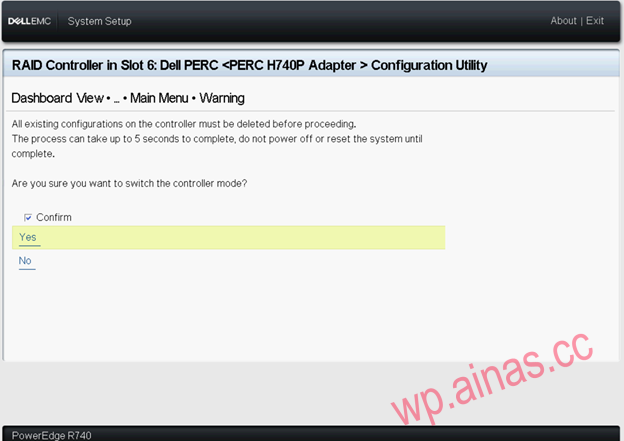
8. A Warning message will appear. Check Confirm and click Yes.
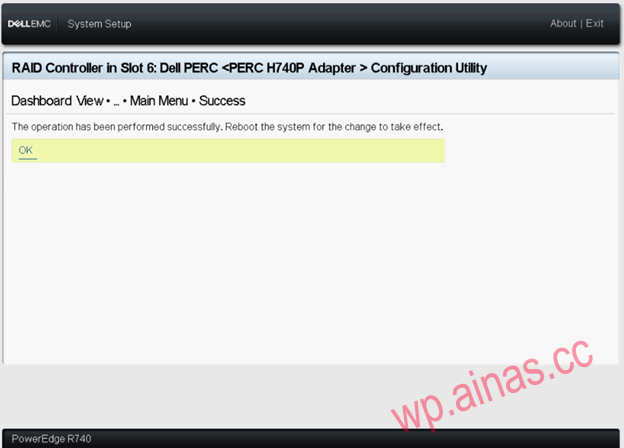
9. If the conversion is successful, Success information will appear. If the conversion fails, an Error Message will appear. If this error occurs, please ensure that all RAID configurations have been cleared and operate again.
10. After the conversion is successful, you will see an additional line of “Requested Mode”, and you need to restart the server to take effect.
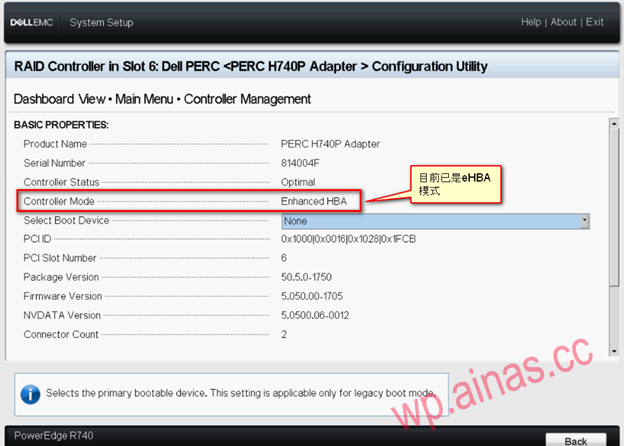
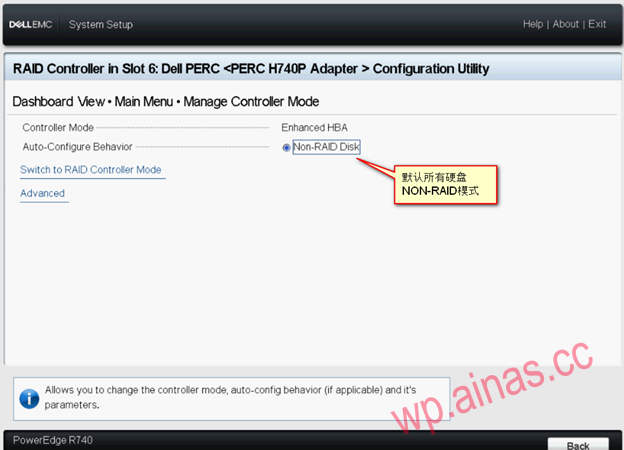
11. After the server restarts, under controller management, you can see that the current Controller Mode is eHBA mode, and under Manage Controller Mode, you can see that Auto – Configure Behavior is Non-RAID Disk.
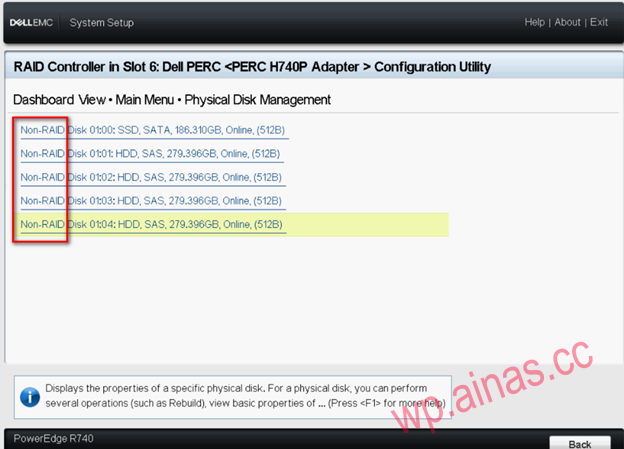
12. In physical disk management, you can see that the status of all hard disks is NON-RAID.