Our Location
304 North Cardinal St.
Dorchester Center, MA 02124

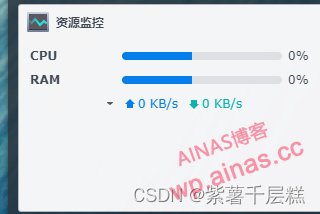
You can use these three to view the exception logs of resource monitoring
systemctl restart snmpd
systemctl status snmpd.service
journalctl -xe
My exception:
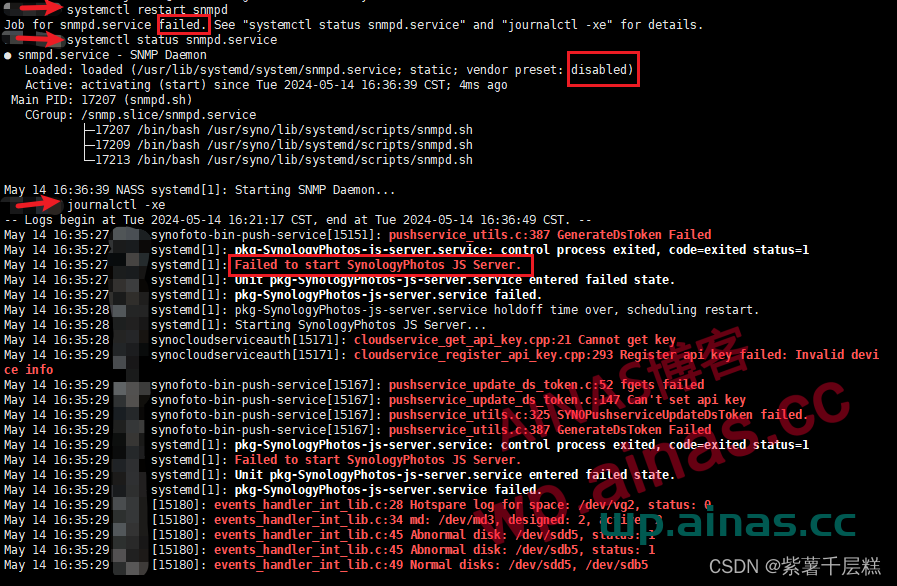
Google found the following code
mv /var/lib/net-snmp/snmpd.conf /var/lib/net-snmp/snmpd.conf.bk
systemctl restart snmpd
systemctl status snmpd
Enter these three and give it a try
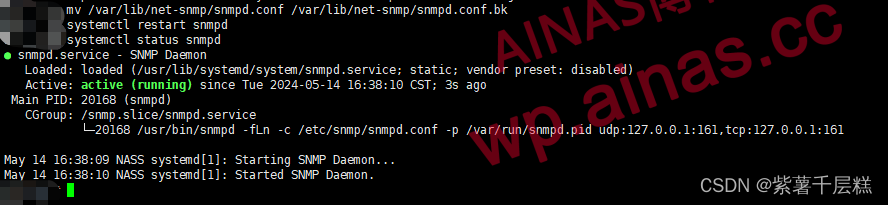
This time the status command is obviously activated and can run normally when you return to the page.
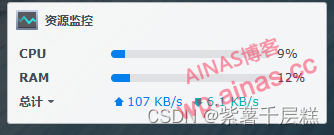
We can see that we can rename the snmpd.conf file and then restart it. So let’s cat and see what the difference is.

What is ifXTable?
ifXTable is an object used in network management to extend interface tables. It is a MIB (Management Information Base) table defined in SNMP (Simple Network Management Protocol) and is used to provide more interface-related information than the basic interface table ifTable. ifXTable is part of IF-MIB, supplementing and extending the functionality of ifTable.
Main functions and functions
ifXTable provides the following additional information and functionality:
Higher interface counters: Supports 64-bit interface counters, which can record larger traffic data, which is not supported by ifTable’s 32-bit counters.
Link layer address: The link layer address of the interface can be recorded.
Alias and description: Supports configuring aliases and descriptions for interfaces, which helps manage and identify interfaces.
Interface reinitialization count: records the number of interface reinitializations to help manage and diagnose interface problems.
Specific fields of ifXTable
ifXTable contains multiple fields, each providing specific interface information. Common fields include:
ifName: The name of the interface.
ifInMulticastPkts: Number of multicast packets received.
ifInBroadcastPkts: Number of broadcast packets received.
ifOutMulticastPkts: Number of multicast packets sent.
ifOutBroadcastPkts: Number of broadcast packets sent.
ifHCInOctets: Number of bytes received (high capacity).
ifHCOutOctets: Number of bytes sent (high capacity).
ifAlias: Alias of the interface.
ifCounterDiscontinuityTime: The time when the interface counter is discontinuous.
ifXTable .1 14:0 18:0x $fXTable: means that this entry belongs to ifXTable, which is the extended interface table.
.1: This is the index of the interface. Index 1 usually represents the first network interface. The index number is unique and identifies different network interfaces.
What follows is a useless definition, which we ignore here.
reason
So here we can see that after installing or changing some packages, the ifXTable will be changed. After the change, our 3, 4, 6, 8, and 10 objects cannot be collected. This may be why our resource monitoring is always 0.
