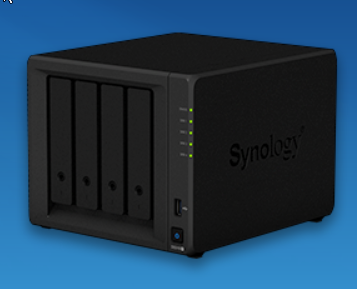
Synology DSM 7.2 has many application and functional updates and enhancements compared to DSM 6.2. The following are some major updates:
1. Storage Manager
- RAID 6 quick fix: DSM 7.2 introduces the RAID 6 quick repair function, which greatly shortens the repair time compared to DSM 6.2.
- WORM (Write Once, Read Many): Added WORM storage support to prevent data tampering and is suitable for scenarios with high compliance requirements.
2. Synology Photos
- Improved photo management: Merges Photo Station and Moments in DSM 6.2 to provide a unified photo management experience.
- Smart photo album: Use AI technology to automatically create photo albums based on time, location and facial recognition to improve photo organization efficiency.
3. Active Insight
- Real-time monitoring and analysis: DSM 7.2 provides more powerful real-time monitoring and analysis tools, supporting centralized monitoring of multiple NAS devices.
- security audit: Added security audit function to record and analyze system activities and identify potential security threats.
4. Synology Hybrid Share
- Hybrid cloud storage: Introduced in DSM 7.2, it combines local NAS and Synology C2 cloud storage to provide a flexible storage solution.
- Data encryption: Supports data encryption for transmission and storage to improve data security.
5. Active Backup Suite
- Backup performance improvements: DSM 7.2 optimizes backup performance and improves backup speed and recovery efficiency compared to DSM 6.2.
- Data compression: Introducing data compression function to reduce storage space usage and improve backup efficiency.
6.Synology Drive
- Sync performance improvements: DSM 7.2 further improves file synchronization speed and stability and reduces synchronization delays.
- Enhanced team collaboration: Provides richer document editing and sharing options to improve team collaboration efficiency.
7. Surveillance Station
- Intelligent event detection: DSM 7.2 adds more intelligent event detection functions, such as vehicle identification and abnormal behavior detection.
- Camera support: Expand support for more camera models and brands to improve compatibility.
8. Secure SignIn
- Stronger authentication: DSM 7.2 introduces multiple new authentication methods, such as biometrics and hardware tokens, to improve account security.
- Simplify the login process: Improve the login process to make it easier for users to access the system under the premise of security.
9.Advanced LUN
- Optimized snapshot function: DSM 7.2 optimizes the LUN snapshot function to reduce the impact on performance and improve the speed of snapshot creation and recovery.
- Multipath I/O: Support multi-path I/O to improve the reliability and performance of storage access.
10.Synology Virtual Machine Manager
- Resource management improvements: DSM 7.2 further optimizes virtual machine resource allocation and management and improves resource utilization.
- More operating system support: Expand support for more operating systems and improve the flexibility of virtualization applications.
file service
- SMB multi-channel support: Introduced in DSM 7.2 to improve the speed and reliability of SMB file transfers.
- Improved permissions management: Provides more fine-grained permission control and management options to improve the security of file sharing.
Other updates
- User interface improvements: DSM 7.2 further optimizes the user interface to make the operation more intuitive and convenient.
- System performance improvement: Improve the overall performance and response speed of DSM through system optimization.
- Improved security: Introducing more security updates and features to ensure system and data security.
These updates and enhancements make DSM 7.2 significantly improved compared to DSM 6.2 in terms of user experience, security, performance and functionality.