Our Location
304 North Cardinal St.
Dorchester Center, MA 02124

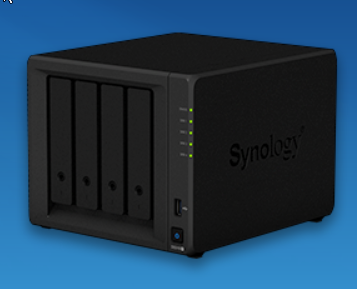
Step 1: Log in to Synology via SSH and use sudo-i to switch to root permissions. There are many forum tutorials and I won’t repeat them here.
Step 2: Use the command to modify the status of the admin account to enabled, as follows:
Ideas: 1. Log in to Synology CLI with SSH; 2. Use the command to enable the system’s built-in administrator admin 3. After enabling admin, use admin to log in to the web and disable 2FA to solve other administrators; 4. Log in to your administrator account and reset 2FA and then disable the admin account to ensure security. Modify the admin user information. Use the command synouser –modify and add the parameter username “full name” expired{0|1} mail
Example synouser –modify admin admin 0 123@qq.com
#Parameter explanation The first parameter: User name The second parameter: The user’s full name The third parameter: Expiration status (0 means not expired, 1 means expired) The fourth parameter: Email address
synouser --modify admin admin 0 123@qq.comsynouser --setpw admin 123456Step 3: Use admin to log in to Synology web and disable 2FA (two-factor authentication) for other administrators. Note that admin may ask to set up 2FA when logging in for the first time.
Step 4: Log in to your original administrator account and reset 2FA, and disable the admin account to ensure security
Other related command references
#Get user information with the user name admin # synouser –get Username
synouser --get admin#Modify admin user information # synouser –modify username “full name” expired{0|1} mail
synouser --modify admin admin 0 123@qq.com#Parameter explanation The first parameter: User name The second parameter: The user’s full name The third parameter: Expiration status (0 means not expired, 1 means expired) The fourth parameter: Email address
#Create a new ordinary user with the user name adminn # synouser –add [username pwd “full name” expired{0|1} mail privilege]synouser –add adminn password adminn 0 123.qq.com AppPrivilege
#Parameter explanation First parameter: Username Second parameter: User password Third parameter: User’s full name Fourth parameter: Expiration status (0 means not expired, 1 means expired) Fifth parameter: Email address Sixth parameter: AppPrivilege (should be APP permission usage unknown)
#Add a new member to the administrators user group adminn # synogroup –memberadd groupname username1 username2
synogroup --memberadd administrators adminn#Parameter explanation The first parameter: the existing user group name The second parameter: the existing user
#Note not synogroup –member
