Our Location
304 North Cardinal St.
Dorchester Center, MA 02124

The advanced settings of RR boot have added a lot of functions, which is why I call it a full-featured boot. It comes with advanced functions such as recovering boot from the hard disk, displaying SATA port information, downgrading installation, formatting the hard disk or partition, resetting the system password, etc. These are features that traditional guidance does not have. Tutorial related guide download:Tutorial address
Note: Although RR is booted by Black Synology, you can also insert the RR boot disk into other Black Synology hosts and use RR to boot and start operations such as resetting passwords or formatting hard drives, which is easier than plugging into a computer.
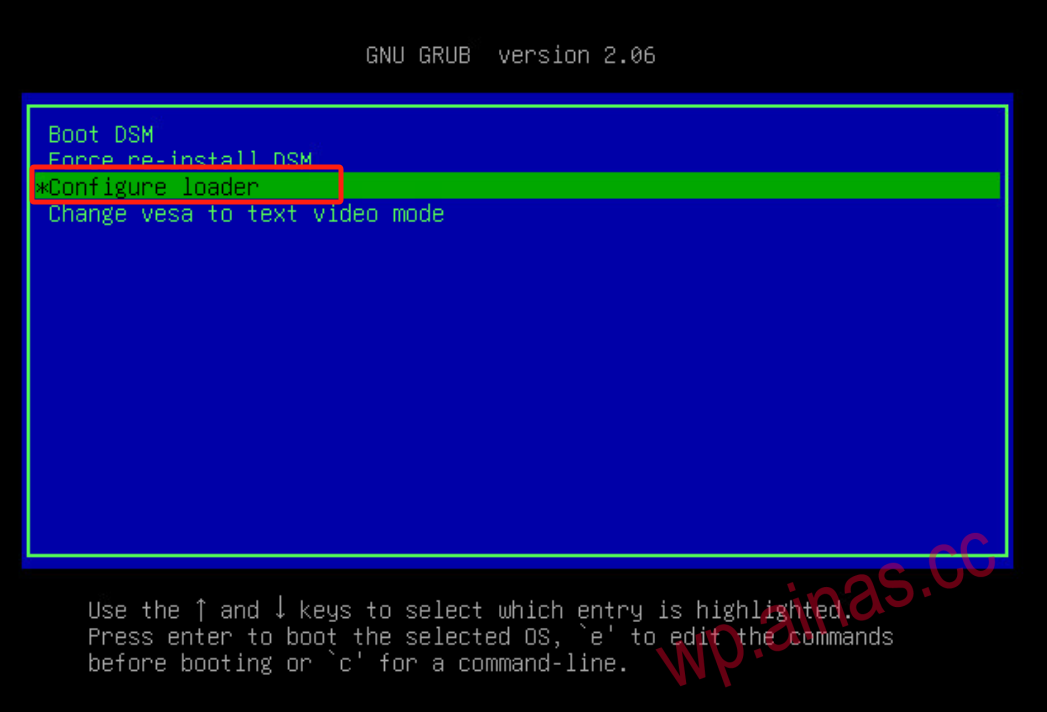
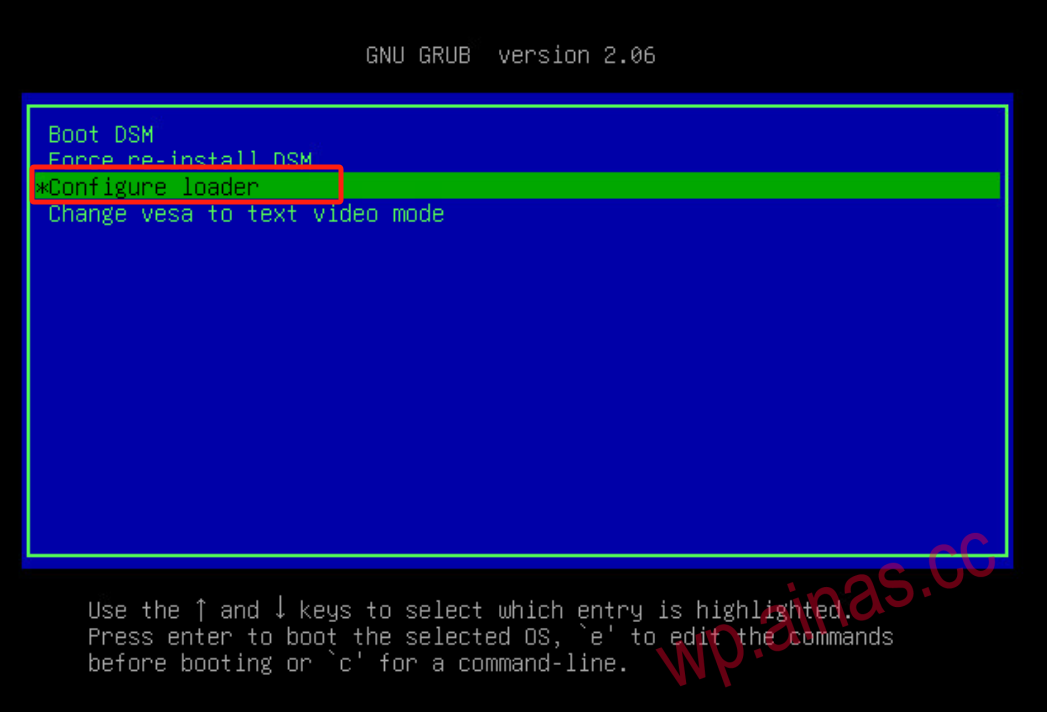
1. Restart your Synology, select the third option in the ARPL/RR menu, and enter the ARPL/RR menu.
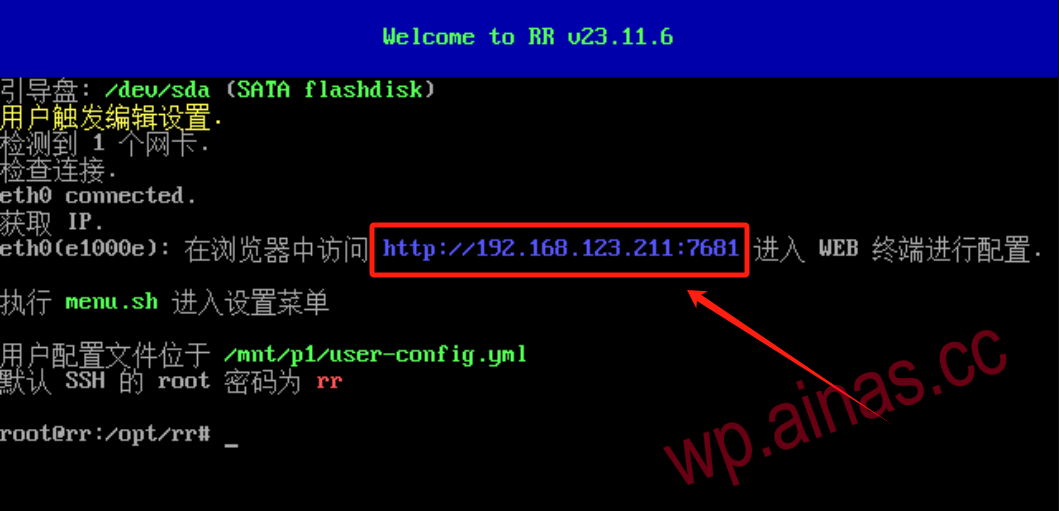
2. After entering, access the ARPL/RR menu on other computers through the displayed IP address, or directly operate on the NAS. Connect the keyboard and press the cursor to enter menu.sh to enter the ARPL/RR menu (you can also manually enter menu.sh and press Enter)
Advanced menu options description
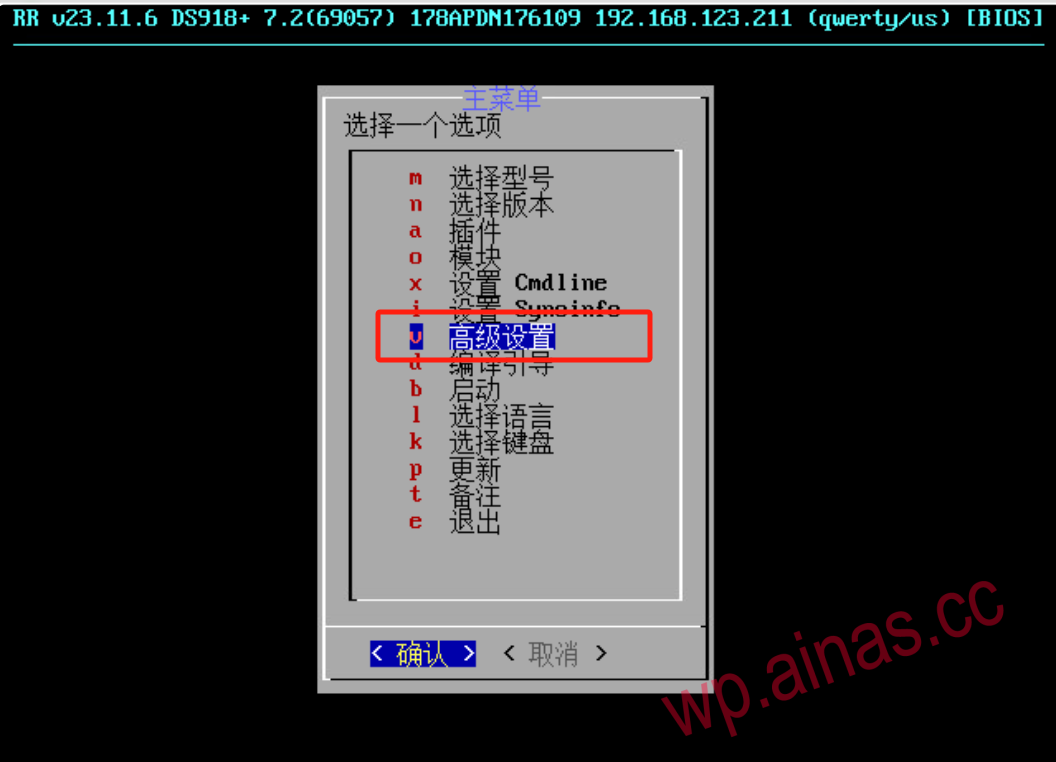
1. Choose to reset the DSM system password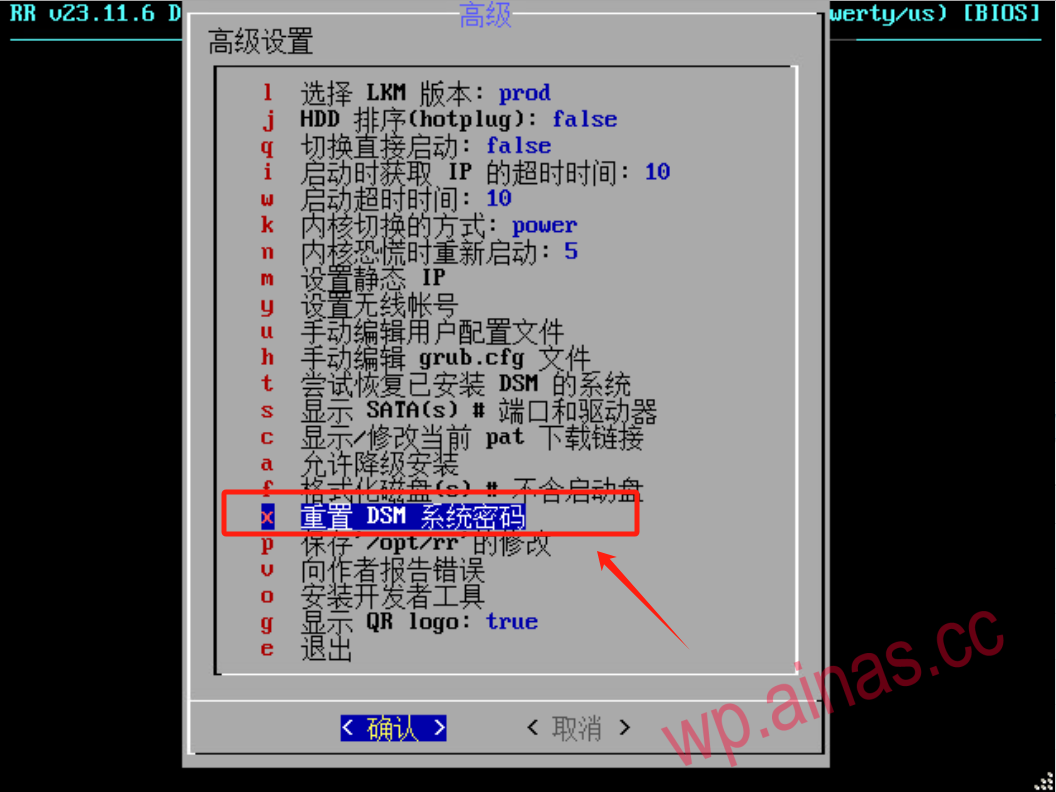
2. Select the user you want to reset password for
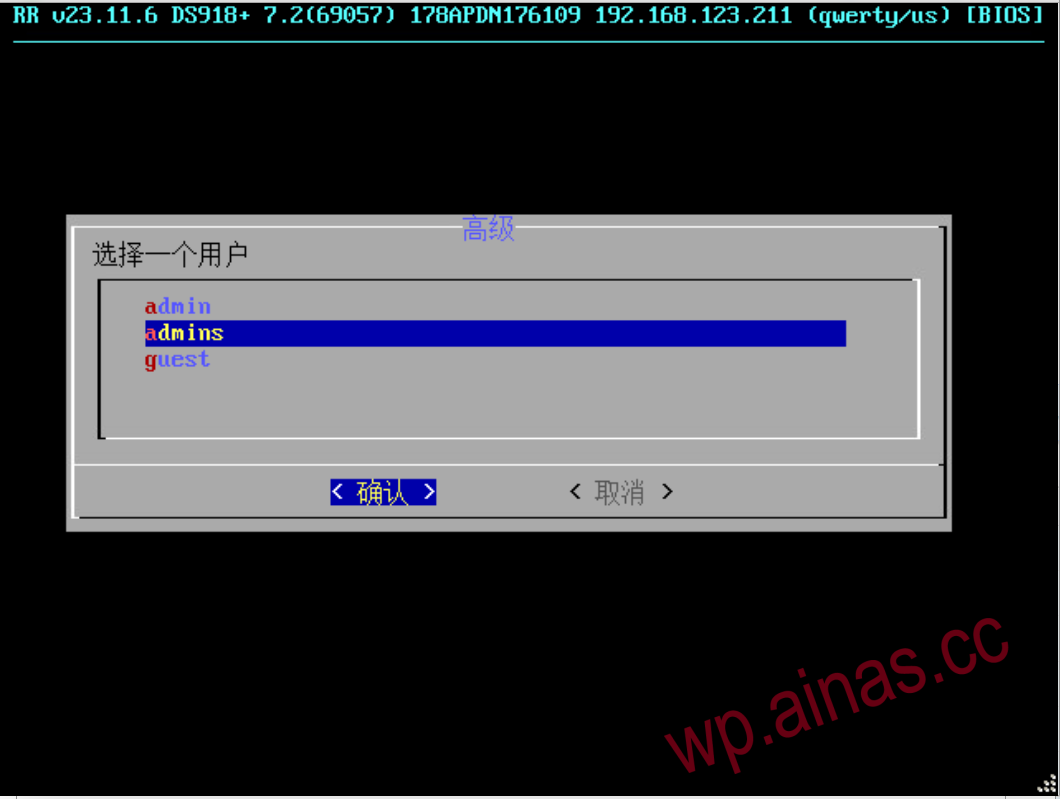
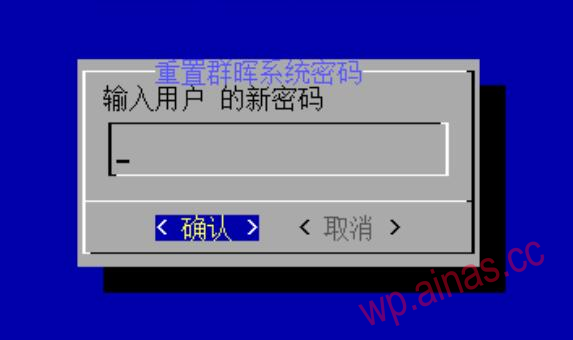
3. Enter the new password, then restart Synology and the password will be reset.
1. Select to allow downgrade installation and press Enter.
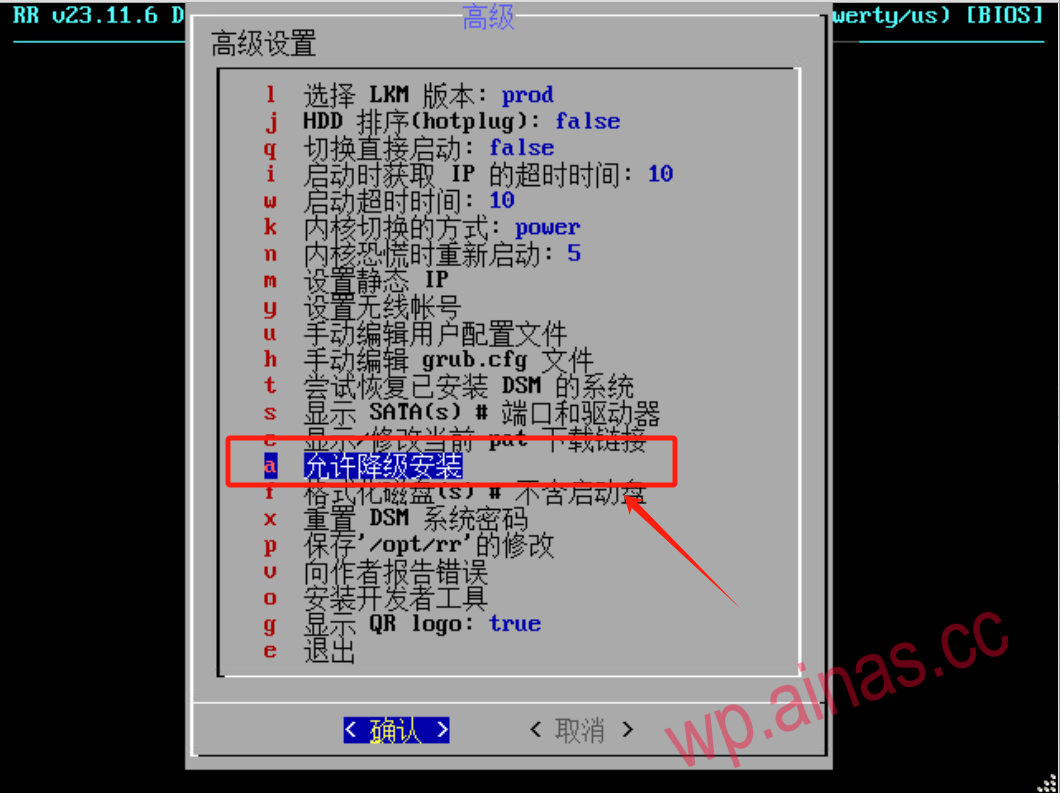
2. Select Yes and restart to enter the Synology installation interface.
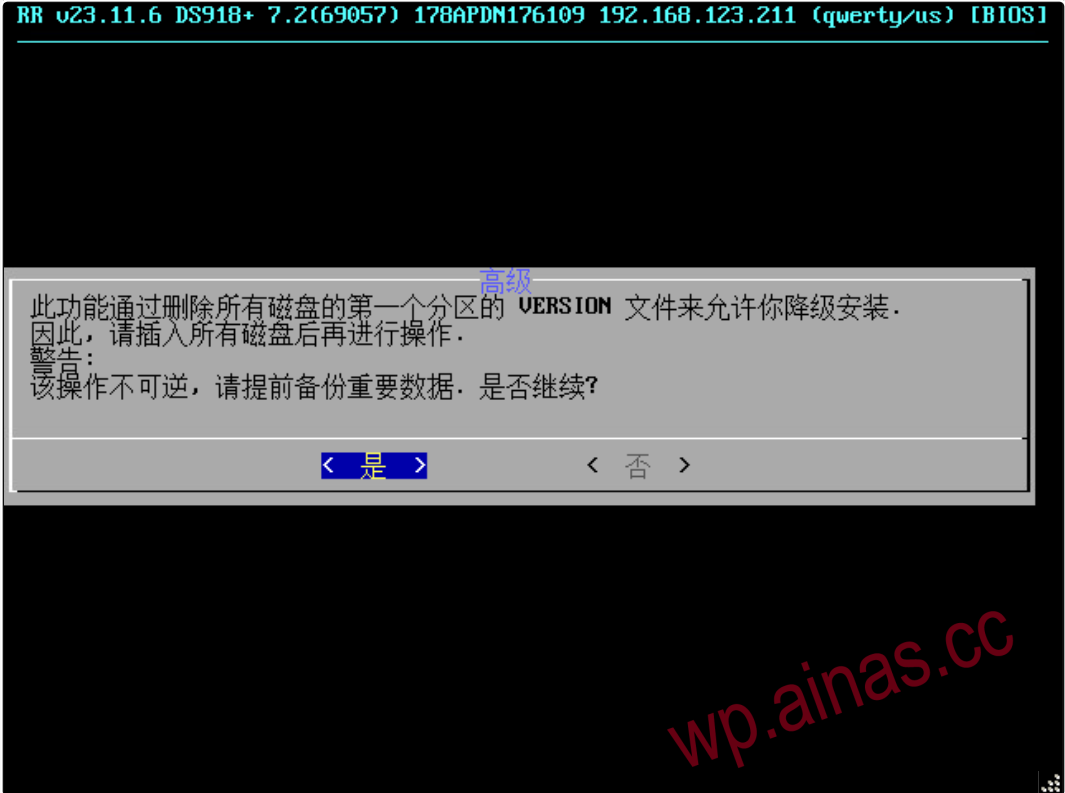
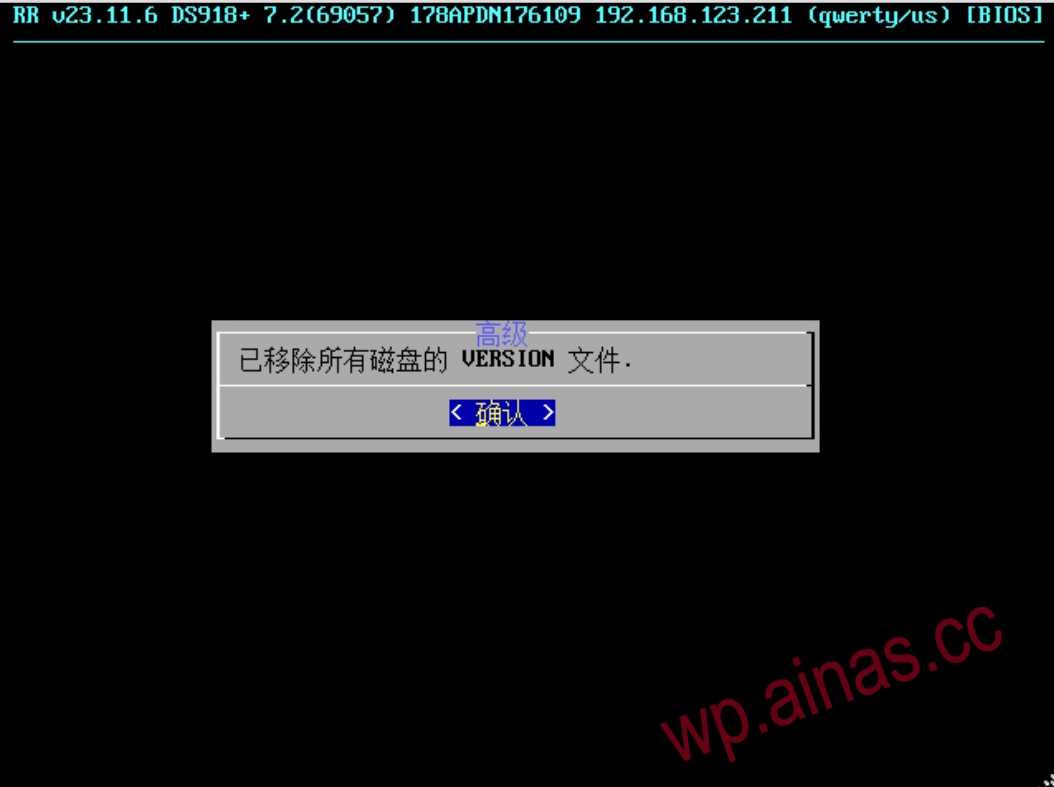
1. You can format the hard drive you don’t want to avoid the trouble of disassembling the hard drive. However, you must confirm the hard drive you want to format. Unless you know it very well or all hard drives have been formatted, I don’t recommend you do it here. If you accidentally format the wrong hard drive, it will be very troublesome. Don’t seek death
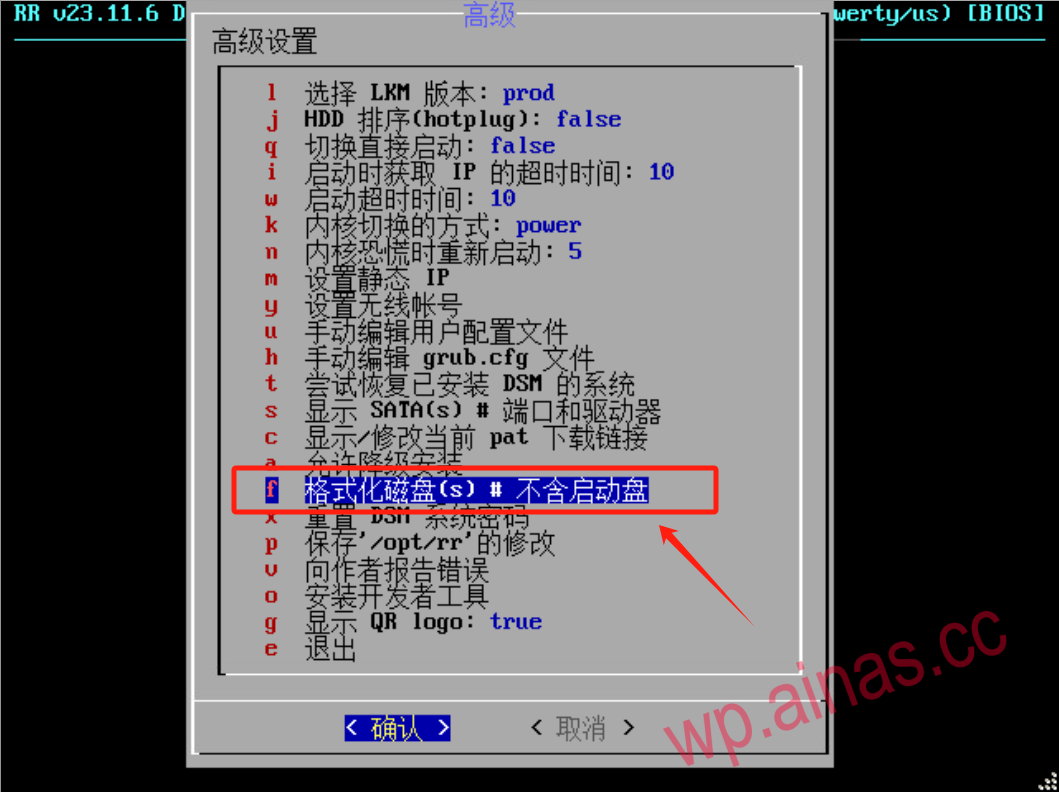
2. Those without numeric suffixes are disks (enclosed by red circles in the figure below), and those with numeric suffixes are hard disk partitions (enclosed by green circles in the figure below).
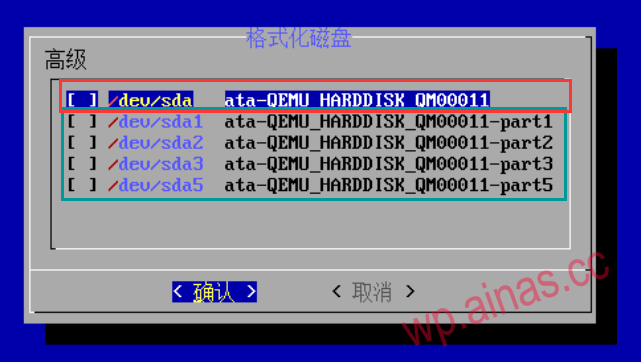
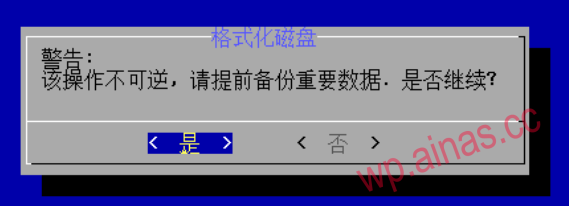
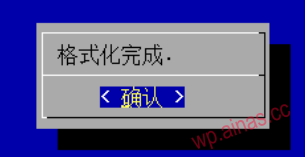
4. Note: When there are too many partitions in the formatted hard disk, the window may be broken. Please do not operate any keys before the format is prompted. The larger the hard disk, the slower it will be.
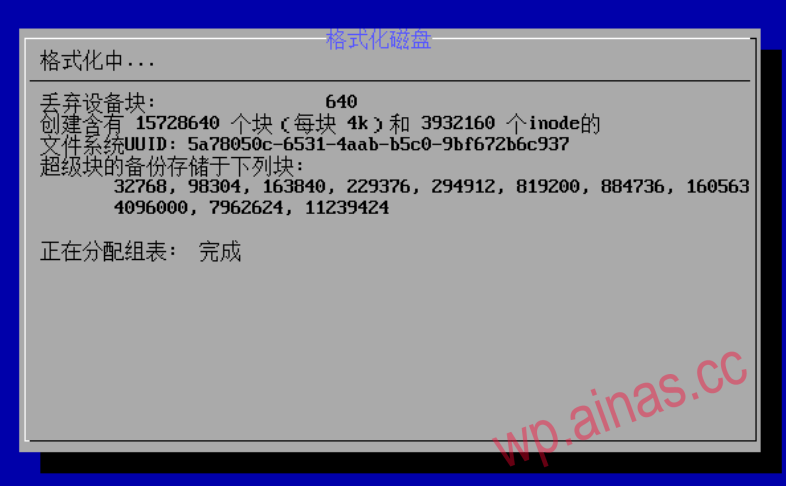
5. After formatting is completed, you can perform other operations.