Our Location
304 North Cardinal St.
Dorchester Center, MA 02124

Baiqun 1821+ GTX-1650 (BY: Brother Chang Zai)
Baiqun 1821+ P600 (BY: lin113272349)
Baiqun 1819+ T400 (BY: xiong)
Virtual Black Group + PVE + 40HX (pass-through/vGPU) + DS3219/DS3221 (BY: Xiuer, Hinata)
Virtual black group + ESXi + 2696v4 x2 + GTX1070 (through) + DS918+ + PLEX (BY: Yi Nanping, Yu Sheng please give me your advice)
Virtual black group + ESXi vgpu host:525 + amd + Tesla P4 (vgpu/passthrough) + PLEX\emby\jellyfin (BY: Kabuda﹏灬)
Physics Black Group + P600 (BY: Please advise me for the rest of my life)
Physics Black Group + Tesla P4 + DS1823xs+ + jellyfin + emby (BY: ZZ’s Aalto, specializing in hard solutions)
Physical black group + i7-4790 + P400 + DS918+ (BY: the legendary Xiaoqiang)
Physical black group + i7-4712mq + Tesla p4 + DS918+ (BY: FreeFlying)
Physical black group + E3-1235LV5 + Tesla p4 + DS918+ (BY: overnight meal)
Virtual black group + cpu epyc-7d12 + nvidia t1000 + pve + DS918+ (BY: a kid who plays with electronics ಥ_ಥ)
Virtual Black Group + 1821 + p106-090 (BY: Xiuer, Hinata) [The codec has not been tested, I am afraid that the codec cannot be enabled]
Physical Black Group + DS920 + 9700K + RTX-3090 (BY: Naruto)
Virtual Black Group + E5-2650LV3 + RTX 3070 (BY: Nakano Azusa)
Virtual Black Group + EPYC7F72 + Tesla P40 (BY: Nanyo)
Virtual Black Group + GTX1650S + SA6400 (BY: Giant Panda Gonggong)
Virtual black group + RTX-3070 mobile version 16G + DS1821+ (BY: Yeer)
ASUS proart z790 + intel 12600k + MSI 3050 6g LP + ARC Loader (RR seems to not boot on this motherboard)
Physical black dress + GTX-1060 3G + I5 4440 + DS918+ (BY: KXRX)
Video cards tested and verified by friends to function correctly: GTX-1070, GTX-1050, GTX-1050Ti, GTX-1650, GTX-1070Ti, Tesla P4, Tesla P40, P600, T4, T400, T1000, 40HX, RTX-2080Ti, RTX-3060T, RTX-3070, RTX-3090.
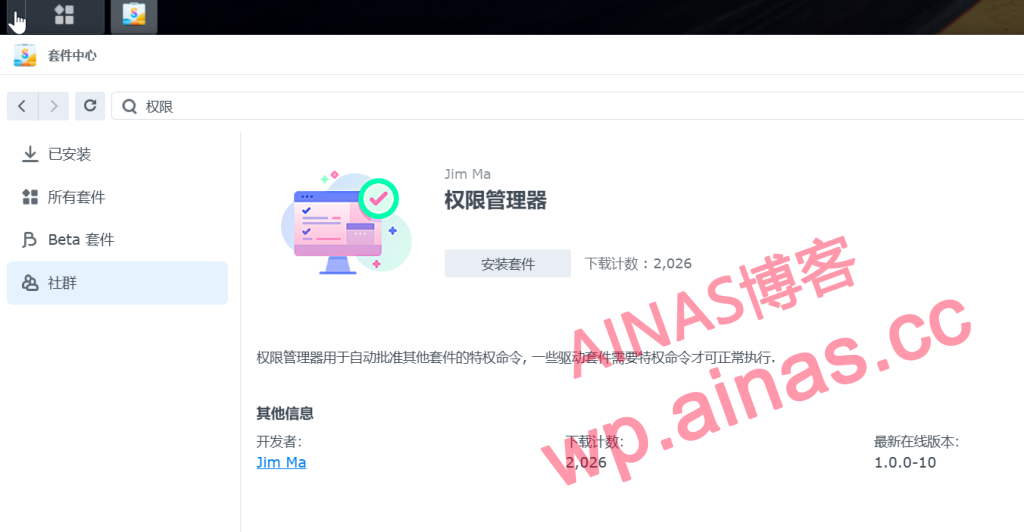
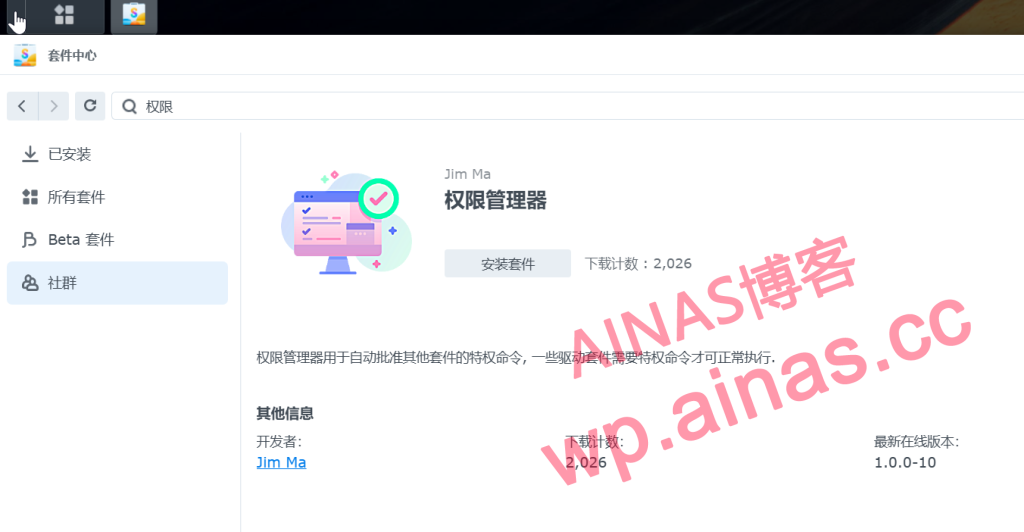
1. Enter the Package Center and install the permission manager
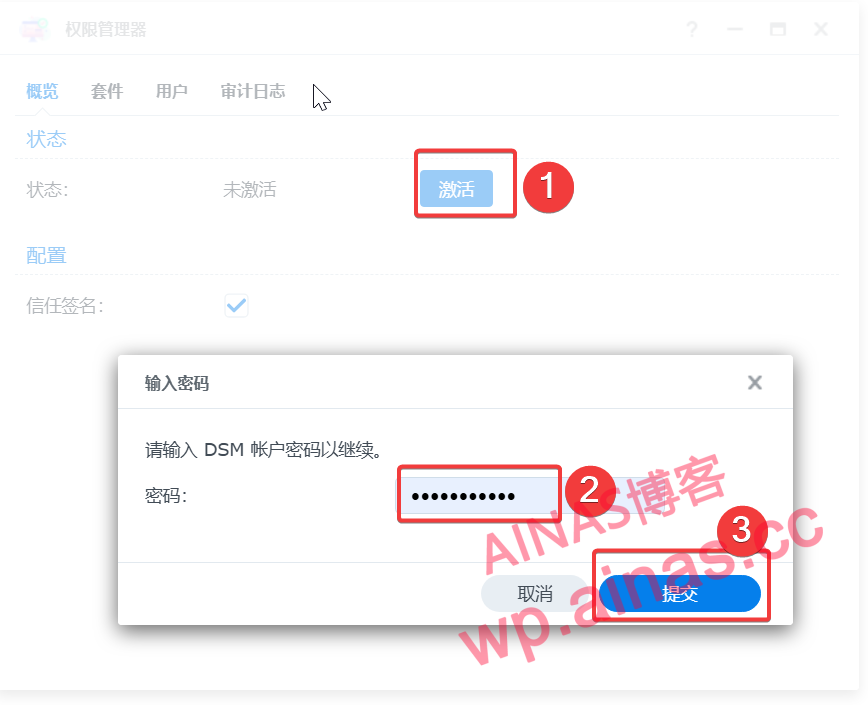
2. After the installation is complete, click [Activate], enter the password, and then submit
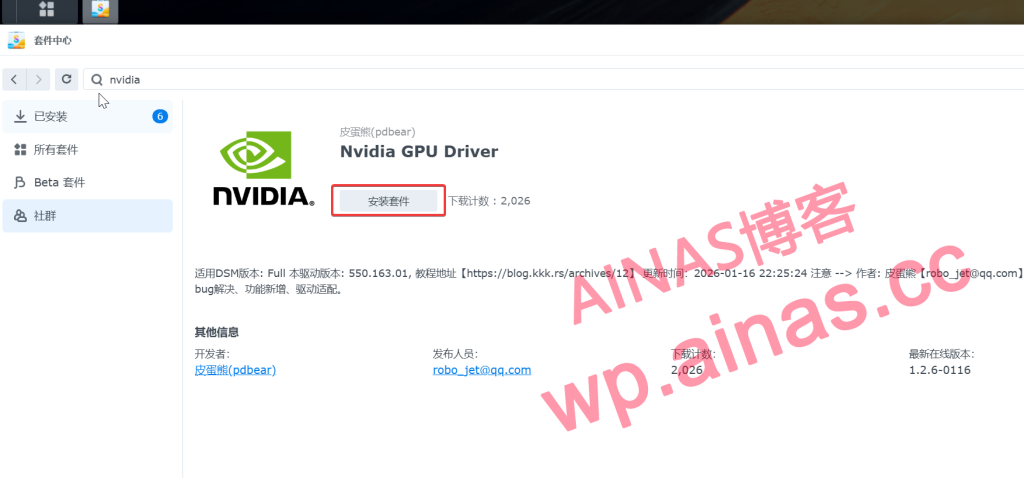
3. Install Nvidia GPU driver in Package Center
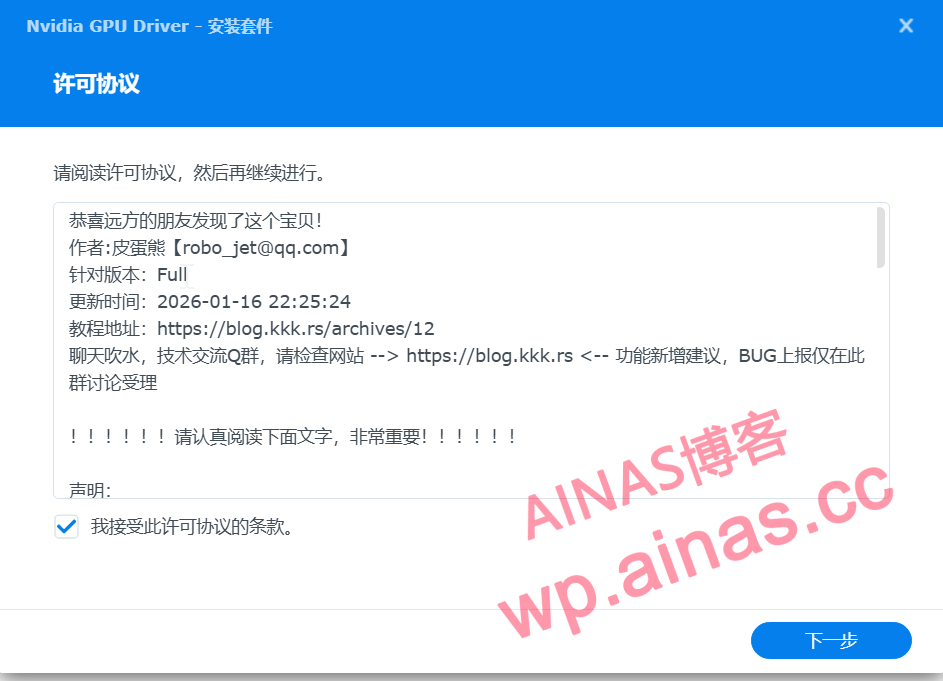
4. Click to accept the terms of this license agreement
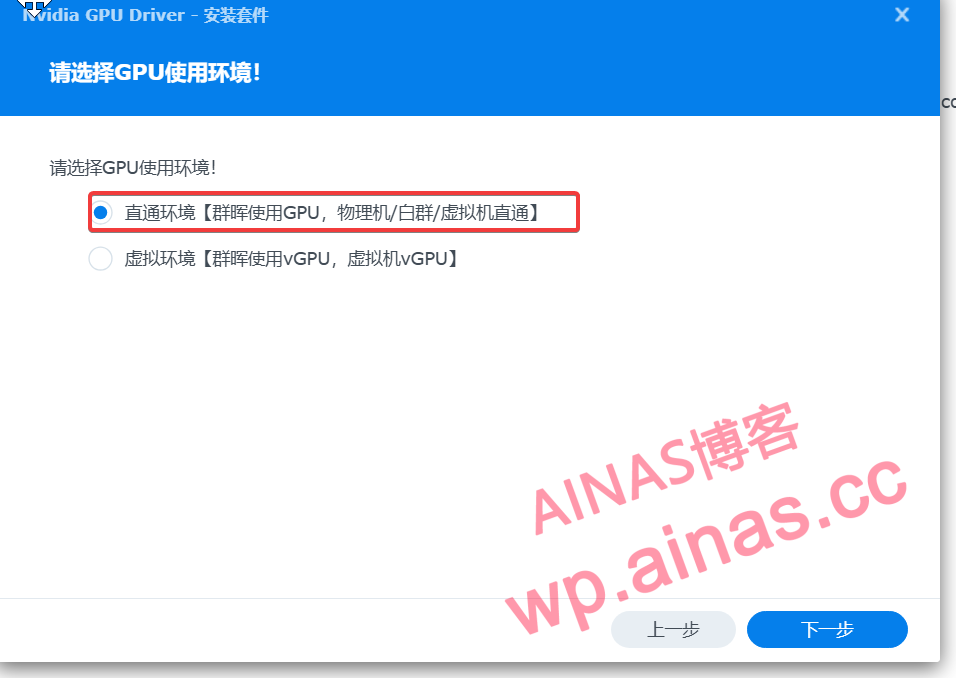
5. Select the pass-through environment
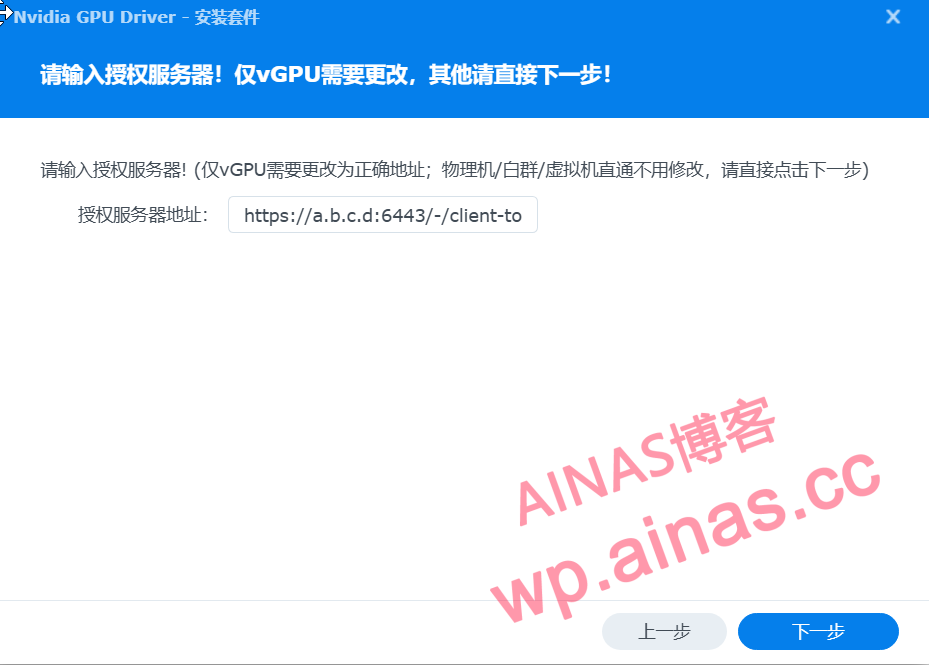
6. Click Finish
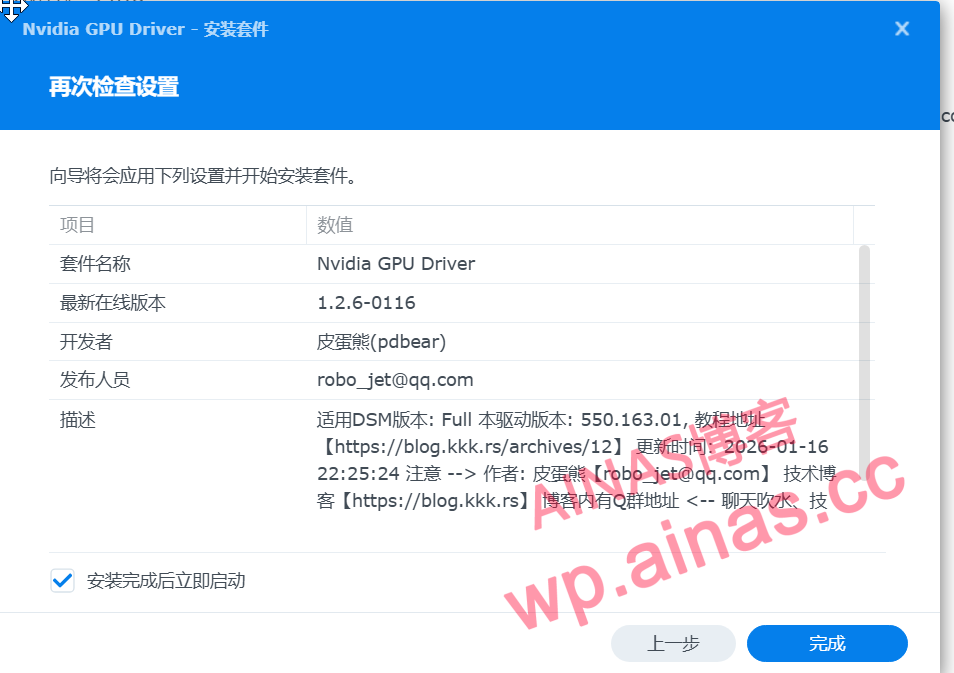
7. Restart the NAS system to make the driver take effect.
1. Basic commands
#Manually load the driver
nvidia-smi-pm 1
#Check whether the graphics card is loaded
ls /dev/nvid*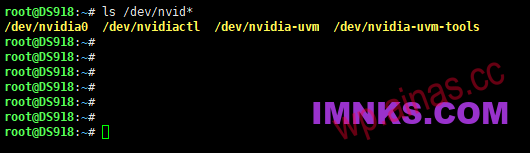
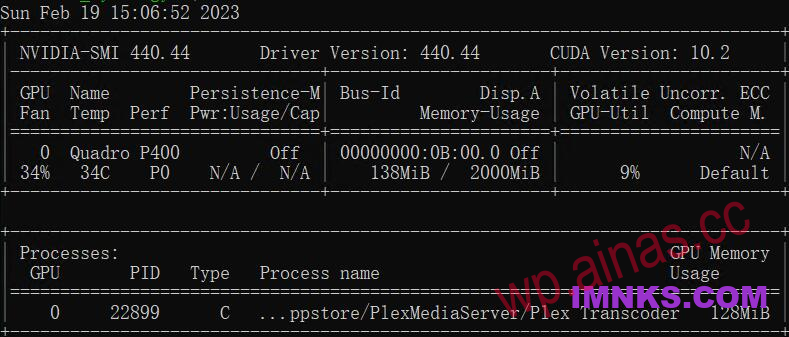
2. Check the running status of the graphics card
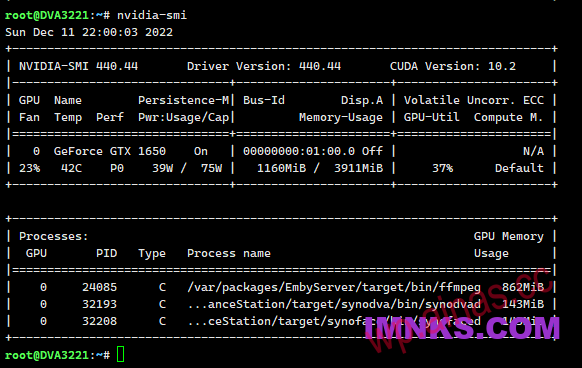
nvidia-smiSee also:Docker installs Emby happy version to realize hardware decoding and film source search
1. DS918 DSM7.1.1
Only 6w in resting state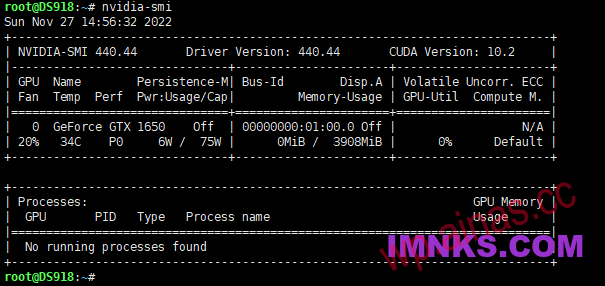
Jellyfin 10.7.7 transcoding 4K status 35w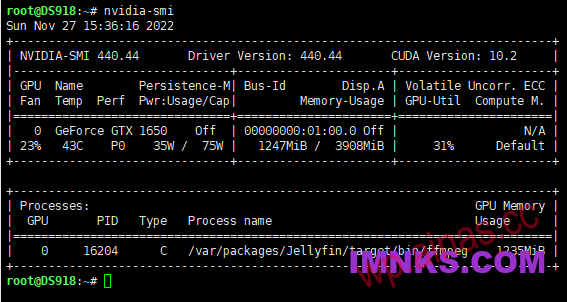
Jellyfin 10.7.7 transcodes 4K to 1080P 60Mbps in about 150 frames! ! !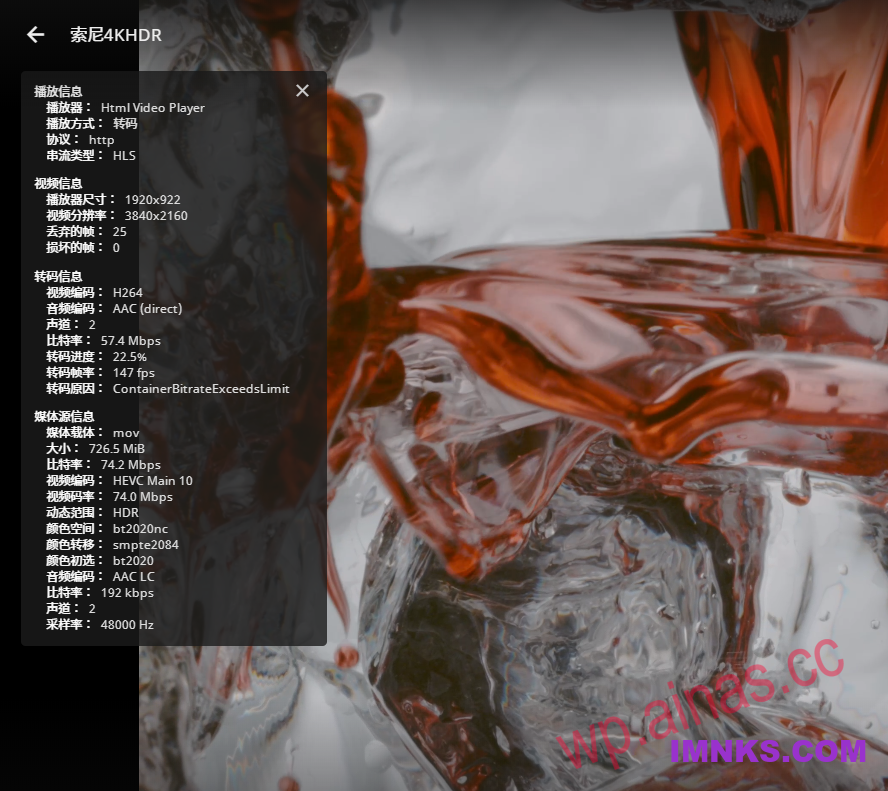
Jellyfin transcodes 4K to 720P 8Mbps in about 330 frames! ! !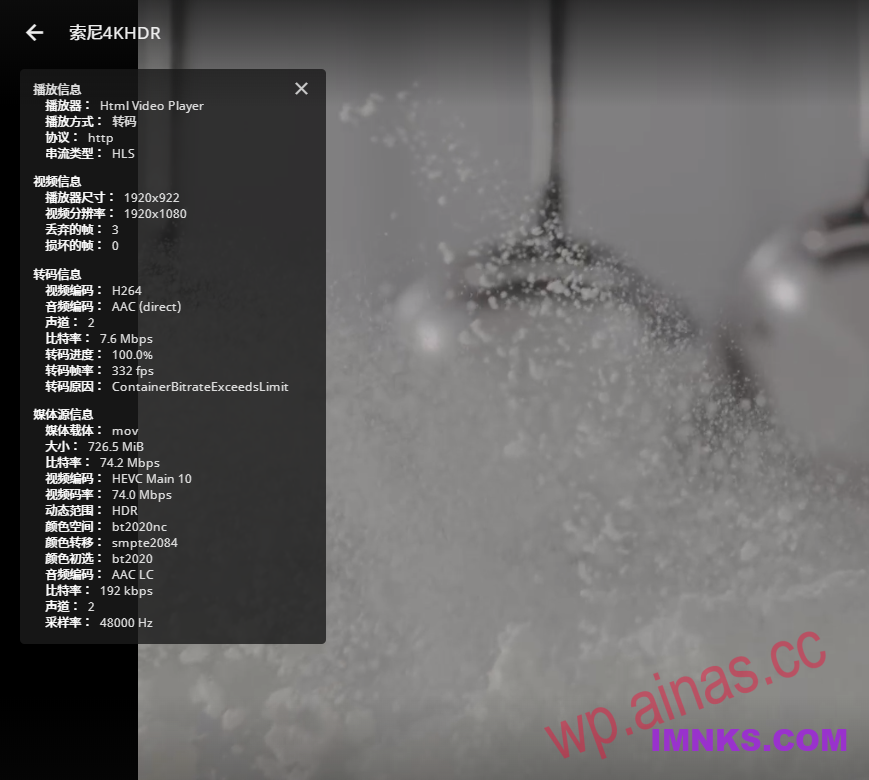
2. DVA3221 was tested using Emby 4.7.10, and the transcoding efficiency was significantly higher than that of Jellyfin.
Transcode 4K to 1080P, about 260 frames! ! ! And supports HDR tone mapping
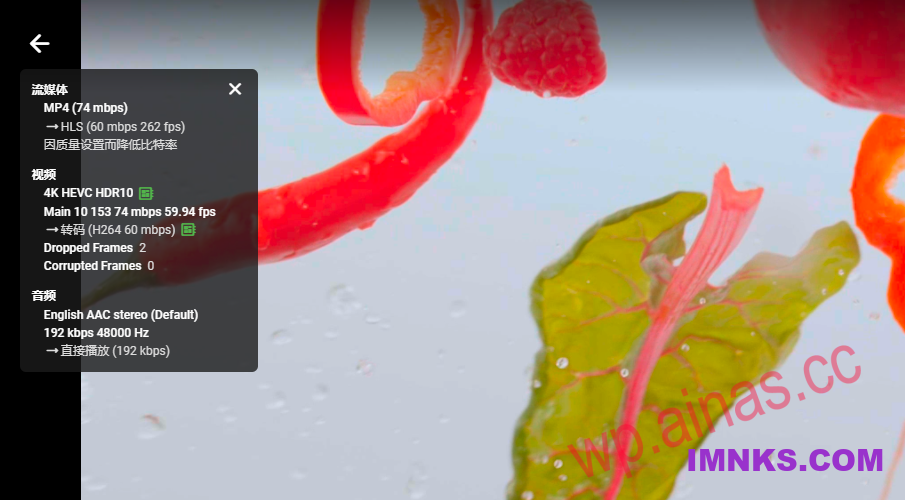
Transcode 4K to 720P 8Mbps, about 320 frames! ! ! And supports HDR tone mapping
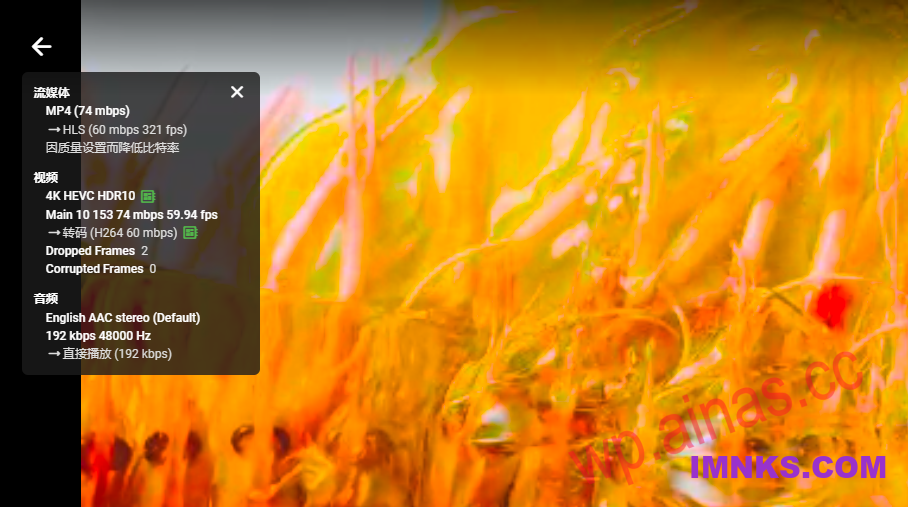
3.GTX1660S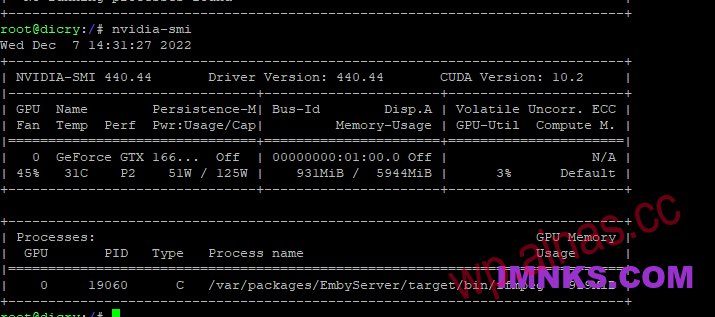
4. Quadro P400