Our Location
304 North Cardinal St.
Dorchester Center, MA 02124

The method of mounting webdav that comes with the Windows system requires you to perform the following certain steps before you can open it. If you are too lazy to bother, it is more convenient to install the RaiDrive software directly.
Download: https://www.raidrive.com/download
Next is the method that comes with the system, which needs to execute these three contents.
1. Modify the registry contents
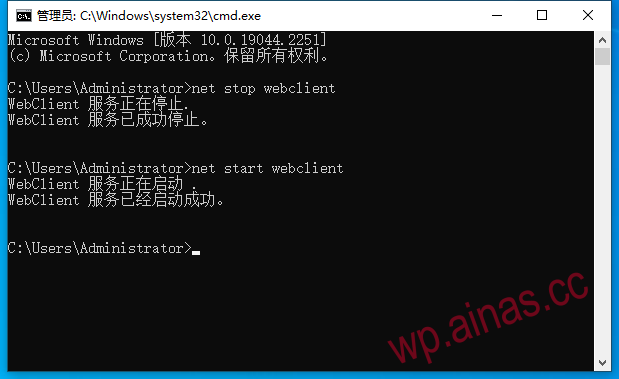
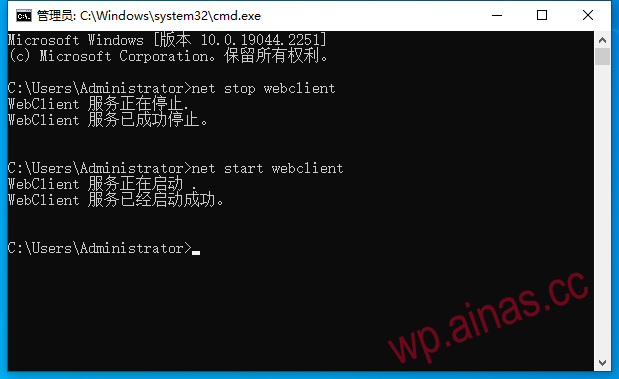
2. Start the webclient service
3. Add network mapping
Modify registry contents
HKEY_LOCAL_MACHINESYSTEMCurrentControlSetServicesWebClientParameters
Need to modify BasicAuthLevel to 2 and FileSizeLimitInBytes to the maximum value
code part
Or download and run directly, click here:1670650650-windowswebdav2. Start the webclient service
Run CMD as administrator and execute in sequence
 3. Add the network mapping part
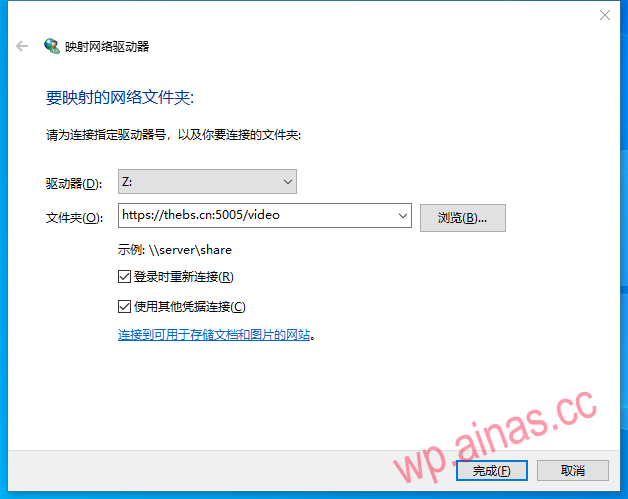
Directly on the desktop, this computer, right click, map network drive
Check the box to use other credentials to log in and fill in the sample as follows