Our Location
304 North Cardinal St.
Dorchester Center, MA 02124

In the known Synology systems, M.2 NVMe can only be used as a storage pool, and does not support first-time installation of the system as a storage pool. If you want to use an M.2 storage pool, you must have a special model. At present, the last point is very easy to understand. The available solutions are:
libhwcontrol.soAfter that, the storage management page is createdSo currently, the missing link of pure NVMe solid-state Synology is:When installing the system, install directly to the M.2 NVMe solid state, this article will briefly explain how to achieve this.
Additional environment preparations for Virtual Synology are as follows:
The test environment of this article adds two virtual disks
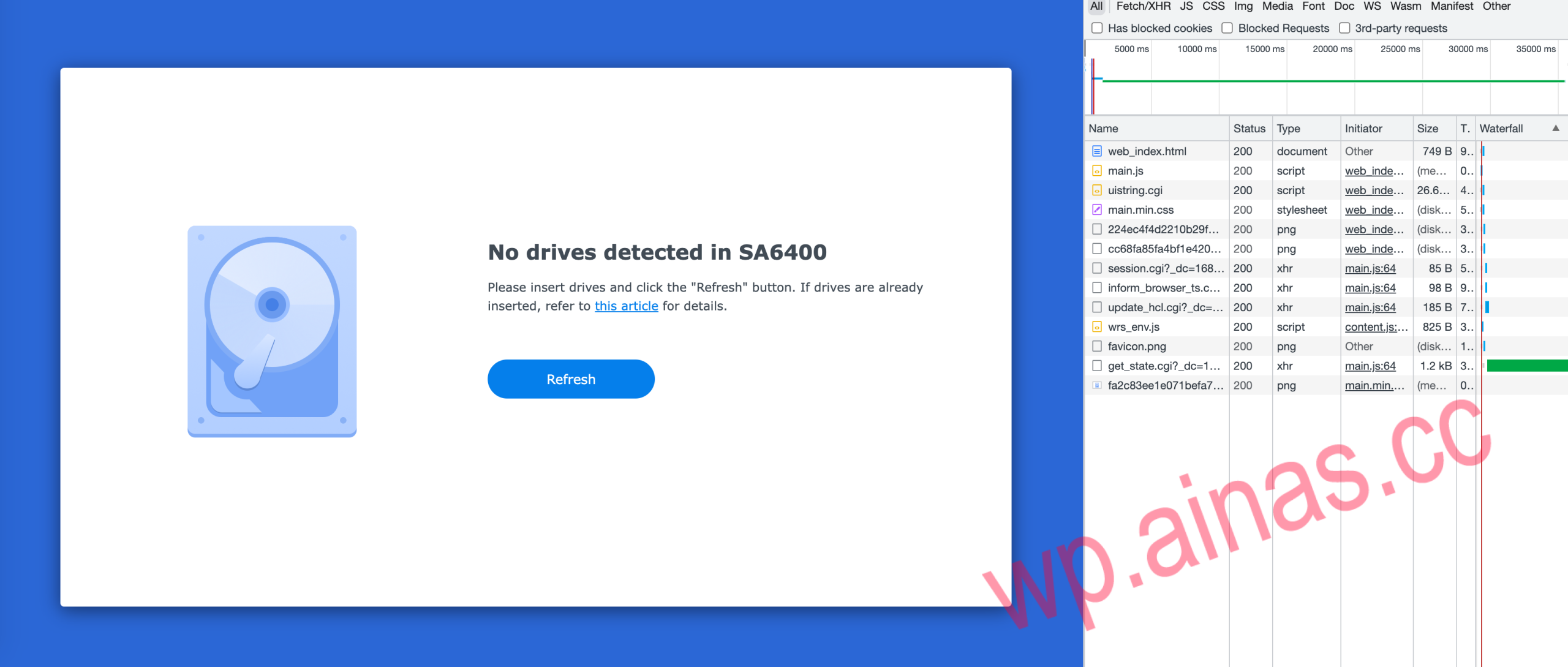
According to the above operation, when only adding a virtual NVMe SSD disk, the installation page will display a disk not found prompt as shown below. Let’s take a look at the network request on the right side of the screenshot, check all asynchronous requests, and find that the penultimate one contains hard disk-related information, so we will check from here.
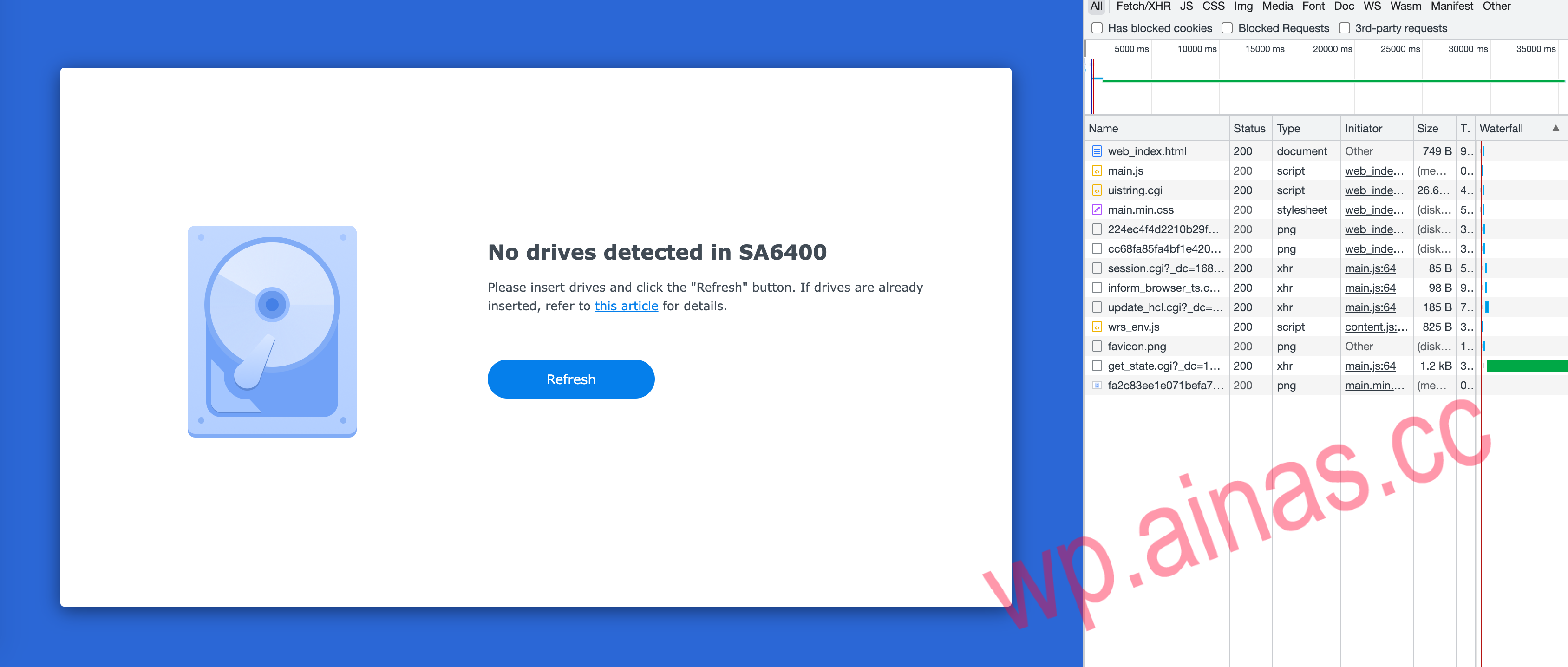
get_state.cgiOutputget_state.cgiis the cgi program of nginx agent. This file is actually a shell script in ramdisk. Let’s take a look at the output first. Line 4 directly says that there is no disk:
{ "success": true, "data": { "has_disk": false, "dsinfo": { "product": "Synology NAS", "model": "SA6400", "internet_ok": "false", "internet_install_ok": false, "internet_migrate_ok": true, "internet_reinstall_ok": true, "internet_install_version": "", "internet_migrate_version": "DSM 7.1.1-42962", "internet_reinstall_version": "DSM 7.1.1-42962", "ip_addr": "192.168.3.172", "mac_addr": "", "serial": "0000XXXBN4YYY", "build_num": 42962, "build_ver": "7.1.1-42962", "is_installing": false, "clean_all_partition_disks": "", "buildin_storage": false, "disk_size_enough": true, "disk_count": 0, "support_dual_head": "", "unique_rd": "epyc7002", "update_hcl_status": "success", "incompatible_disks": null, "syno_incompatible_disks": "", "missing_system_disks": "", "root_on_isolated_disk": "", "disabled_port_disks": "", "ssd_cache_status": "", "sas_frimware_upgrade_fail": false, "unidentified": false, "status": "", "hostname": "SynologyNAS" } }}Check here againget_state.cgi about "has_disk": falseRelevant codes for:
partition="$(/usr/syno/bin/synodiskport -installable_disk_list)"SupportBuildinStorage="$(/bin/get_key_value /etc.defaults/synoinfo.conf support_buildin_storage)"if [ "xyes" != "x${SupportBuildinStorage}" ]; thenbuildin_storage='false' if [ ! -z"$partition" ];thenhas_disk='true' elsehas_disk='false' fidisk_count=`echo $partition | wc -w`elsebuildin_storage='true'has_disk='true'disk_name=$(basename ${buildin_storage_node})disk_size=$(cat/sys/block/${disk_name}/size) if [ "0" -eq"${disk_size}" ]; thenhas_disk='false' elif [ "${min_buildin_storage_size}" -gt"${disk_size}" ]; thendisk_size_enough='false' fifiwant to gethas_disk='true'The places where you can start are: Lines 7 and 14. The SA6400 storage under test is not built-in, so if you choose line 7 here, you need line 6.partitionis not empty, butpartitionis execution/usr/syno/bin/synodiskport -installable_disk_listGot it.
synodiskport -installable_disk_listExecute directly heresynodiskport -installable_disk_listI found that nothing was returned, so I tried to write a shell script to traverse it./sys/blockGetSATA and NVMe disk:
#!/bin/shif [ "$1" == "-installable_disk_list" ]; thendisks=$(ls/sys/block|grep'(nvme*|sata*)' |xargs)echo" "$diskselse /path/to/old/synodiskport"$@"fiAfter refreshing the page, you can find that the hard disk has been recognized. After trying to install the pat file last time, it was found that the browser requestedget_install_progress.cgiAn error was reported:
{ "success": false, "data": {}, "errinfo": { "sec": "error", "key": "error_mkfs", "line": 35 }}Take a look at the relevant logs:
messages:Apr 12 twenty two27install.cgi:ninstaller.c:1167SYSTEM_NOT_INSTALLED: Raidbut md0notexistmessages:Apr 12 twenty two27install.cgi:ninstaller.c:1235SYSTEM_NOT_INSTALLED: Not SynoParitition and Not Recoverablemessages:Apr 12 twenty two27install.cgi:ninstaller.c:1142(FillUpgradeVolumeInfo):gszUpgradeVolDev= /dev/md0messages:Apr 12 twenty two27install.cgi:ninstaller.c:1143(FillUpgradeVolumeInfo):gszUpgradeVolMnt= /tmpDatamessages:Apr 12 twenty two27install.cgi:ninstaller.c:1245gblSupportRaid: 1,gSysStatus: 3,gblCreateDataVol: 0,gblSystemRecoverable: 0messages:Apr 12 twenty two27install.cgi:ninstaller.c:1699 CreateDataVol=[0]messages:Apr 12 twenty two27install.cgi:ninstaller.c:158umount partition/tmpDatamessages:Apr 12 twenty two27install.cgi:ninstaller.c:162 Failto execute[/bin/umount-f/tmpData> /dev/null 2>&1]messages:Apr 12 twenty two27install.cgi:ninstaller.c:1710installer cmd=[/usr/syno/sbin/installer.sh-r>> /tmp/installer_sh.log2>&1]messages:Apr 12 twenty two27install.cgi:ninstaller.c:1715szCmd=[/usr/syno/sbin/installer.sh-r>> /tmp/installer_sh.log2>&1],retv=[1]messages:Apr 12 twenty two27install.cgi:ninstaller.c:1739retv=[1]messages:Apr 12 twenty two27install.cgi:ninstaller.c:1740(ErrFHOSTDoFdiskFormat)retv=[1]Continue reading/tmp/installer_sh.log:
Check newdisk...umount:can't unmount /volume1: Invalid argumentraidtooldestroy0Not found /dev/md0raidtooldestroy1Not found /dev/md1[CREATE] Raidtool initsys[CREATE][failed] Raidtool initsys/usr/syno/sbin/installer.shAn error was reported during execution. After viewing the file, the error was reported during execution./sbin/raidtool initsyscaused.
Let’s see again/usr/syno/bin/synodiskport and /sbin/raidtoolThese two commands:
ls-alh/usr/syno/bin//sbin/raidtool|grep'(synodisk|raidtool)'lrwxrwxrwx1root root19 Apr 12 twenty two:48 /sbin/raidtool-> /usr/syno/bin/scemd-wx------ 1root root180 Apr 12 twenty two:17synodiskportAll are soft linked toscemd,and scemdAnyone who has studied Synology Boot knows that this is a tool similar to busybox, which performs different operations based on the currently executed command.
Then we need to reverse itscemdLet’s take a look at the specific disk search logic of this binary file.
We need to reversescemdThe logic of searching for installable disks is used here. bpftrace is used to capture a lot of output, and comments are added to the code bit by bit. The bpftrace script used is:
uretprobe:"/usr/syno/bin/synodiskport":0xABCCC {printf("is_suppornmve return: %dn",retval);}uretprobe:"/usr/syno/bin/synodiskport":0x5AA09 {printf("is_support_local_only_dev return: %dn",retval);}uretprobe:"/usr/syno/bin/synodiskport":0x6FFF0 {printf("enumerate_disks return: %dn",retval);}uretprobe:"/usr/syno/bin/synodiskport":0x5A7BF {printf("support_dual_head return: %dn",retval);}uprobe:"/usr/syno/bin/synodiskport":0x591CF {printf("list_insert, string: %sn",str(arg1));}uprobe:"/usr/syno/bin/synodiskport":0x6FC50 {printf("enumerate_disks_with_type, type: %dn",arg0);}uretprobe:"/usr/syno/bin/synodiskport":0x6FC50 {printf("enumerate_disks_with_type, return: %dn",retval);}uprobe:"/usr/syno/bin/synodiskport":0x6F580 {printf("SynoDiskPathGlobAndPortCheck, disk type: %dn", *(uint64*)arg1);}uretprobe:"/usr/syno/bin/synodiskport":0x6F580 {printf("SynoDiskPathGlobAndPortCheck, return: %dn",retval);}uprobe:"/usr/syno/bin/synodiskport":0x75390 {printf("disk_maybe_blocked, disk name: %sn",str(arg0));}uretprobe:"/usr/syno/bin/synodiskport":0x75390 {printf("disk_maybe_blocked, return: %dn",retval);}uretprobe:"/usr/syno/bin/synodiskport":0x70A70 {printf("get_disk_type_by_name, return: %dn",retval);}uprobe:"/usr/syno/bin/synodiskport":0xF370 {printf("strstr, string: %s, sub str: %sn",str(arg0),str(arg1));}uretprobe:"/usr/syno/bin/synodiskport":0xF370 {printf("strstr, return: %sn",str(retval));}uprobe:"/usr/syno/bin/synodiskport":0x94FD0 {printf("nvme_dev_port_check, name: %sn",str(arg0));}uretprobe:"/usr/syno/bin/synodiskport":0x94FD0 {printf("nvme_dev_port_check, return: %dn",retval);}uprobe:"/usr/syno/bin/synodiskport":0x98900 {printf("sata_dev_port_check, name: %sn",str(arg0));}uretprobe:"/usr/syno/bin/synodiskport":0x98900 {printf("sata_dev_port_check, return: %dn",retval);}I won’t describe the specific debugging process. I spent a lot of time reading the pseudocode.
Here is the key pseudocode in IDA:
__int64 __fastcallSYNODiskPathGlobAndPortCheck(__int64 glob_list,_DWORD*disk_type, intcheck_type,_QWORD*disk_list){ boolshould_check_type; // r14 intindex; //ebp char **gl_pathv; //r15 const char *v7; //rax const char *v8; // r13 intv9; //eax__int64 v10; // r13 char *v11; //rax__int64 disk_name; //r15 inttmp_disk_type; //eax unsigned intv14; //ebx glob64_tpglob; // [rsp+10h] [rbp-88h] BYREF unsigned__int64 v18; // [rsp+58h] [rbp-40h]v18=__readfsqword(0x28u);memset(&pglob, 0, sizeof(pglob)); if (check_type<= 0 &&disk_type || ((unsigned__int8)check_type& (disk_type== 0LL)) != 0 || !disk_list || !*disk_list || !glob_list) {v14= -1;__syslog_chk(3LL, 1LL, "%s:%d Bad parameter", "external/external_disk_port_enum.c", 42LL);gl_pathv=pglob.gl_pathv; gotoLABEL_29; }should_check_type=disk_type!= 0LL &&check_type> 0; if ( *(int *)(glob_list+ 4) <= 0 ) return 0;index= 0; while ( 1 ) {v7= (const char *)list_get(glob_list,index);memset(&pglob, 0, sizeof(pglob));v8=v7; //Return value 0 means matchedv9=glob64(v7, 8, 0LL, &pglob); if (v9) break;gl_pathv=pglob.gl_pathv; if (pglob.gl_pathc) {v10= 0LL; while ( 2 ) {v11=strrchr(gl_pathv[v10], '/'); // find the last / if ( !v11) gotoLABEL_21;disk_name= (__int64)(v11+ 1);tmp_disk_type=get_disk_type_by_name(v11+ 1); if (should_check_type) { if (tmp_disk_type== *disk_type) gotoLABEL_19; } else if (tmp_disk_type!= 10 ) {LABEL_19:list_insert((__int64)disk_list,disk_name); }gl_pathv=pglob.gl_pathv;LABEL_21: if (pglob.gl_pathc<= ++v10) break; continue; } }LABEL_12: if (gl_pathv)globfree64(&pglob); if ( *(_DWORD*)(glob_list+ 4) <= ++index) {gl_pathv=pglob.gl_pathv;v14= 0; gotoLABEL_29; } } if (v9== 2 ) {__syslog_chk(3LL, 1LL, "%s:%d read error :%s", "external/external_disk_port_enum.c", 58LL,v8); gotoLABEL_27; } if (v9!= 1 ) {gl_pathv=pglob.gl_pathv; if (v9!= 3 ) gotoLABEL_28; gotoLABEL_12; }__syslog_chk( 3LL, 1LL, "%s:%d out of memory to alloc glob function when looking for:%s", "external/external_disk_port_enum.c", 60LL,v8);LABEL_27:gl_pathv=pglob.gl_pathv;LABEL_28:v14= -1;LABEL_29: if (gl_pathv)globfree64(&pglob); returnv14;}exist SYNODiskPathGlobAndPortCheckThe logic is to find the disk according to the disk type, and then check it in reverse. If the type matches, add it to the list (line 58). The default SATA disk type is 1. To remove this type of check, in order to find the installation disk, we will reverse this. After rebuilding the boot and starting, the disk can be found normally on the installation page, and the installation is successful, entering the restart process.
The installation was successful, but I found that it still entered ramdisk mode after restarting. After checking the log, I found the following error:
SystemvolumeisassembledwithSSDCacheonly,please remove SSDCache and thenrebootThis error is/linuxrc.syno.implThe check done in means that the system disk cannot beSSD Cache, specific code:
SupportSSDCache=`/bin/get_key_value /etc.defaults/synoinfo.conf support_ssd_cache`if [ "$SupportDualhead" != "yes" ] && [ "${SupportSSDCache}" = "yes" ] && [ -d"/sys/block/md0" ]; then WithInternal=0has_md0disk=0 # check if any disk is INTERNAL, otherwise return fail forpathin /sys/block/md0/md/dev-*; do [ -e"$path" ] || continuedisk="$(basename "$path"| cut -c 5-)" [ -z"$disk" ] && continuehas_md0disk=1 PortType=`/usr/syno/bin/synodiskport -portcheck "${disk}"` if [ "${PortType}" = "SAS" ] || [ "${PortType}" = "SATA" ] || [ "${PortType}" = "SYS" ]; then WithInternal=1 fi done # has raid0 and not composed by internal disk if [ "$has_md0disk" = 1 ] && [${WithInternal} -eq0 ]; thenecho"System volume is assembled with SSD Cache only, please remove SSD Cache and then reboot" >> /var/log/messages Exit 8 "System volume is assembled with SSD Cache only" fifiThat’s easy, just replace it directly when compiling and booting:sed -i 's/WithInternal=0/WithInternal=1/' ${RAMDISK_PATH}/linuxrc.syno.impl
After recompiling and booting, I finally entered the system normally, but there was a new problem: the NVMe disk could not be found in the storage manager, so I continued to explore. After trying to add a sata disk, the operation is normal. There may still be a problem when viewing the disk (because there is no sata disk). After checking the log, the corresponding error is found:
2023-04-12T2225+08:00 TestSA6400scemd[17874]:disk/disk_info_enum.c:297cann't find enumlist_det, try to diskInfoEnum failed2023-04-12T2225+08:00 TestSA6400 scemd[17874]: disk/shared_disk_info_enum.c::84 Failed to allocate list in SharedDiskInfoEnum, errno=0x900.SharedDiskInfoEnumIt should be a specific function name, but it must have been stripped away. Search for string keywords.
In the system installed by Synologyscemdthan in ramdiskscemdThe binary is much smaller and is dynamically linked. After searching around, I found that the relevant functions are inlibhwcontrol.so.1in , referencescemdAfter the modification in , it was found that the number of disks had doubled. If we continue to analyze, it should be that disk type 1 returned 3 NVMe disks, and disk type 7 also returned the same disk, so here we choose to skip the check that disk type 1 was not found, which corresponds to line 23 of the pseudocode below.v1 < 0.
Pseudocode in IDA:
__int64 __fastcallSLIBDiskInfoEnumToCache(__int64 a1){ intv1; //r12d intv2; // r13d intv3; // r14d intv4; //r15d intv5; //eax intv6; //ebpFILE*v7; //rbx_QWORD*v8; //rbp unsigned intv9; //ebx intv11; // [rsp+Ch] [rbp-4Ch] void *ptr[9]; // [rsp+10h] [rbp-48h] BYREFptr[1] = (void *)__readfsqword(0x28u);ptr[0] = 0LL;v1=enumerate_disks_by_type((__int64)ptr, 1LL,a1);v2=enumerate_disks_by_type((__int64)ptr, 3LL,a1);v3=enumerate_disks_by_type((__int64)ptr, 7LL,a1);v4=enumerate_disks_by_type((__int64)ptr, 11LL,a1);v11=enumerate_disks_by_type((__int64)ptr, 4LL,a1);v5=enumerate_disks_by_type((__int64)ptr, 2LL,a1); if (v1< 0 ||v2< 0 ||v3< 0 ||v4< 0 ||v11< 0 || (v6=v5,v5< 0) ) {v9= -1; } else {v7=fopen64("/tmp/enumlist_det.tmp", "wb"); if (v7) {v8=ptr[0]; if (ptr[0] ) { do { if ( !*v8) break;sub_40AE0(v7);v8= (_QWORD*)v8[1]; } while (v8); }fclose(v7);v9=rename("/tmp/enumlist_det.tmp", "/tmp/enumlist_det"); if (v9) {v9= 0;__syslog_chk( 4LL, 1LL, "%s:%d Failed to rename %s into %s.", "disk/disk_info_enum.c", 456LL, "/tmp/enumlist_det.tmp", "/tmp/enumlist_det"); } } else {v9=v6+v11+v4+v3+v1+v2;__syslog_chk(3LL, 1LL, "%s:%d fail to save enumlist, device is busy....n", "disk/disk_info_enum.c", 441LL); } } DiskInfoEnumFree(ptr[0]); returnv9;}Update againlibhwcontrol.so.1And after restarting, the storage management disk displays normally.
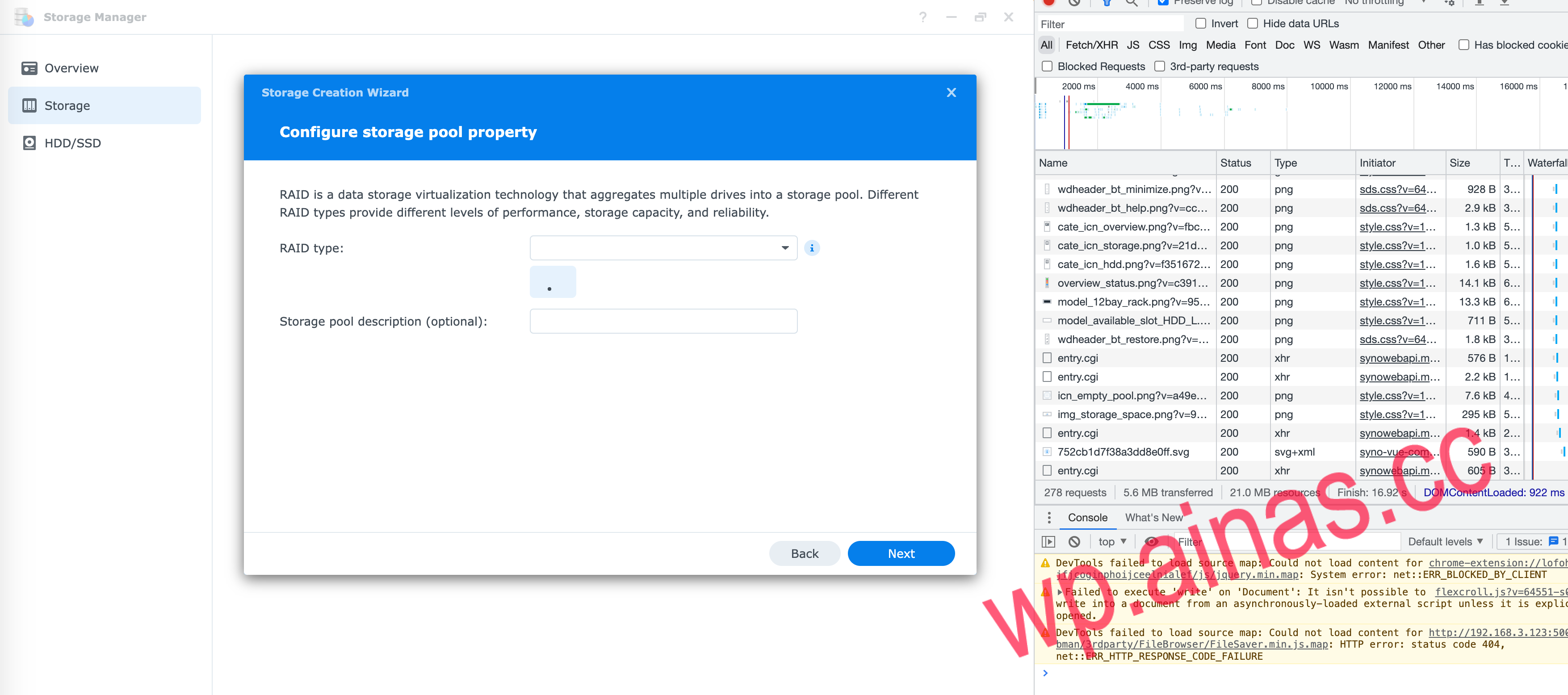
Go back to storage management again, choose to create a storage pool, and find that the RAID type is empty. You can already see the specific disk. I guess it is probably a problem with the front-end logic. After some searching, I found the following piece of code in storage_panel.js:
isCacheTray() { return "cache" === this.portType}raidTypeStore() { if (SYNO.SDS.StorageUtils.isSingleBay() && (!this.isNeedSelectSource|| "internal" === this.selectDiskSource)) return [{label: this.T("volume", "volume_type_basic"),value: "basic" }]; lete= [] ,t= 0 ,s= {} ,i= (e,t,s)=>{ this.raidTypeSupportTable[s].support&&e&&t.push({label: this.raidTypeSupportTable[s].label,value:s }) } ; for (lete ofthis.disks) { if ("disabled" ===e.portType||e.isCacheTray()) continue; lett,i=e.container; if ("number" != typeofs[i.order]) { if ("ebox" ===i.type) { if (SYNO.SDS.StorageUtils.supportSas&& this.env.AHAInfo)t= this.env.AHAInfo.enclosures[i.order- 1].max_disk; else if (t=SYNO.SDS.StorageUtils.GetEboxBayNumber(i.str), 0 ===t) continue } elset= +this.D("maxdisks", "1");s[i.order] =t } } for (let[e,i]ofObject.entries(s))SYNO.SDS.StorageUtils.isSupportRaidCross() ?t+=i:t= Math.max(t,i); returnSYNO.SDS.StorageUtils.supportRaidGroup|| !SYNO.SDS.StorageUtils.isSupportSHR() || "pool_type_multi_volume" !== this.poolType|| this.S("ha_running") || (i(1 <=t,e, "shr"),i(4 <=t,e, "shr_2")),i(2 <=t,e, "raid_1"),i(3 <=t,e, "raid_5"),i(4 <=t,e, "raid_6"),i(4 <=t,e, "raid_10"),i(1 <=t,e, "basic"),i(1 <=t,e, "raid_linear"),i(2 <=t,e, "raid_0"),i(SYNO.SDS.StorageUtils.supportDiffRaid&& 3 <=t,e, "raid_f1"),e}Here are 22 linesif ("disabled" === e.portType || e.isCacheTray())All SSD Cache disks will be skipped. Since we do not have SATA disks, if we skip them all, there will naturally be no disk to judge the RAID type, so we will skip it here.e.isCacheTray()inspection.
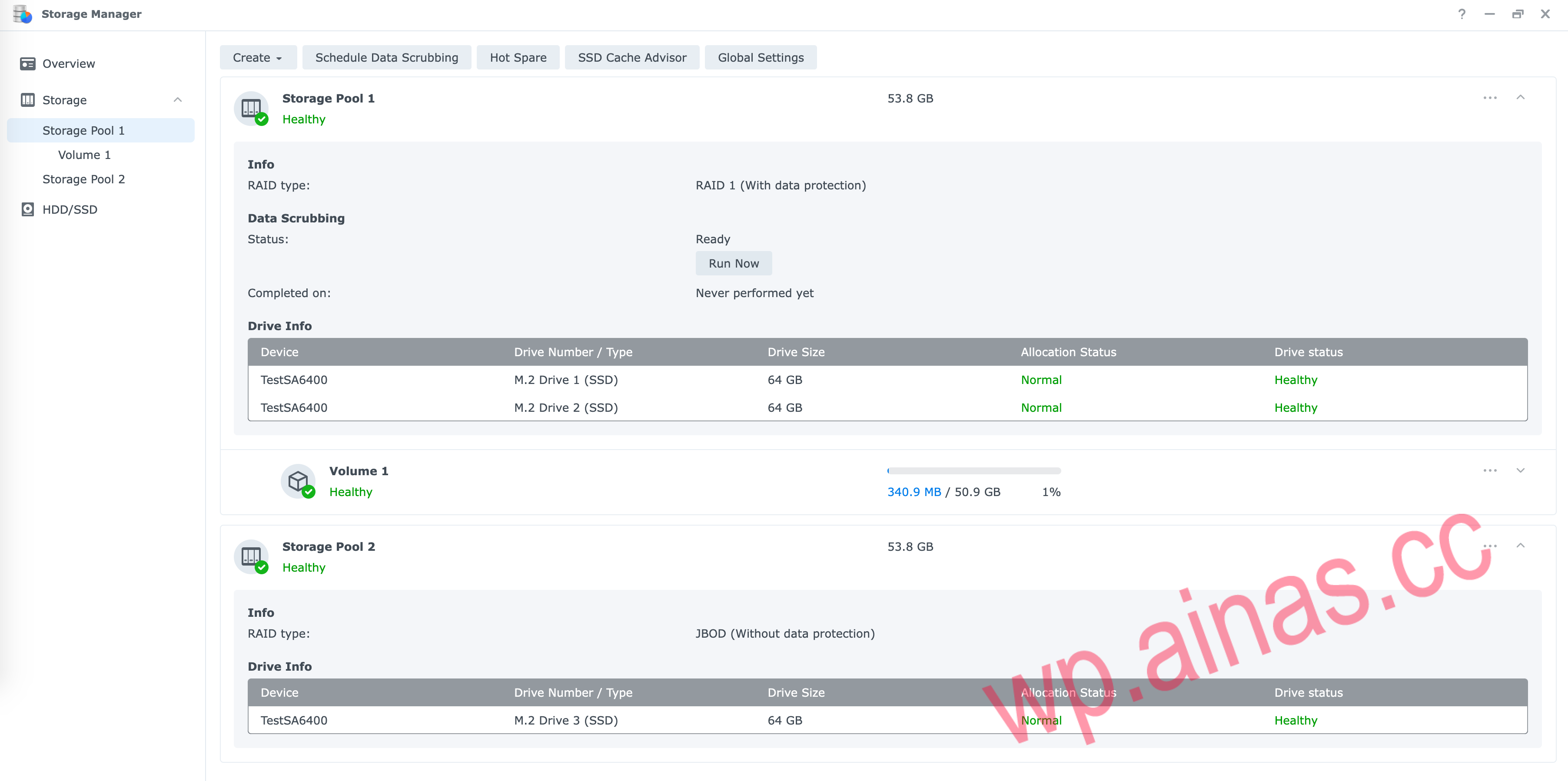
Force refresh the browser cache and finally feel free to create NVMe storage pools.
Screenshot of results:
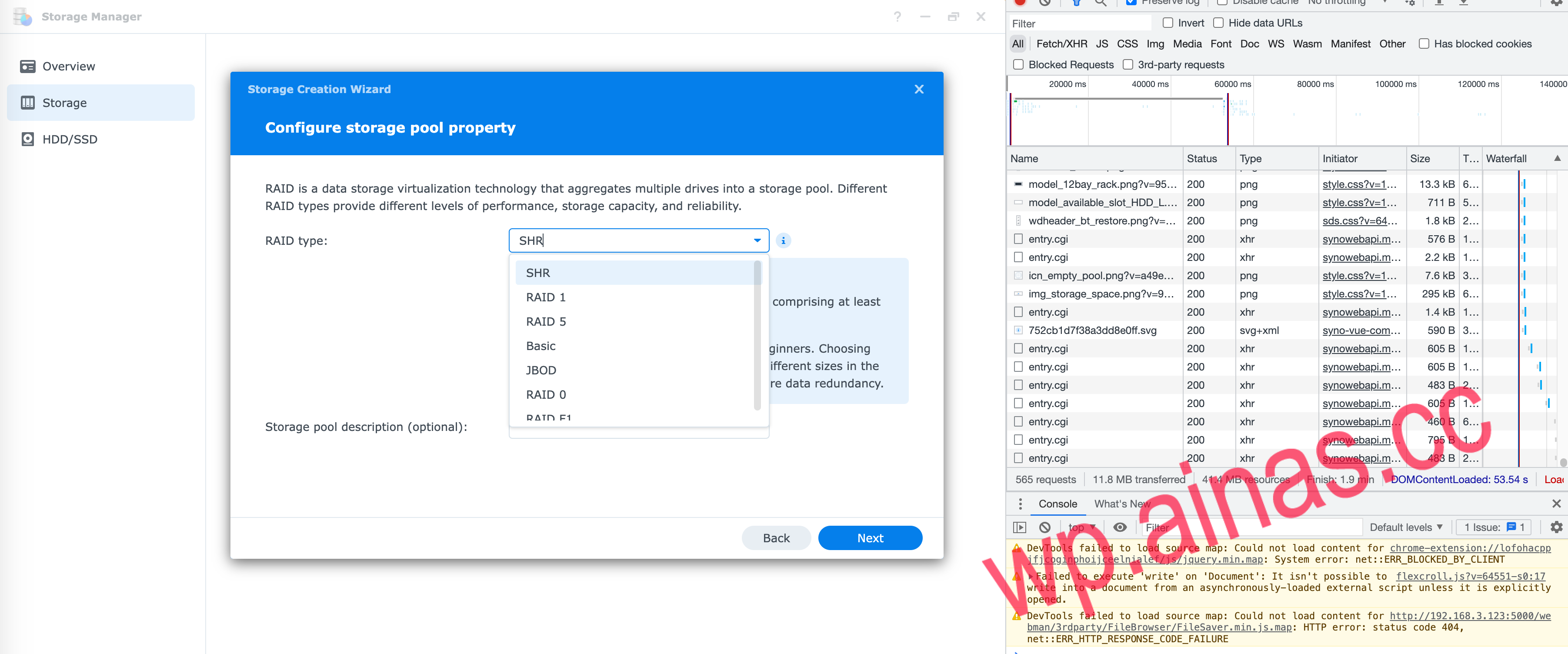
scemd,jump over disk typeCheck, corresponding function search keyword:external_disk_port_enumsed -i 's/WithInternal=0/WithInternal=1/' ${RAMDISK_PATH}/linuxrc.syno.implSLIBDiskInfoEnumToCachee.portType||e.isCacheTray()->e.portTypeto load the correct disk RAID type