Our Location
304 North Cardinal St.
Dorchester Center, MA 02124

After the Synology 7.2.2 version was updated, the server-side codec function was removed, and the Video Station function was also removed. Therefore, the foreign Synology script expert @007revad came out again to provide the Video Station and Media Server applications for DSM v7.2.2 users, and solved the thumbnail support for HEIC in Synology Photos.
Because Video Station has no advantages over third-party packages such as Emby Jellyfin, the official has given up support for it starting from 7.2.2. However, there are still users who are more accustomed to using Synology’s own Viedo Station and various codec tools, including those who do not want to re-transmit photos, you can try this project.
🔻The installed package versions are as follows:
Video Station 3.1.0-3153
Advanced Media Extensions 3.1.0-3005
Media Server 2.1.0-3304
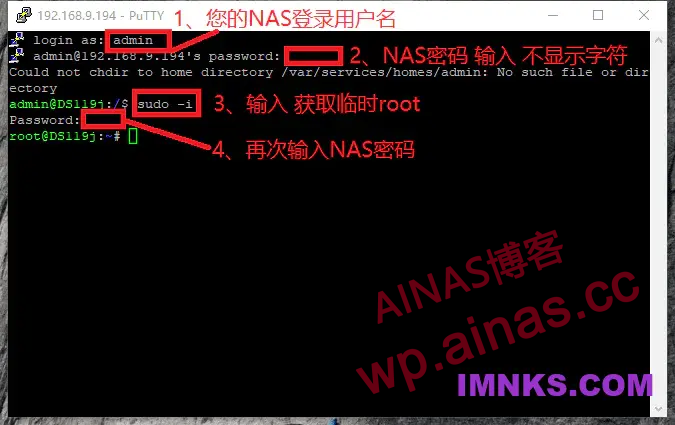
1. Run the following script
# DSM7.2.2 AME version 4.1.0-4005
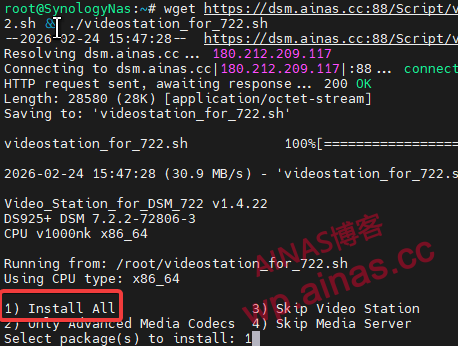
wget https://dsm.ainas.cc:88/Script/videostation_for_722.sh -O videostation_for_722.sh && chmod +x videostation_for_722.sh && ./videostation_for_722.sh
2. Select the first one after running the command
3. After the installation is completed, OK will be prompted.
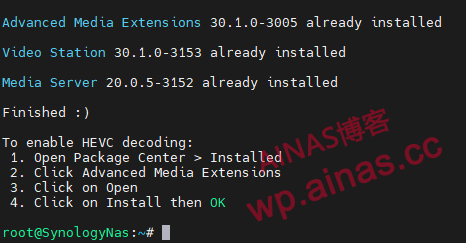
1. Open the application center and you will see that the package has been installed correctly.
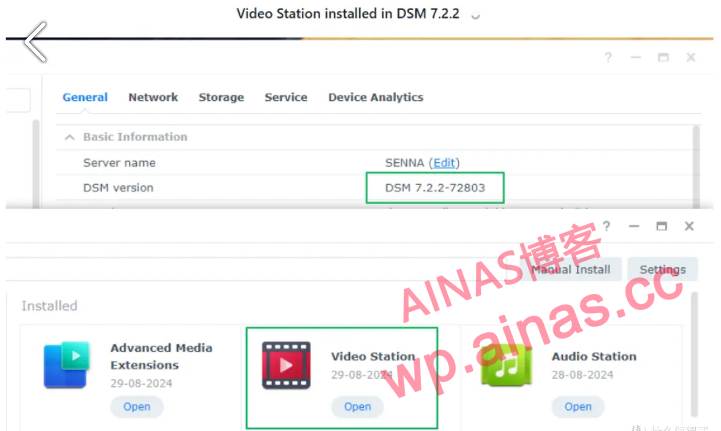
2. We searchAdvanced Media Extensions, select and click to open.
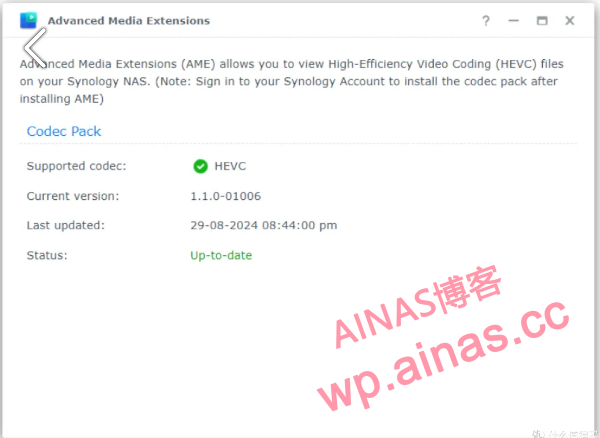
3. In the community service of the package center, install ffmpeg7 and run the command
mv /usr/bin/ffmpeg /usr/bin/ffmpeg.bak
ln -s /var/packages/ffmpeg7/target/bin/ffmpeg /usr/bin/ffmpeg
4. If you need to add DTS, EAC3, and TrueHD support to Video Station, run the following script.
curl https://ghfast.top/https://raw.githubusercontent.com/AlexPresso/VideoStation-FFMPEG-Patcher/main/patcher.sh | bash -s -- -p https://ghfast.top/https://raw.githubusercontent.com -v 75. Enter the DSM background, “Control Panel” – “Shared Folder”, and set the “read and write” access rights of “sc-ffmpeg” for “photo” and “homes”;
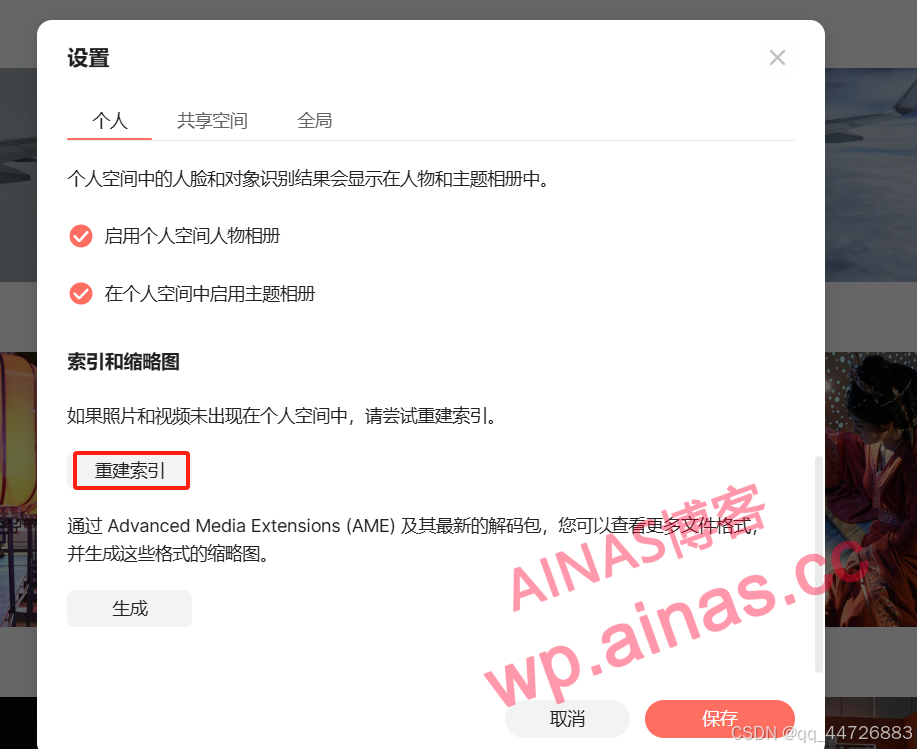
Log in to Synology Photos, go to “Settings” – “Personal”, and click “Rebuild Index”.
1. Subsequently update the DSM system. After the system is updated, you will be prompted to delete applications such as Video Station. We can delete them normally. Pay attention when deleting.don’t wantCheck the box to delete the Video Station database.
