Our Location
304 North Cardinal St.
Dorchester Center, MA 02124

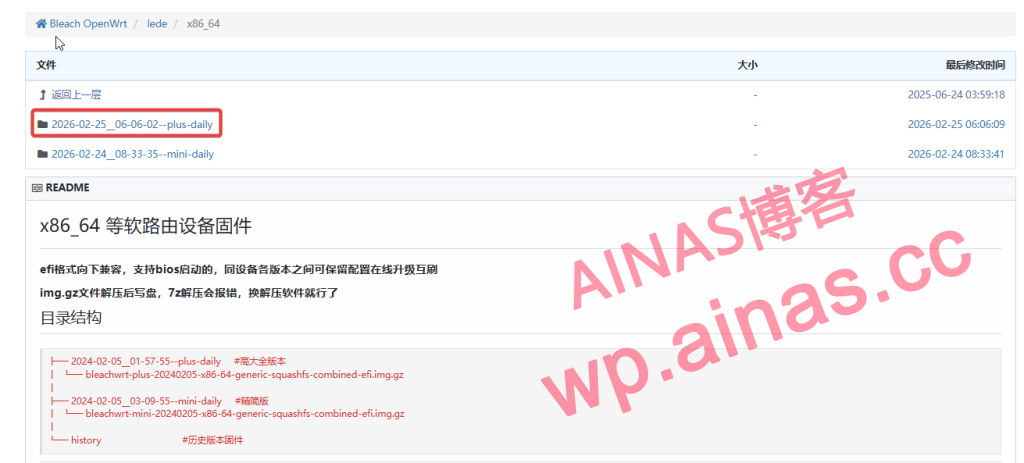
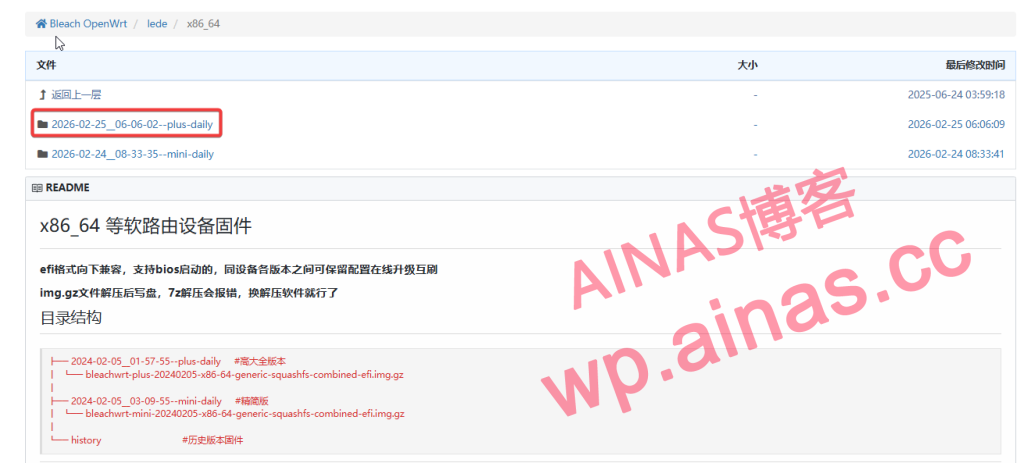
What is used here is the compiled integrated version.Download address, because it is a virtual machine without hardware specifications restrictions, it is recommended to download the full version.
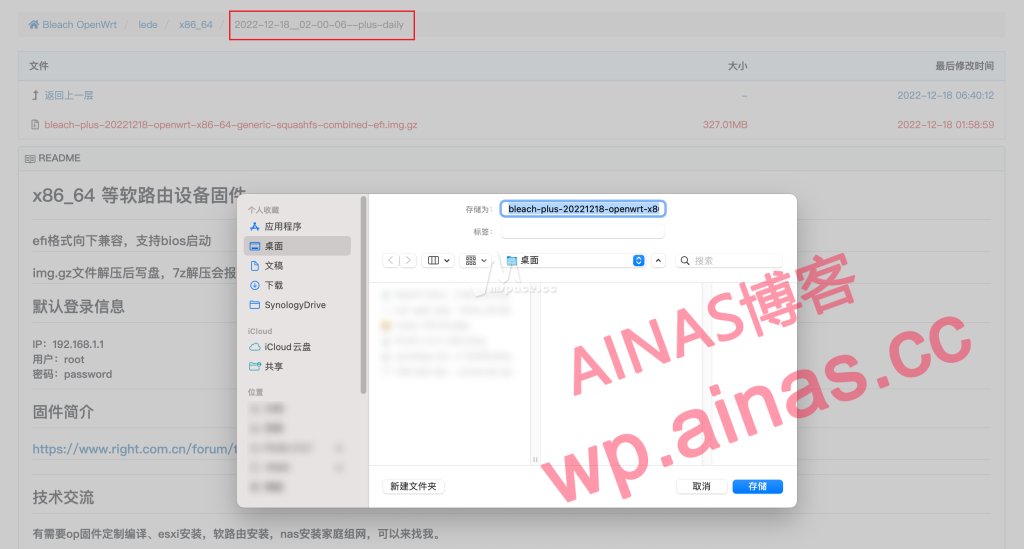
What is downloaded is.gzpackage,Mac’s built-in compression cannot be decompressed, need to be opened with third-party compression software,I use Fastzip
After decompression, there is a.imgimage file, this is the package we want to install on the virtual machine![图片[3]|5 分钟实现全屋科学上网 群晖 NAS 安装 Openwrt 旁路由教程|牧之笔记 | 世界不应有局限](https://cloud.ainas.cc/wp-content/uploads/2026/02/202212181235101.png)
Install virtual machine
Open Synology Package Center and searchVirtual Machine ManagerInstallation opens
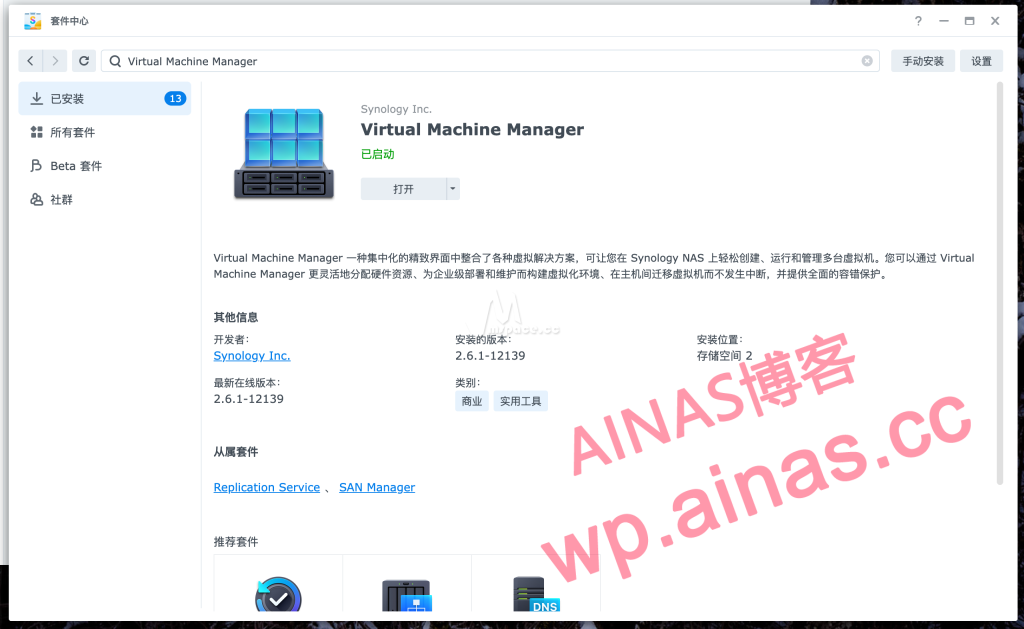
Image – Hard Disk Image – New – From your computer, select the one you just extracted.img document
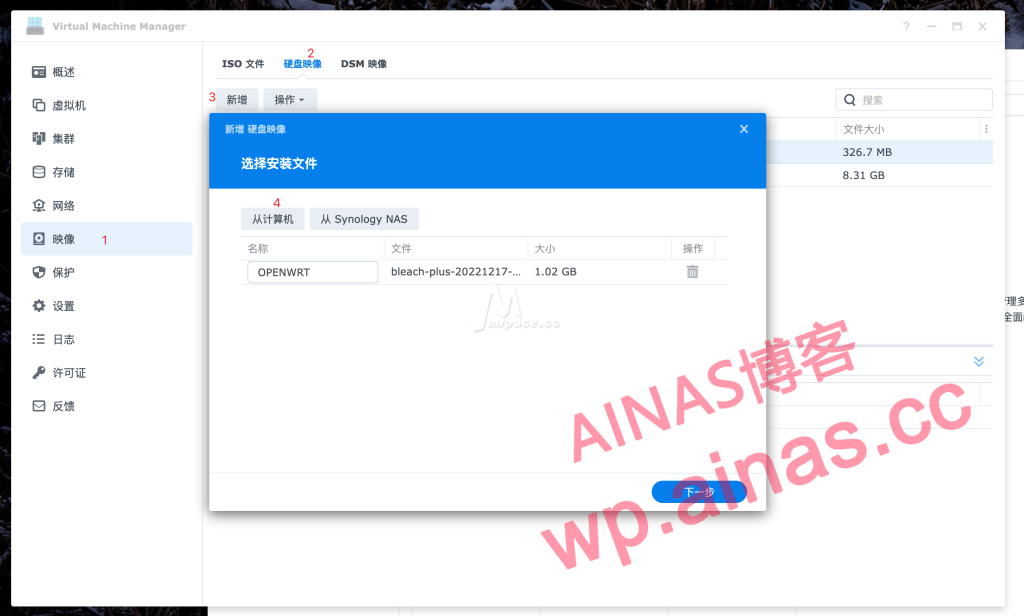
After confirming the storage space, click Finish and wait for the status to show good![图片[6]|5 分钟实现全屋科学上网 群晖 NAS 安装 Openwrt 旁路由教程|牧之笔记 | 世界不应有局限](https://cloud.ainas.cc/wp-content/uploads/2026/02/202212181243747.png)
Virtual Machine – Import – Import from Hard Disk Image – Next![图片[7]|5 分钟实现全屋科学上网 群晖 NAS 安装 Openwrt 旁路由教程|牧之笔记 | 世界不应有局限](https://cloud.ainas.cc/wp-content/uploads/2026/02/202212181244920.png)
Choose a name at will. 1G of CPU and memory is enough. Next step![图片[8]|5 分钟实现全屋科学上网 群晖 NAS 安装 Openwrt 旁路由教程|牧之笔记 | 世界不应有局限](https://cloud.ainas.cc/wp-content/uploads/2026/02/202212181246250.png)
Select the image just uploaded to the NAS![图片[9]|5 分钟实现全屋科学上网 群晖 NAS 安装 Openwrt 旁路由教程|牧之笔记 | 世界不应有局限](https://cloud.ainas.cc/wp-content/uploads/2026/02/202212181248452.png)
Configure the network![图片[10]|5 分钟实现全屋科学上网 群晖 NAS 安装 Openwrt 旁路由教程|牧之笔记 | 世界不应有局限](https://cloud.ainas.cc/wp-content/uploads/2026/02/202212181249895.png)
There is a small detail. The network can be used normally without selecting e1000, but the lan port will become half-duplex. If the lan port of your virtual soft router is only half-duplex, it is most likely caused by the model not selecting e1000.
Finally, configure it yourself: whether to start automatically, account permissions, and start the virtual machine after creation.
At this time, return to the Synology virtual machine and click Connect.Press Enter twice, enter the following code and press Enter
vi etc/config/network![图片[11]|5 分钟实现全屋科学上网 群晖 NAS 安装 Openwrt 旁路由教程|牧之笔记 | 世界不应有局限](https://cloud.ainas.cc/wp-content/uploads/2026/02/1_202212181258099.png)
After seeing the configuration file, press on the keyboardi, find the corresponding line, and change the address to the same network segment of the router, such as 192.168.2.xxx. If you are not sure whether the IP will conflict, you can set the last number larger, such as 150/190 or the like.
![图片[12]|5 分钟实现全屋科学上网 群晖 NAS 安装 Openwrt 旁路由教程|牧之笔记 | 世界不应有局限](https://cloud.ainas.cc/wp-content/uploads/2026/02/2_202212181302534.png)
After modification is completed, press on the keyboardesc, then enter:wqPress Enter to save![图片[13]|5 分钟实现全屋科学上网 群晖 NAS 安装 Openwrt 旁路由教程|牧之笔记 | 世界不应有局限](https://cloud.ainas.cc/wp-content/uploads/2026/02/1_202212181307120.png)
Finally enterrebootRestart Openwrt and access the IP address you just set. Openwrt is now installed.![图片[14]|5 分钟实现全屋科学上网 群晖 NAS 安装 Openwrt 旁路由教程|牧之笔记 | 世界不应有局限](https://cloud.ainas.cc/wp-content/uploads/2026/02/202212181310436.png)
The default password is password
Enter the password to enter the openwrt interface, find Network – Interface – LAN – Modify,Point the gateway and DNS server to the address of the main route![图片[15]|5 分钟实现全屋科学上网 群晖 NAS 安装 Openwrt 旁路由教程|牧之笔记 | 世界不应有局限](https://cloud.ainas.cc/wp-content/uploads/2026/02/2_202212181313731.png)
Change the bottomIgnore this interfaceHook up, and finally close the IPv6 related configuration, click Save and Apply
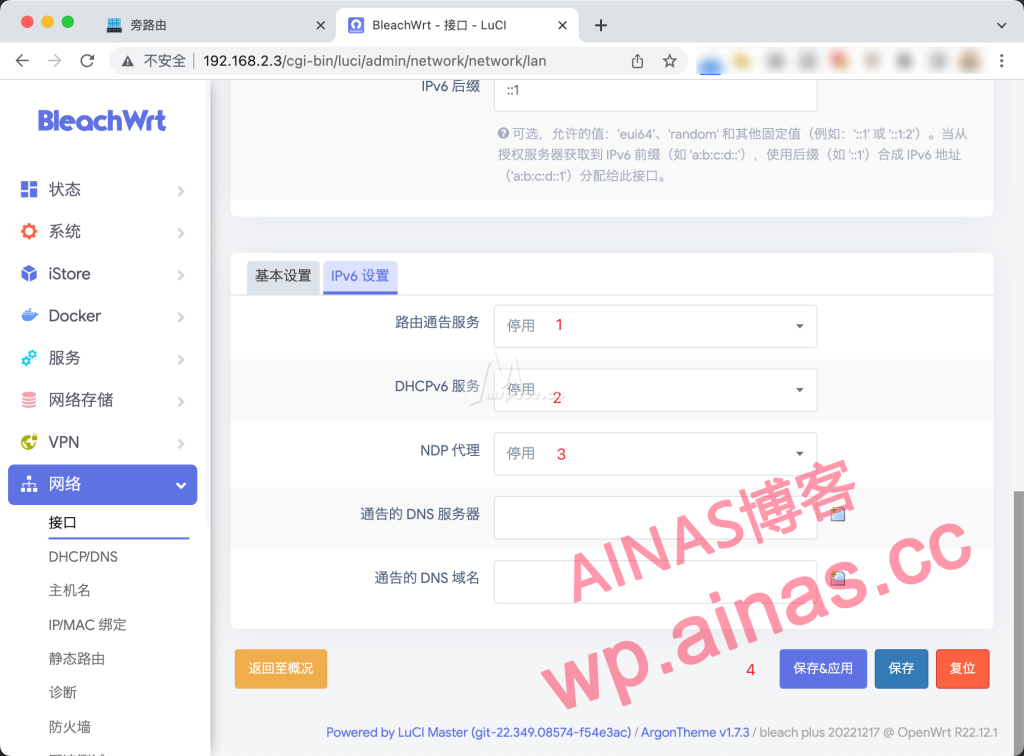
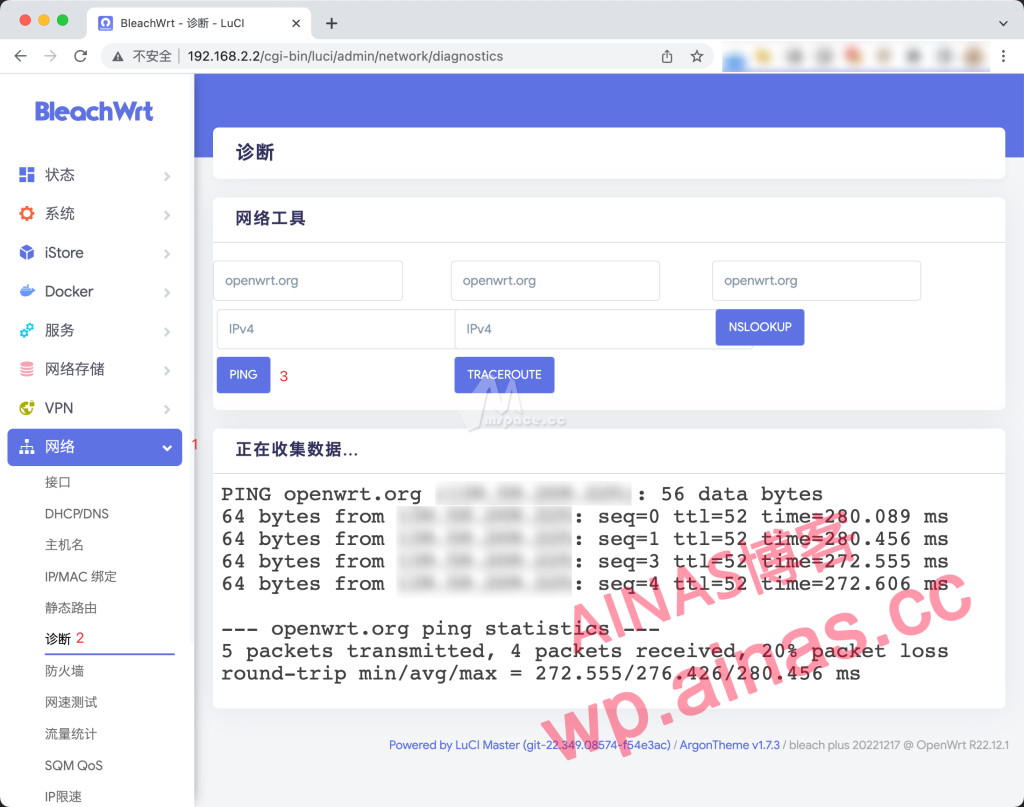
Finally, ping again to see if the network is connected. If everything is normal, you can start configuring the scientific service.
There are many ways to implement it. Since I use Clash a lot, I will use OpenClash for demonstration here.
Menu Bar – Services – OpenClash

Add and update your own subscription
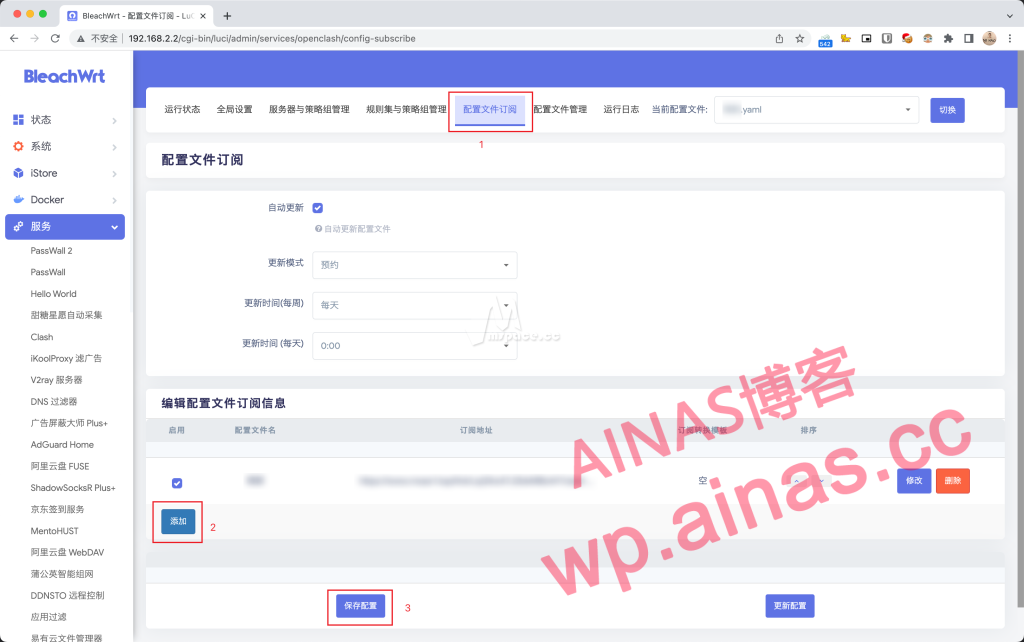
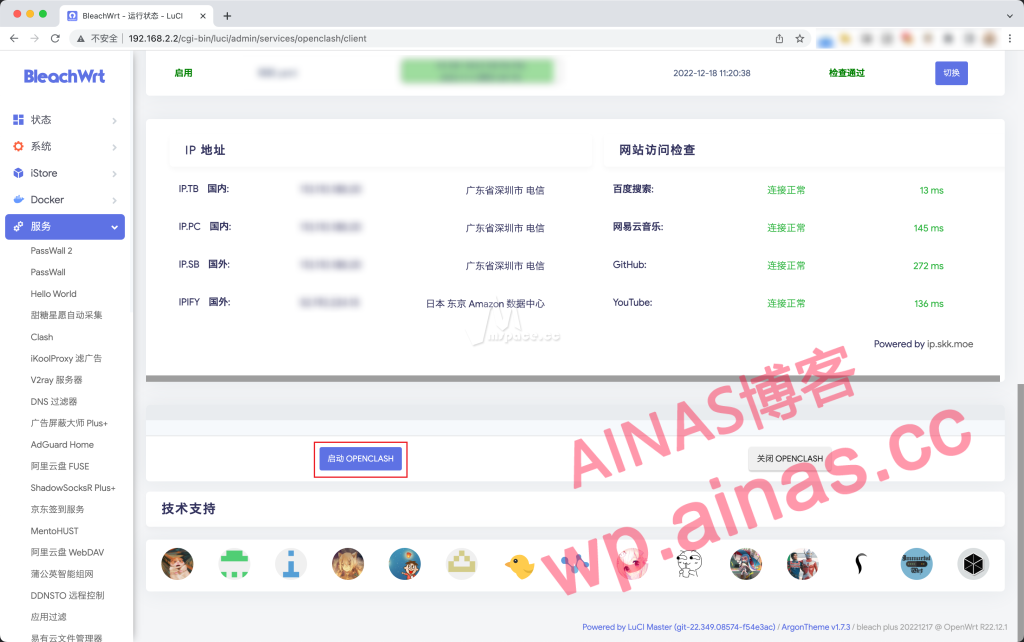
Just start OpenClash under the running status
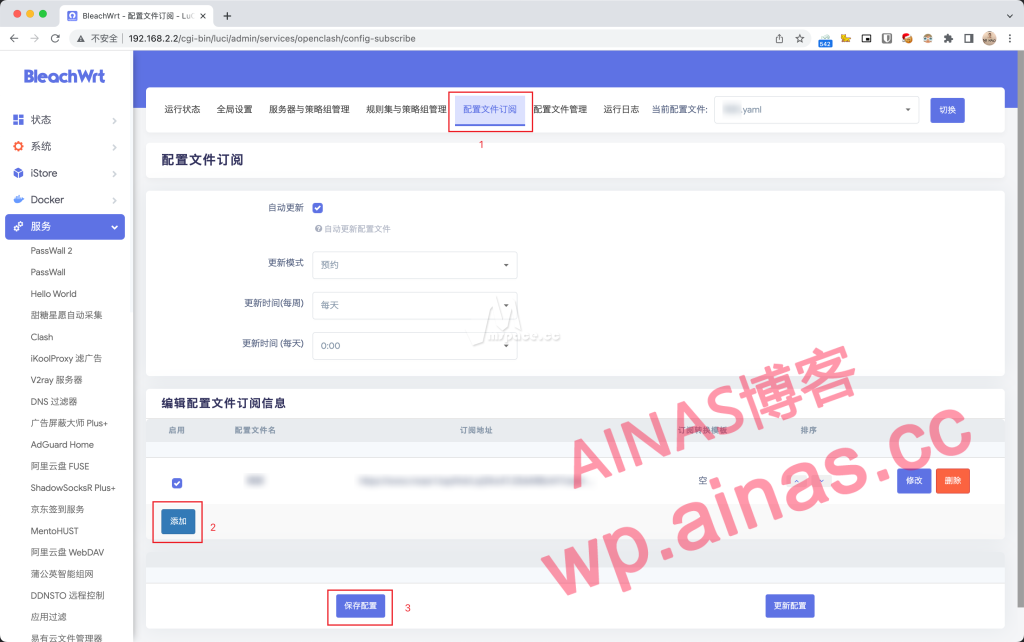
If the running status is all green, it means the operation is successful. Now you have an additional bypass router in your home network that can access the Internet scientifically.
Using the bypass route is also very simple.Just point the router address and DNS address to the address of the bypass router., the computer is usually innetworkIn the settings, the phone is inWi-FiIn settings
The operation method is the same for all platforms such as macOS, Windows, iOS and so on.
![图片[22]|5 分钟实现全屋科学上网 群晖 NAS 安装 Openwrt 旁路由教程|牧之笔记 | 世界不应有局限](https://cloud.ainas.cc/wp-content/uploads/2026/02/1_202212181330550.png)
![图片[23]|5 分钟实现全屋科学上网 群晖 NAS 安装 Openwrt 旁路由教程|牧之笔记 | 世界不应有局限](https://cloud.ainas.cc/wp-content/uploads/2026/02/1_202212181330484.png)
feel it
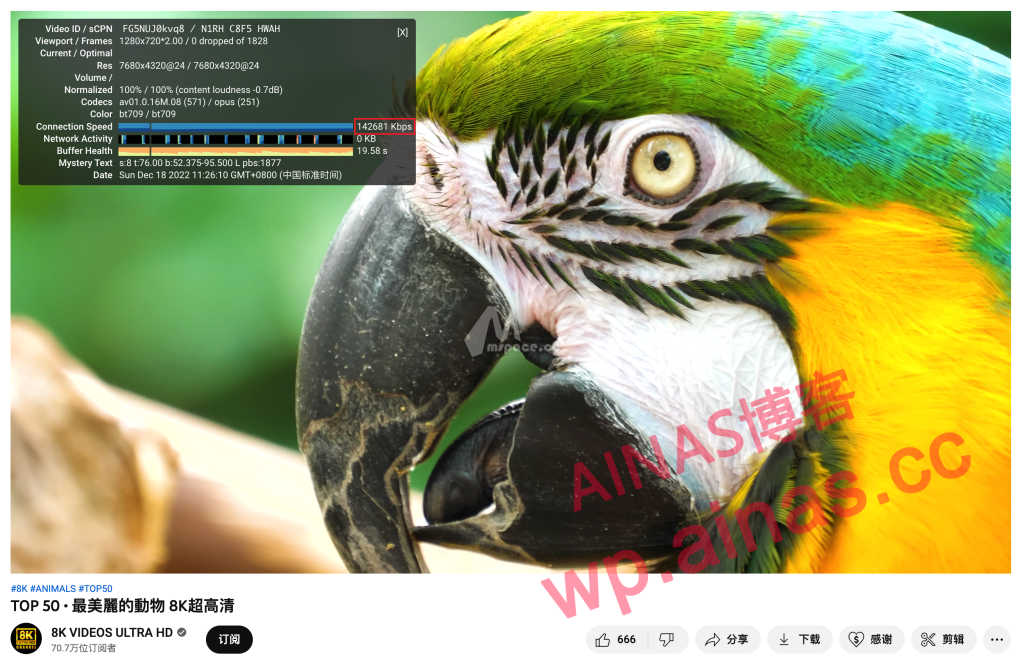
Today’s introduction is the simplest way to get started with soft routing.Synology virtual soft routing is only recommended for use as a bypass routerIf you feel that configuring Wi-Fi for each device individually is a bit cumbersome, you can try to point the gateway of the main router to the IP of the bypass router. The best way is to buy a separate soft routing device and place it in front of the router (pit warning).
