Our Location
304 North Cardinal St.
Dorchester Center, MA 02124

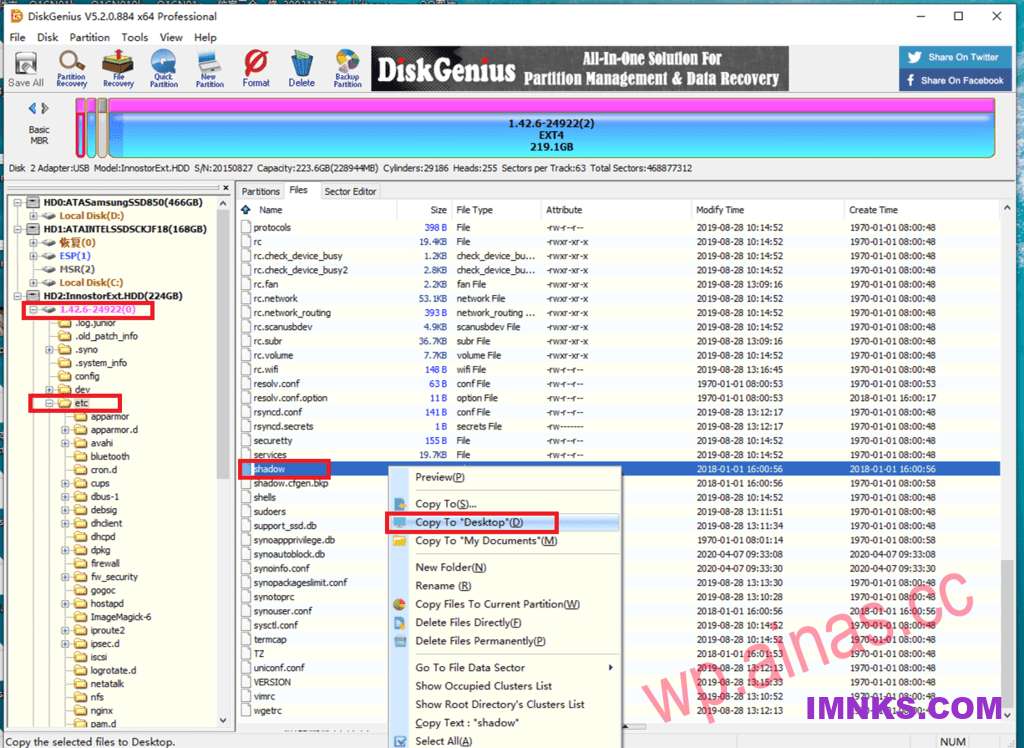
Diskgenius5.x Professional Edition: Baidu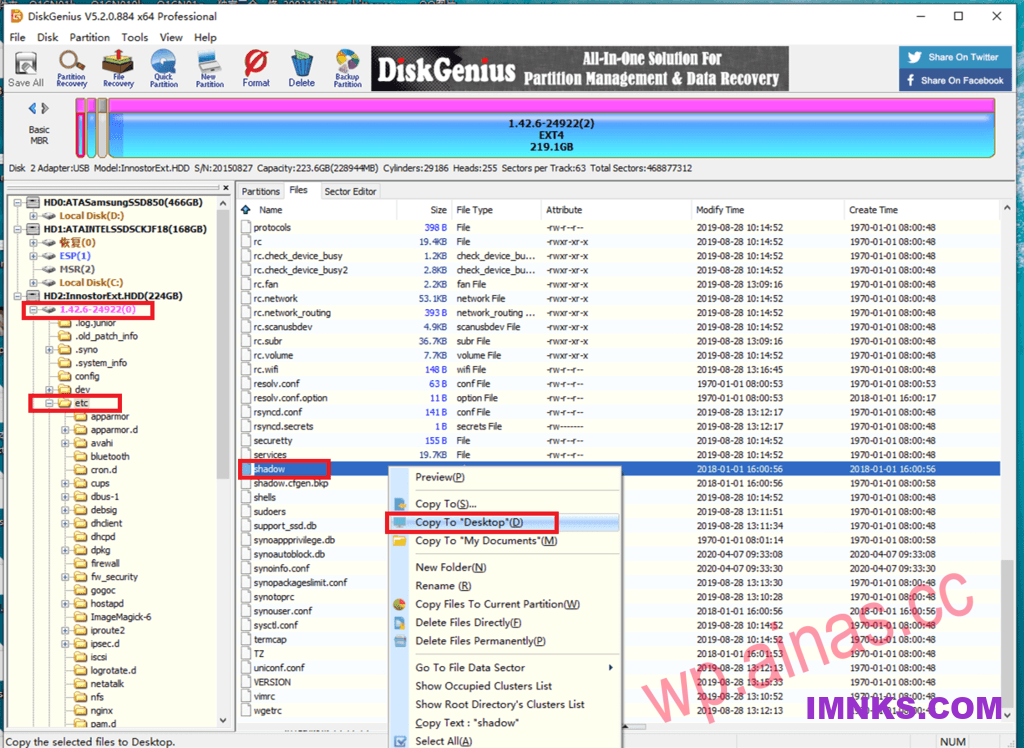
First line:
admin:$6$MuewnMMD$t0XQfRd6uFRVQjXPZ3RG7Sa3bXKCH3CCuogj393Fb5884IHSYvMnhBAZkHAuVYAVWwVOeha3QrtbWNuKT0zzj/:17532:0:99999:7:::in:
$6$MuewnMMD$t0XQfRd6uFRVQjXPZ3RG7Sa3bXKCH3CCuogj393Fb5884IHSYvMnhBAZkHAuVYAVWwVOeha3QrtbWNuKT0zzj/It is an encrypted password. For example, the plain text of my password is: 123456. Replace your password with this paragraph, save it after modification, and then use diskgenus to copy it back.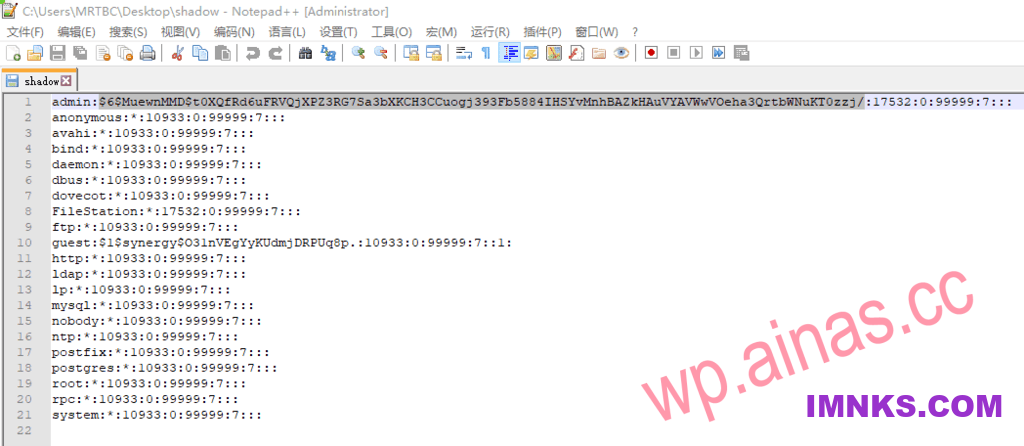
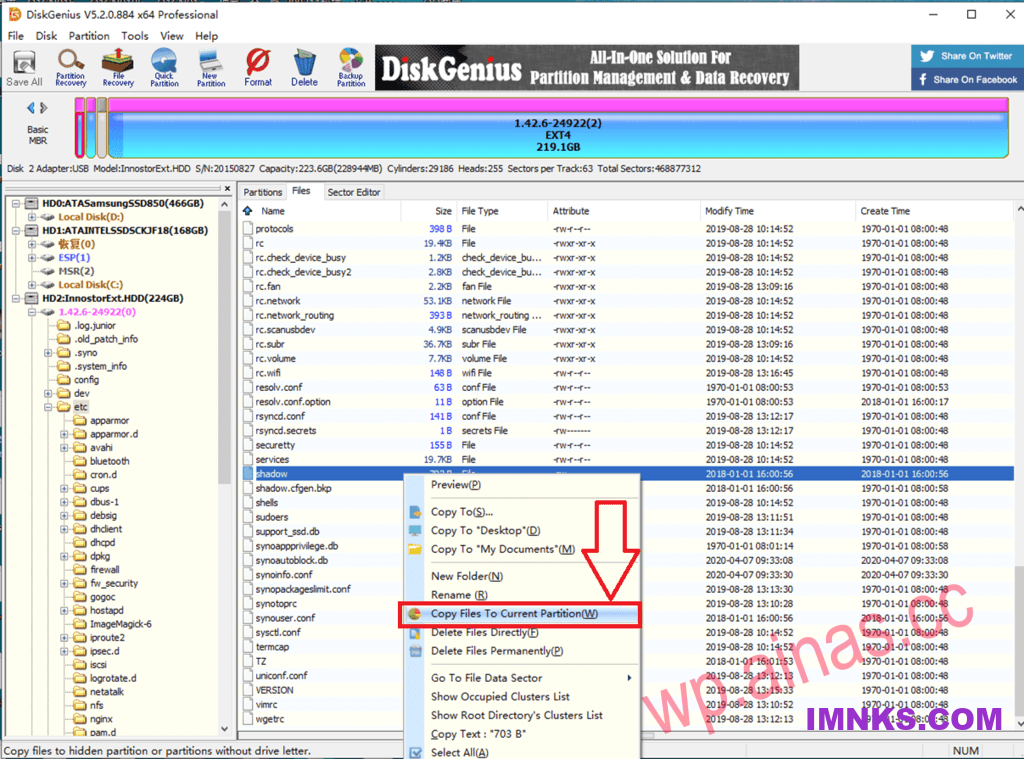 For X86, you can try this: the plain text is also 123456
$6$9npZKDypX.W$GLmHRiIBUVdkuGgrbig46Q8HQSXTGDA.540o1CCCfLoSVw5fcfK55P4fvHKmCJef.SK4PuyElhS.PAs9KscOa.1.1. Remember password
Open ssh, log in with username and password, enter the following code, press Enter to execute, you will be prompted to enter the password of the NAS again, after the execution is completed, it will prompt Success, then enter reboot to restart to reinstall (it is best to shut down and restart).
sudo /usr/syno/sbin/synodsdefault --reinstallreboot1.2. Forgot password or did not open ssh
You can connect the hard disk to the computer, use diskgenius to delete the file as shown in the figure, and insert it back to prompt to reinstall the system.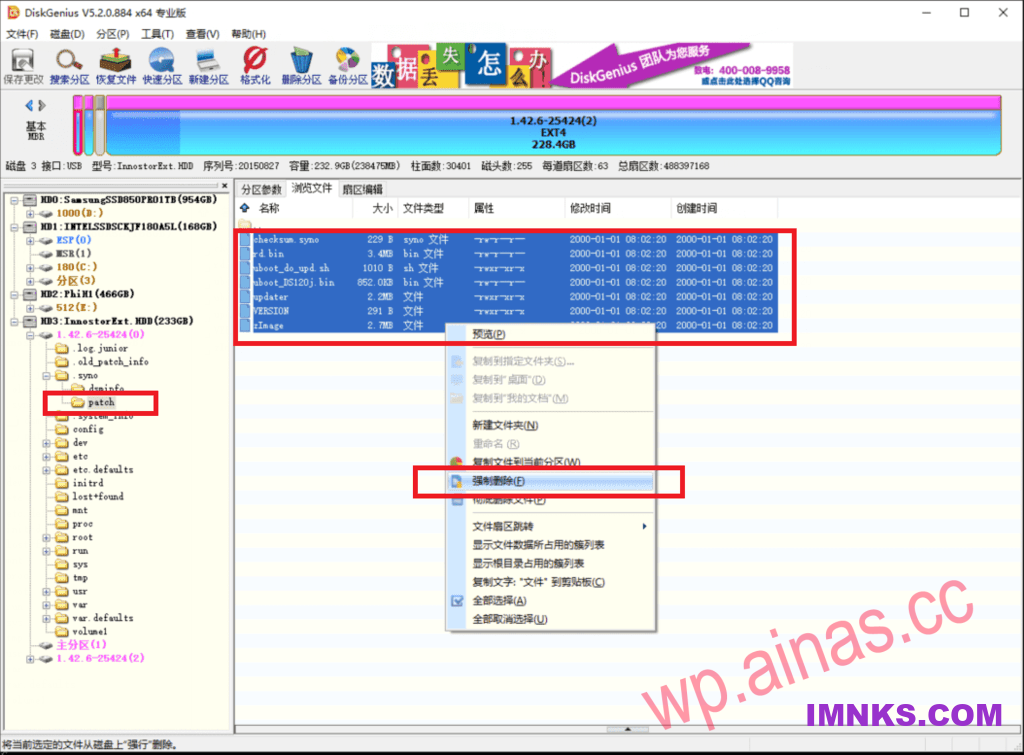
sudo /usr/syno/sbin/synodsdefault --factory-defaultreboot